Release 2022 R1 Highlights Ansys Sound - eCon Engineering
←
→
Page content transcription
If your browser does not render page correctly, please read the page content below
Release 2022 R1 Highlights Ansys Sound
2022 R1 – What’s New
Order analysis - Display
     • Display order in dB SPL, dBA and Pa (log and linear amplitude scales)
      Order analysis – tonality indicators
                                                                                                  2021 R1
        • Calculate TNR and PR for orders                                                         •   Fluent: FRF filtering, Sound quality indicators,
                                                                                                      sound length extension
                                                                                                  •   Mixer in Sound Composer
                                                                                                  •   Switch curve abscissae to any profile
                                                                                                  •
             FRF estimation                                                                           SAF Sound improvement and CAN bus
                                                                                                      connector

               • Beta > Release                                                                   2021 R2
                                                                                                  •   Import data with non regular time
                                                                                                  •   Sound Composer broadband noise

                  Sound quality                                                                   •
                                                                                                  •
                                                                                                      FRF calculation
                                                                                                      Use several harmonic source in Driving
                                                                                                      Simulator
                    • Display loudness ISO 532-1 as a colormap                                    •
                                                                                                  •
                                                                                                      Optimized ASD for EV
                                                                                                      Psychoacoustic indicators update

                       Spectrum import (beta)
                         • Import spectrum from Mechanical txt files

                           ASD Designer for decreasing RPM
                            • Decreasing RPM profiles now supported in ASD Designer
                                  ASD for EV enhancements
                                   • Combine several CAN parameters to create new control parameters
                                   • Generate ASD sound (ESE) into ASDforEV

 2
Order Analysis
Enhance tools for the study of harmonic
noises
Display Order Level in dB SPL, dBA and Pa
                                                              dB SPL
• Purpose
    ‐ Order analysis is a widely used feature of Ansys
      Sound for any user interested in rotating machines
    ‐ Users have different habits, and many are used to
      deal with dBA or Pa units for analysis, comparison
      and requirements
                                                              dB A
• Feature
    ‐ Enhance the order analysis by allowing the display in
      several units, and still vs RPM as abscissa
• Additional Information
    ‐ Switch order level between dB SPL, dBA and Pa
    ‐ Data export is made according to the currently used      Pa
      abscissa and ordinate

                                                                RPM

4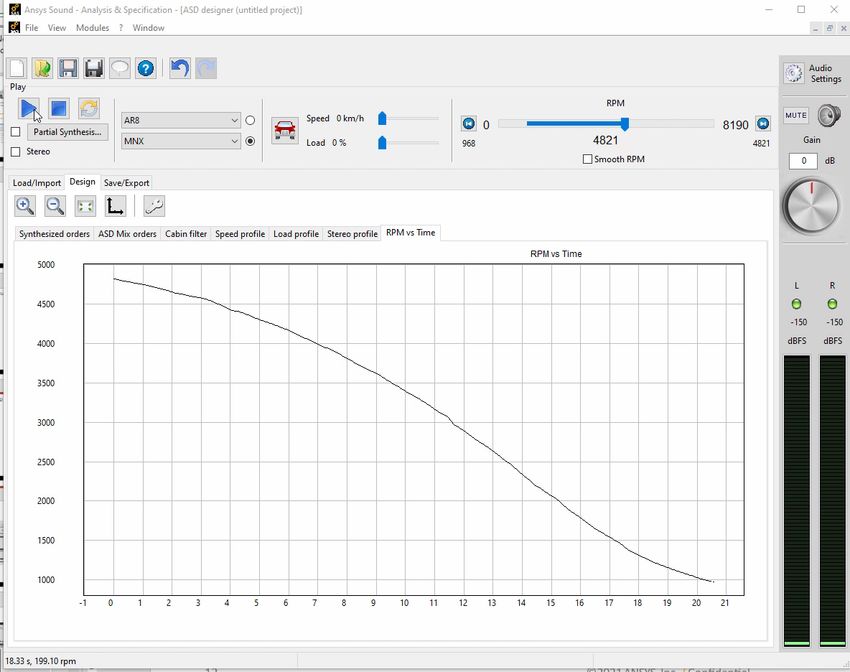
Calculate TNR and PR for Orders
Tone to Noise Ratio, Prominence Ratio
• Purpose
    ‐ Tonality indicators (TNR, PR) are widely used
      to assess tones audibility
    ‐ Knowing at which time or RPM values the
      tonalities are audible is of great interest for
      electric engine manufacturers and
      integrators (objective assessment of sound
      quality, requirements)
• Feature
    ‐ Calculate the TNR and the PR for any order
      as a function of time or RPM
• Additional information
    ‐ Available only if signal unit is Pa

5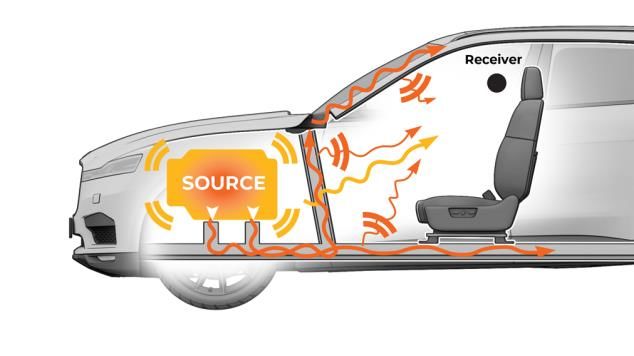
Frequency Response
Function
Estimate the FRF comparing the signal at
reception with the source signal

FRF Estimation
    • Purpose
     Characterize the transfer function of a system,
     by estimating its FRF (Frequency Response
                                                       The relationship between the source X and the receiver Y is
     Function)                                         modeled by the linear, time-invariant transfer function H
    • Feature                                                X                                          Y
     ‐ Method used: “H1 estimator” to minimize                                     H
       the effect of the noise at the receiver                   FRF is the frequency response of the
                                                                          transfer function H
     ‐ Display and save FRF, can then be used in
       Fluent
    • Additional information
     ‐ Default smoothing is set to 1/12th octave

7
Sound Quality Better understand how is perceived the sound
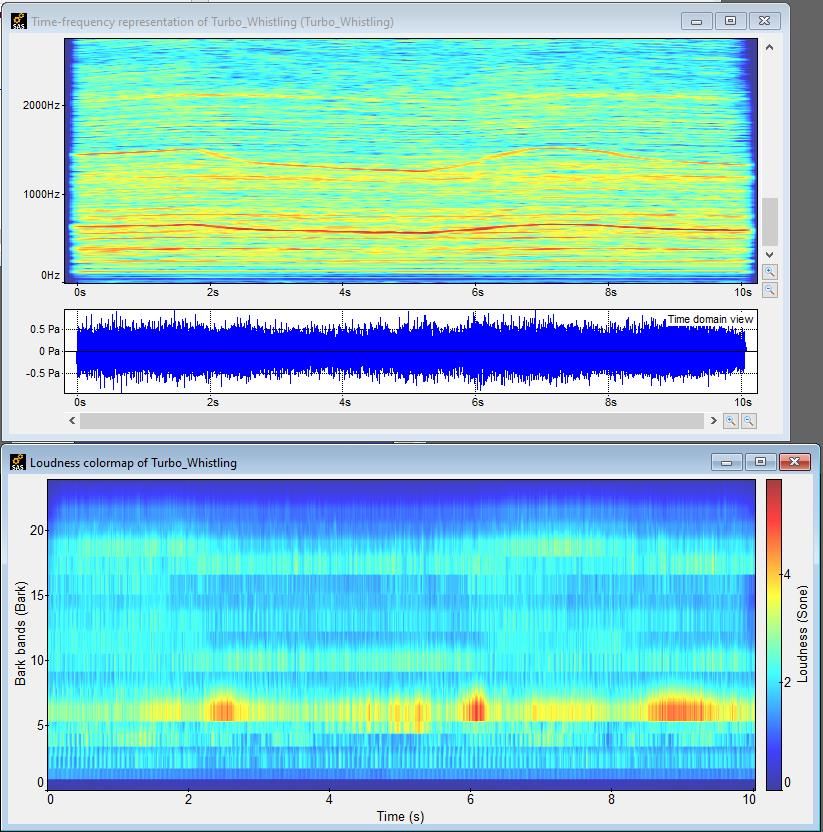
Display Loudness ISO 532-1 as a Colormap

                                                      spectrogram
• Purpose
    ‐ Loudness is one of the mostly used sound
      quality indicators, its display as a colormap
      enhances the analysis capabilities
                                                       waveform
• Feature
    ‐ Display loudness ISO532-1 as a colormap:
      •   Loudness vs time vs frequency
      •   Select unit: Sone or Phone

• Additional Information                               loudness
    ‐ Can be calculated from the waveform
      window

9
Ansys Connection Toward seamless data exchanges
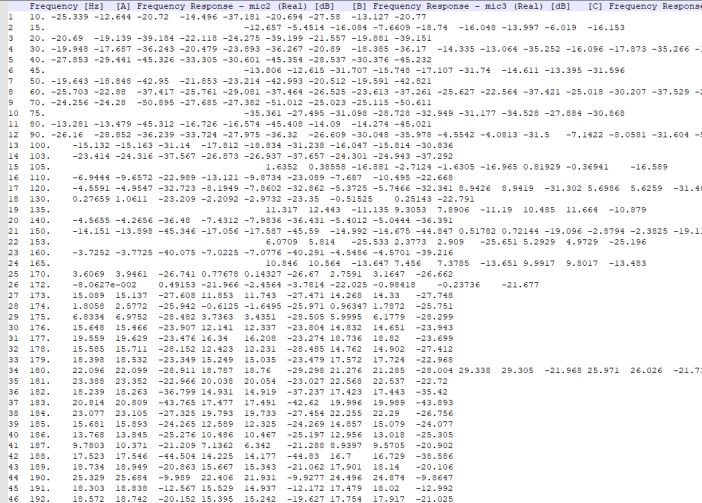
Import Spectrum from Mechanical txt files (beta)
• Purpose
     ‐ Mechanical can simulate spectra at several
       points, in several conditions and types
       (Acoustics, Vibration, ERP, …) and it would
       make sense to open these spectra for
       visualization in Ansys Sound
• Feature (beta)
     ‐ Import spectrum from a text file generated by
       Mechanical
• Additional Information
     ‐ Four different types of spectra exported by
       Mechanical are supported as input
     ‐ All imported spectra are automatically
       interpolated over a frequency scale spaced
       evenly at 0.5 Hz spacing

11
Generate Sound in Vehicles Better control the sound delivered inside any kind of vehicle
Decreasing RPM Profiles Now Supported in ASD Designer

 • Purpose
     ‐ ASD designer is used to create ESE sounds
       for ICE vehicles from real recordings, but is
       limited to strictly increasing RPM profiles
       •   Several customers interested in designing sound for
           decreasing RPM (deceleration)

 • Feature
     ‐ Overcome limitation and allow decreasing
       RPM profiles in ASD designer
 • Additional Information
     ‐ No specific visual change for the user, just
       adding more compatibility

13
Combine Several CAN Parameters into ASDforEV
• Purpose
‐ ASDforEV sounds are controlled by external
parameters, usually coming from the vehicle
through the CAN bus
‐ Some sounds cannot be controlled directly by
linking to a single parameter from the CAN
‐ Need to define new control parameters based
on the available ones. It gives the user:
• More accuracy in the control
• More freedom in the design purpose
• Feature
‐ For each ASDforEV sound the user can define
the control parameter as a combination of any
external parameter
• Additional Information
‐ Several operators can be applied to any
external parameter
14Generate ASD Sound (ESE) into ASDforEV
• Purpose
‐ Thermal engine vehicles can use Engine
Sound Enhancement (ESE)
‐ Electric Vehicles sound can use Speed &
Acceleration Feedback sounds (SAF )
> Hybrid vehicles should benefit from both!
• Feature
‐ Generate ESE sound from ASD in ASDforEV
‐ Choose when SAF sound and ESE sound
should be produced
• Additional Information
‐ ASD sound is made from a .box file
‐ Three control parameters to set:
• RPM, Speed, Pedal load
15You can also read


