Product news Innovations for the Digital Enterprise - November 2020 - Siemens
←
→
Page content transcription
If your browser does not render page correctly, please read the page content below
product news
Innovations for the
Digital Enterprise

November 2020

                      siemens.com/tia
Product News 2/2020                                          Contents

                                                            Cover

                                                            Contents / Navigation

                                                            Future of Automation
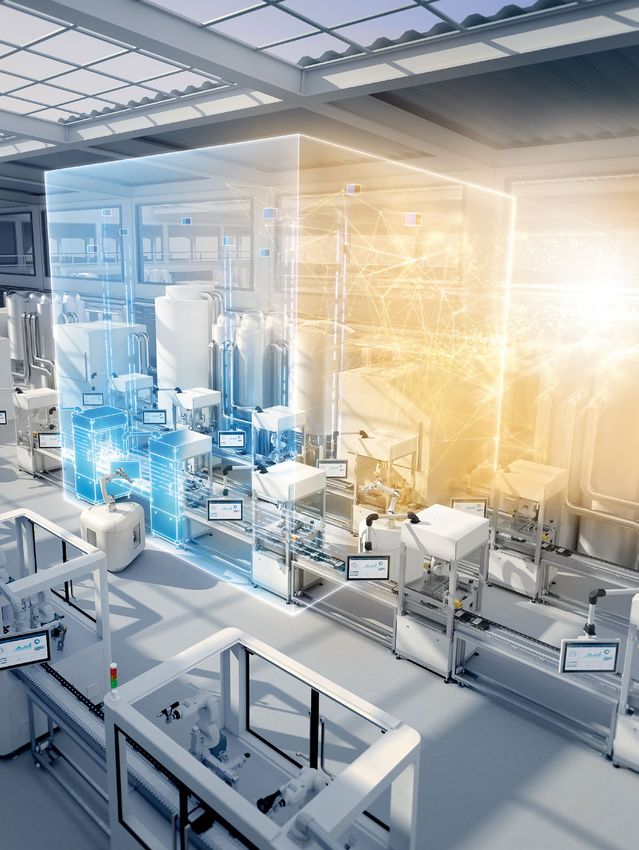
                                                            The factory of the future

                                                            Products
                                                            Totally Integrated Automation

                                                            Industrial Security

                                                            Robotics

                                                            Industrial Edge

                                                            MindSphere

                                                            Controller

                                                            Distributed I/O Systems

                                                            Human Machine Interface

                                                            PC-based Automation

                                                            Power Supplies

                                                            Process Automation

                                                            Drive Systems

                                                            Industrial Communication

                                                            Industrial Identification
                                                            and Locating

                                                            Industry Services

                                                            Smart Electrification

                                                            Imprint

Navigation

                        scroll      scroll   Menu / Table
                      backwards   forwards   of Contents                                   2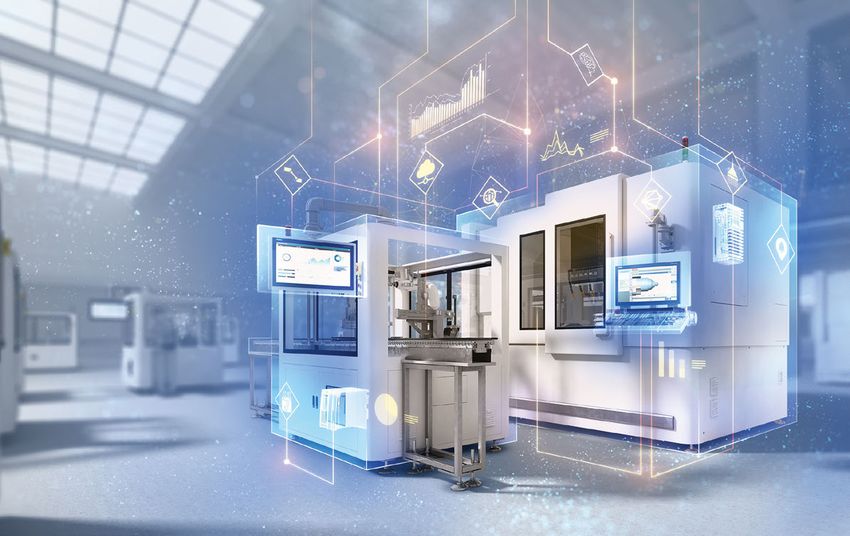
Product News 2/2020
Autonomous Factory
The factory of the future
The future of production is undergoing an extreme trans- AI-based system that performs a producibility check that
formation. More and more requirements from the B2C determines whether all the necessary skills for manufac
world are also affecting requirements in the B2B world. turing the product are available in the factory. The requi-
Companies today are under tremendous pressure to make site production steps are then combined in an optimal
their production both economical and ecological. Whether sequence, fully automatically and without reprogramming.
it is short innovation cycles or a steadily growing demand
for customized products, the future of production is entirely Artificial intelligence as the foundation of
customer-focused. production
A constant stream of new products – without Autonomy in production is made possible by digitalization.
engineering Based on a digital twin of the product to be manufactured,
AI algorithms enable the system to detect product variants,
In the past, frequent changes in incoming orders and a check material availability, and plan the steps necessary for
wide variety of production configurations often meant manufacturing the product. AI also enables sensors and
added expenditures for manufacturing. Since then, a fun- actuators to perform human-like actions like identifying
damental transformation has been under way in factories, parts and positions for gripping an object.
away from sequential production and toward autonomous
manufacturing. In the production of the future, people and Production as a whole also makes its own decisions and
machines will work at small, separate workstations while organizes itself. Many assembly steps can be performed in
automated guided vehicles transport products and the any order. A central, AI-based system ensures the highest
necessary components and tools between them. The possible output and monitors optimal utilization and com-
system is based on modular, autonomous machines that pliance with delivery deadlines. The system always knows
continuously optimize themselves and operate extremely the status of production at every workstation down to the
flexibly and efficiently. smallest detail. This kind of autonomous factory generates
and uses tremendous amounts of data, is protected by
These autonomous, decoupled manufacturing units quickly customized and proven cybersecurity concepts, utilizes AI,
form new assembly cells and can produce constantly and supports the next industrial revolution by making
varying products without repeated manual engineering. autonomous decisions in real time.
Each machine is assigned skills based on the product
ordered. The manufacturing steps are engineered by an siemens.com/futureofautomation
3
Product News 2/2020 Totally Integrated Automation
Integration³ – Totally Integrated Automation
End-to-end consistency as the
foundation of digitalization
To get the most out of a company’s potential, all compo- IT
nents and competencies at all levels need to interact with
each other – for maximum data transparency. The answer
to this challenge is Totally Integrated Automation (TIA).
The world’s leading automation concept provides absolute Services Future
end-to-end consistency in three dimensions.
TIA enables a seamless interaction between all automation
components, the software involved, and higher-level Totally
systems and services (Integration¹). This is ensured by Integrated
consistent data management, worldwide standards, Automation
uniform interfaces, and openness – from the field level to
the company management level (Integration²). Tomorrow’s So re
ftw
technologies are already being integrated today, step-by- are wa
step, for a secure investment – whatever phase your Hard OT
company is in (Integration³).
Integration1 Integration2
The basis of TIA is the stable automation core with its Data is increasingly becoming the key to competitive
integrated hardware and software portfolio plus specific advantages, and it also lays the groundwork for new
services – from consulting to implementation and opti- business models. This can be illustrated using the recall
mization of machines and plants. The comprehensive of defective products as an example. To minimize costs
portfolio grows to keep pace with the steady flow of and keep the number of products to be recalled as low
new requirements. For example, Industrial Edge technol as possible, it’s essential to accurately identify the
ogies will gradually be integrated into the TIA portfolio. quantity of defective products. This requires a high level
IT technologies are shifting to manufacturing, where of data transparency from production (Operational
Edge devices already have enough processing power to Technology area). To accomplish this, sensors at the
run certain applications and can orchestrate communi- field level first generate the data and make it available
cations with other parts of the factory. With Industrial via Simatic controllers. Subsequently, the data needs
Edge, users themselves decide whether the data remains to be transferred from the OT area to the company’s
on-site or is processed in the cloud. As a result, every higher-level IT systems, where it’s available to be ana-
one can use the best solution for their needs, either lyzed for targeted recall actions. TIA supports these
with Siemens equipment or tailored to the infrastruc- processes with seamless OT/IT connectivity, thanks to
ture. (Read more about Siemens Industrial Edge on uniform interfaces and the necessary openness for easy
pages 10–13.) implementation of, for example, OPC UA companion
specifications via TIA Portal. New technologies in the
IT area are continually supplementing the extensive
analysis options in the OT area: for example, via
SCADA systems. This is where Edge computing and
solutions for higher-level cloud systems such as
MindSphere come into play with its apps for production
machines and systems.
4
Product News 2/2020                                            Totally Integrated Automation

 Integration3                                                        Highlights

 Technologies such as Edge computing and artificial intelli-
 gence (AI) aren’t just a milestone in OT/IT integration –           ◾ Easy implementation of OPC UA
 they also generate new opportunities along the entire                 companion specifications in
 value chain. Collecting, monitoring, and analyzing                    TIA Portal (Siemens OPC UA
 machine and plant data at the edge of the network                     Modeling Editor SIOME)
 creates added value for systems or machines. From
 the targeted prediction of machine failures to a quality
                                                                     ◾ Use of IT technologies such as
 assurance based on process data without costly physical               Edge computing that offer a
 quality control to self-optimizing systems in which AI                platform for future technologies
 algorithms reveal their full potential. (Read more about              such as artificial intelligence (AI)
 artificial intelligence in autonomous systems on page 3.)

The advantages of TIA comprise an ever-growing, seam-
lessly integrated portfolio of hardware, software, and
services to be used from the field level to the company
management level, and in which innovations are gradually
being integrated to make companies future-proof for
existing and upcoming challenges.

 siemens.com/tia

                                                                                                              5
Product News 2/2020 Totally Integrated Automation
TIA Portal V17
More efficient engineering with more options
The parallelization of work steps can CFC Editor for Simatic S7-1500 can be Users can currently test all the func-
significantly increase engineering used to interconnect function blocks as tions of TIA Portal in the cloud free of
efficiency – provided that workflows a continuous function chart (CFC) and charge for 21 days. Subscription licens
are appropriately standardized to therefore easily configure a signal flow ing models for TIA Portal will be avail
ensure that the processes work diagram. This is especially valuable for able in the future, both in the cloud
together smoothly and flawlessly. users who already use CFCs in other and with local installation. For even
TIA Portal provides users with a contin projects and can now use the familiar more flexible use in automation proj
uous engineering workflow and offers program structure in TIA Portal as ects, TIA Portal Cloud will be offered
end-to-end standardization of auto- well. Developers can also create func- with TIA Portal V17 for the first time
mation through TIA Portal libraries that tions as a cause-and-effect matrix as a subscription model for commer-
store tested modules for its user’s (CEM) by simply interconnecting cial use.
programs. TIA Portal also enables fully ready-made logic modules in the CEM
integrated engineering workflows Editor for Simatic S7-1500 and S7-1200. siemens.com/tia-portal
based on the model of Continuous Using a matrix, developers can config
Integration, in which developers work ure the dependencies between the
as a coordinated team on automation modules according to the principle of
projects. cause and effect. This type of configu-
ration is especially straightforward
Efficient engineering also means design thanks to the graphical user interface.
ing applications instead of program It’s also very useful for troubleshooting
ming them. Two new control program logical connections between machine
editors have been added to TIA Portal states, because relationships between Highlights
V17 for graphical configuration. The modules are displayed at a glance.
◾ Standardization with more
flexible library concepts
◾ Collaborative work on
projects with the project
server and multiusers
◾ Increased software quality
with TIA Portal Test Suite
◾ New functions for user
management
◾ Centralized reporting
and diagnostic concepts
with OPC UA Alarms and
Conditions
◾ Creating simple web-based
visualization solutions with
Unified View of Things
6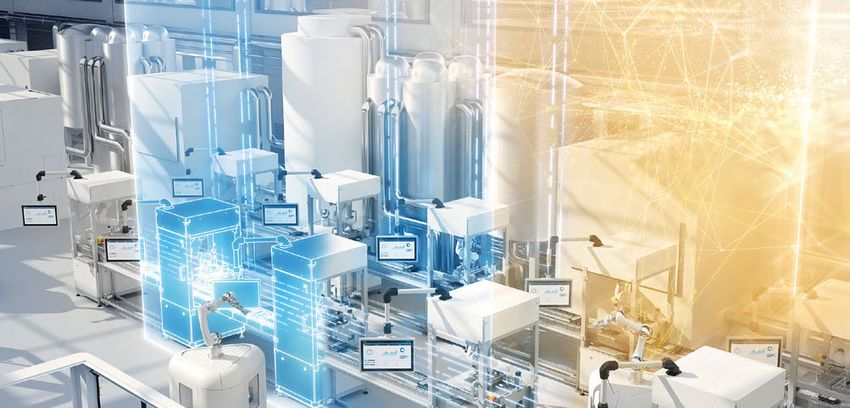
Product News 2/2020 Totally Integrated Automation
Simulation and virtual commissioning with TIA Portal
Simulation reveals new horizons
The virtual commissioning of machines
and plants helps save valuable time
during commissioning on-site. By
simulating machine and plant behav Validation and improved performance of machines
ior with a digital twin, that same S7-PLCSIM Advanced + Amesim
twin can be used across the entire Machine
Level Proper functioning of the machine
lifecycle of a machine or plant – S7-PLCSIM Advanced + SIMIT + NX MCD
right up to customer acquisition, or Requirements Engineering Production
as a realistic model for the virtual
showroom. Design Commissioning Service
S7-PLCSIM Advanced + Process Simulate
When production machines are being Line Proper functioning of the
production line
developed, the simulation of auto Level
S7-PLCSIM Advanced + Plant Simulation
mation, electrical, and mechanical Validation and improved performance of production lines
systems can be used to parallelize the
design and engineering processes and
test them in advance in a digital
development environment. A corre-
sponding model can also be used to
verify entire production lines prior to A digital twin can also be used to plants in operation. A model can be
physical commissioning. By elimi map logistics and material flows: for used to determine whether motors
nating the time-consuming process of example, to design conveyor lines and other components contain suffi-
coordinating individual components, and to identify the optimal operating cient reserves for improved perfor-
the line can be put into operation par ameters for the conveyor tech mance, whether a higher load will
faster. nology. Simulation also helps boost result in vibration, and whether the
the productivity of machines and automation response times are
sufficient.
A coordinated portfolio of modeling
tools and powerful automation hard-
ware is the foundation for all these
Highlights applications. From the virtual PLC and
the modeling of mechatronic and
mechanical components to solutions
◾ Simcenter Amesim for performance evaluation and for modeling physical parameters,
optimization of multi-physics systems users can develop a digital twin to
◾ Tecnomatix Process Simulate for designing and validating meet their needs in their TIA Portal
project – and optimize their processes
complex processes in production cells
as a result.
◾ Tecnomatix Plant Simulation for simulating and
optimizing material flows siemens.com/
simulation-for-automation
◾ NX Mechatronics Concept Designer for the mechatronic
and kinematic modeling of machines
◾ Simit for testing the control program, taking into account
the behavior of the electrical system
◾ S7-PLCSIM Advanced for simulating Simatic S7-1500 controllers
◾ Simatic S7-1500 controller and TIA Portal as a powerful
automation system
7
Product News 2/2020 Industrial Security
TIA Portal V17 and Simatic S7 controllers: integrated security functions
High-level cybersecurity
Cyberthreats to OT and automation systems are increasing
every day. TIA Portal and the Simatic S7 controllers offer
integrated security functions that are being further devel
oped and expanded with version V17. For some security
settings, a so-called security by default strategy is already
being followed, which also minimizes cyberrisks. With the
PLC protection levels, for example, the password assignment
is automatically activated, so the user is comfortably guided
through the configuration using the wizard. This reduces
the risk of errors, offers transparency, and facilitates han
dling with maximum user-friendliness. Users may deactivate
the wizard if necessary, but they must do this consciously,
which prevents them from forgetting to assign passwords.
Each user should only be able to access specific devices
and functions depending on their role and rights, which
is handled by TIA Portal user management. In version V17,
users are granted additional function rights to permit a
more detailed allocation of rights such as access to safety
functions. The UMC (User Management Component)
option package offers the opportunity to incorporate user
management in a central user management (e.g., Active
Directory). Single sign-on (SSO) is also supported, which
makes it possible to change from HMI Runtime to TIA Portal
with no additional manual log-on when both are installed
on the same computer. Even older devices that support
authentication using Simatic Logon can be connected to
UMC in version V17.
Another aspect of security is secure communication. OPC UA
allows secure and encrypted communication between
Highlights S7-1500 controllers and third-party devices. Version V17
supports automatable certificate management for dynam
ically configuring OPC UA server certificates in the controller
◾ User management and access (OPC UA GDS support), making the system much easier to
control with single sign-on for use.
TIA Portal and HMI
An additional highlight is the TLS-based protection of
◾ Improved certificate management Simatic S7 communication between controllers, TIA Portal,
for OPC UA on S7-1500 CPUs and HMI stations. This provides a higher level of security,
◾ Greater communication security thanks to the latest security standards (TLS 1.3). It also
allows users to encrypt communication and apply their
for PG/PC controller communication
own certificates.
◾ Security by default with Simatic S7
protection levels siemens.com/industrialsecurity
8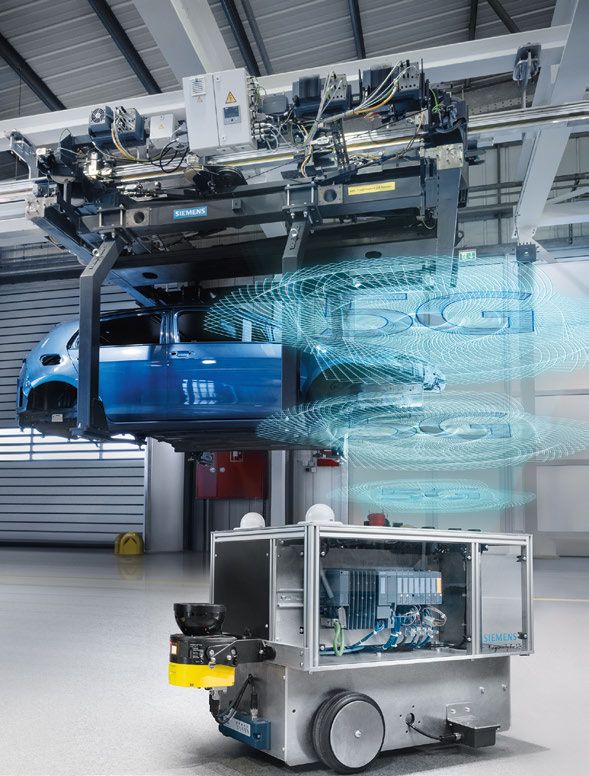
Product News 2/2020 Robotics
Simatic Robot Integrator app/Simatic Robot Library
Easily integrate robots from a wide range
of manufacturers
More and more sectors are using industrial robots. Inte Until now, a TIA Portal library was only available for some
grating these robots requires knowledge of specific robot robot manufacturers. When there was a change of manu-
programming tools, which isn’t always available in-house. facturer, the library also had to be replaced. The new uni-
The Simatic Robot Integrator app makes a quick and easy versal interface of the Simatic Robot Library makes it easy
job of integrating robots from different manufacturers in to program and commission robots from all major manu-
the machine concept, with no need for specialized engi- facturers. Robot engineering only has to be generated
neering or programming knowledge or external specialists. once, and it can then be reused for other manufacturers.
Users just need to be familiar with TIA Portal.
siemens.com/robot-integrator
The app uses a shared engineering environment and a single
uniform operating philosophy for PLC and robots. This
reduces time spent on engineering and on training oper
ating personnel. Vendor-neutral robot programming and
Highlights
identical faceplates for robots from different manufacturers
increase efficiency. Vendor-neutral robot programming also
makes it possible to reduce errors when accepting pro- ◾ Uniform robot programming in TIA Portal
grams – and this also reduces error costs. In addition, users ◾ Simple programming using Simatic HMI,
can access all the diagnostic options offered by Simatic regardless of robot manufacturer
controllers, including for the robot cell, which allows optimi-
zation of remote maintenance. ◾ Engineering time reduced by up to 30%
M
an
uf
act
ur
er
A
M
an
uf
a
ct
ur
er
C
M
an
uf
ac
M
tu
an
re
uf
r..
a
.
ct
ur
er
B
M
an
uf
a
9
ct
ur
e
rD
Product News 2/2020                                                       Industrial Edge

 Siemens Industrial Edge

Intelligence
in production
More and more companies are recognizing the importance
and necessity of processing and analyzing production data       Highlights
on an even larger scale. Siemens offers consistent, end-to-
end industrial IoT solutions for simple data integration and
analysis, from production to the cloud, using MindSphere        ◾ Efficient integration of IT and data
and Industrial Edge. Industrial Edge permits local, decen-        processing functions in automation
tralized data processing and preprocessing directly at the
                                                                ◾ Automation of IT processes for software
machine. This guarantees minimal latency, reduced costs
                                                                  deployment close to production
for data storage, and secure handling of sensitive data.
Since September 2020 – and after intensive collaborations       ◾ Edge applications for data processing,
with a number of pilot customers – companies worldwide            analysis, and exchange at the machine
now have access to the open Industrial Edge platform as a         level
ready-to-use solution.
                                                                ◾ User-friendly management, operation,
Industrial Edge brings typical IT standards such as central       and scaling of hundreds of Edge devices
software management and device management, container-             worldwide using appropriate apps
based applications (Docker), and high-level language-
                                                                ◾ In conjunction with cloud systems,
based data analysis and processing closer to the data source.
                                                                  Industrial Edge lays the foundation for
This enables IT managers to perform simple, controlled, and
                                                                  new business models in machine
highly automated software rollouts in production. A key
feature of this solution is decentralized data processing         building, thanks to the use of apps for
and analysis using Edge devices at the production level or        worldwide machine data analysis
integrated into the automation portfolio. One example is
the new Simatic HMI Unified Comfort Panel. The functions
of this HMI panel, which is now also Edge-capable, can be
expanded with the aid of apps. (Read more about Simatic
HMI Unified Comfort Panel on page 25.)

                                                                                                            10
Product News 2/2020 Industrial Edge
The Industrial Edge Management System is the central Users can effortlessly port existing software and applica-
infrastructure for managing hundreds of Edge devices of tions to Industrial Edge while benefitting from integrated
all types – factory-wide or even worldwide. The system security and connectivity to automation and to the cloud.
can either be installed in production for users whose focus Docker, the open-source container technology, runs on all
is on data security and control, or it can be installed in Edge devices and can be used to easily and scalably integrate
cloud infrastructures. Edge application software and data processing and analysis capabilities into automation
updates, such as security-critical firmware updates, can be using typical IT functions and high-level languages such as
applied centrally and remotely via over-the-air updates on C, C++, Java Python, and Node.js. Once programmed, these
connected Edge devices. Wide-ranging user management capabilities can be used on any hardware. For exchanging
helps administrators with planned rollouts and the finely data with automation, production IT, and cloud systems,
differentiated allocation of rights so that high plant and protocols such as OPC UA Client/Server, Modbus TCP, TCP/
software availability can be guaranteed. The Edge Manage- IP, Simatic S7, Sinumerik, Simotion, EtherNet/IP, and MQTT
ment System also ensures access to the central Industrial are integrated as standard.
Edge marketplace where app developers, system integra-
tors, machine builders, and users can offer and exchange Industrial Edge devices like Simatic IPC227E are ideal for
apps. For the Simatic environment, for example, the market acquiring and analyzing data right in the manufacturing
place offers the flexible Performance Insight performance environment. Edge-capable automation devices like con
monitoring tool that monitors the most important KPIs of trollers (Simatic S7-1500 with TM MFP), HMIs (Simatic HMI
machines, production lines, and entire plants. For the Unified Comfort Panels), and network routers (Ruggedcom
machine tool industry, Analyze MyWorkpiece/Monitor RX1500 with APE1808 module) are available or are currently
provides quality monitoring: for example, when evaluating being planned in order to expand the integrated Edge func-
workpiece quality and detecting tool wear. tionality and provide maximum viability for the future.
siemens.com/industrial-edge
11Product News 2/2020 Industrial Edge
Industrial Edge apps
Install and go!
The Industrial Edge apps from
Siemens allow users to use data from
Data Device
machines and plants right on-site on
visualization management
their Industrial Edge devices without
expending the effort to integrate
them into the automation technology.
Industrial Edge apps can be used to
perform many different tasks related
Apps
to performance and process visualiza-
tion, including data preprocessing,
management of automation devices, Machine Data
machine interaction, and machine service for various processing
service. The data is analyzed directly applications
on-site at the machine in the Edge
device, which allows Industrial Edge
apps to identify the potential for
improvement and optimize processes
in operations and service – even
without a cloud connection.
Machine
Connectivity interaction
Using the Inventory Industrial Edge
app, users can get a quick overview of
all the devices in the network and
their software versions in order to It’s essential that the huge volumes of Another major area of application for
generate an inventory list and opti- data produced by automated machines Industrial Edge apps is visualizing and
mize warehousing or schedule service and plants be processed locally, whether analyzing data. The advantage is that
activities like firmware updates. In the to take optimal advantage of the band- integrated connectivity enables the
future, it will be possible to use the width available in the network or to direct transfer of machine data from
Simatic Automation Tool Industrial filter out sensitive or irrelevant data the machine controller to the Edge
Edge app to commission Simatic before it’s transferred to a higher-level device, where it’s then analyzed. For
devices and perform service activities system or cloud. With the Flow Creator example, the Performance Insight
like allocating IP addresses or firmware Industrial Edge app, this data prepro Industrial Edge app can compile key
updates for multiple devices simulta- cessing can be integrated into a performance indicators on availability,
neously on one Industrial Edge device, graphical user interface based on quality, and quantities produced in
independently of TIA Portal. This not data flows with no specialized pro- freely configurable dashboards and
only saves time, it also reduces gramming knowledge required. The display them on a variety of different
sources of error. LiveTwin Industrial Edge app moves terminals (including smartphones)
the simulation of a production process and users. The Energy Manager
in machines or plants out of the IT Industrial Edge app improves energy
world and directly into production. It transparency for various media and
can be used to supply real-time data types of energy and helps optimize
to simulation models on Industrial the energy consumption and carbon
Edge devices and to compare real footprint of production.
processes with simulated processes
in order to optimize operation and
maintenance.
12Product News 2/2020 Industrial Edge
Collaboration Board
Tracking down
errors faster
To improve machine service, users can
also access recorded data on machine Highlights
states and alarms or diagnostic data.
The Machine Insight Industrial Edge
app correlates this data with itself and ◾ Investigates causes of errors using methods
with corresponding KPIs so that sources like Ishikawa or 5 Why
of error can be easily identified and
selectively corrected. Last but not ◾ Simple configuration based on the user’s own
least, the Notifier Industrial Edge app production layout and with their own machine
forwards notifications of errors, displays
alarms, and service requests to spe-
◾ Language switching between German and
cific users and groups without routing
them via other systems, using easily
English for work in international teams
definable rules. As part of the compre- ◾ Adaptable views, documentation of ideas,
hensive industrial IoT solution from and voting tools for working efficiently
Siemens, a variety of apps can be
operated close to production using
Industrial Edge or centrally using
MindSphere, depending on the user’s The MindSphere app Collaboration Board replaces earlier,
requirements. commonly used methods for determining the causes of
errors with a data-based analysis that’s available digitally
siemens.com/simaticapps to all stakeholders. The app supports location-independent
collaboration in teams and an exchange of information
between different factories. Via a guided process, users
Highlights can also define questions, select machines and plants, and
integrate the data acquired in MindSphere to enable a
comprehensive analysis of error profiles. The results can
◾ A wide range of functions help plant operators and maintenance managers extend
for many applications the service life of their machines and plants.
◾ Simple configuration, even siemens.com/simaticapps
of complex functions like
simulations and KPI analyses
◾ No programming effort
required
◾ Integrated in the Industrial
Edge ecosystem
◾ Ongoing support and
updates to Edge apps by
Siemens
13Product News 2/2020 MindSphere
MindSphere
Our future is getting smarter
How can I control my production more efficiently? How can processes, and the design of a complex location or even a
I minimize downtime? How can I improve my products? cross-company system with digital twins that provide a
How can I take advantage of the potential of the Industrial virtual model of all processes in real time.
IoT, customized for my company? How can we prepare our
infrastructure, cities, and services to meet future challenges? Value creation: Downtime is prevented thanks to predic-
MindSphere has the answers. This “Industrial IoT as a service” tive maintenance. Sequences and manufacturing processes
solution uses sophisticated analysis functions and AI to are optimized, development is accelerated, products are
implement IoT solutions from the Edge to the cloud. improved, and new services and business models are
created. Prominent customers are already benefiting from
Simple: Built on the Mendix application platform, MindSphere this added value worldwide.
enables its users to quickly develop and integrate custom
ized IoT applications. The goal is to create apps that are
easy to use and understand and that allow customers to
use and perform uncomplicated analyses of the data from Easy introduction to the IIoT
their machines, logistics, and products.
With its “start for free” offering, MindSphere gives all
Secure: As a leading IoT as a service solution, MindSphere interested parties an opportunity to try out and use the
offers the option of storing data in a cloud and, of course, analysis capabilities step by step and free of charge.
on the customer’s premises. Analysis and processing are Guided tours, preconfigured apps, templates, and APIs
performed according to the strictest ISO-certified security facilitate entry into the world of the Industrial IoT
regulations – because MindSphere turns today’s data into without a large investment – including detailed data
tomorrow’s capital. analyses and the visualization of KPIs on the user’s
own dashboard.
Step-by-step: MindSphere accompanies customers on
their path to digitalization starting on first day, including
the connection of the first machines, the analysis of data
for performance and system optimization of machines and siemens.mindsphere.io
14Product News 2/2020 Controller
Simatic S7-1500, S7-1200, LOGO!
Cloud connectivity for PLCs
of all sizes
Highlights
◾ Scalable portfolio for
connecting to the cloud using
open protocols for all cloud
platforms
◾ Unlimited data storage
and analysis opportunities
in the cloud
◾ Easy setup for cloud
connections with LOGO!
Soft Comfort wizard
◾ Security assured by TLS
certificates from the AWS
cloud to LOGO!
Data is among the most valuable assets a plant owns. The regardless of whether the system is controlled by LOGO!,
data gathered in automation systems is useful for analy- Simatic, or third-party systems. This means that when the
zing the manufacturing process and determining the controller has only limited storage space available, data
actual condition of machines and plants. Analyzing this can be moved to the cloud. Therefore, users have the
data can optimize the process, improve product quality, opportunity to gather data from individual machines in a
and provide material for reviewing the use of resources centralized location, provide remote access to distributed
and making it more efficient. This data also lays the foun- systems, implement new models like pay-per-use, and
dation for a wide range of innovative solutions, including much more.
machine learning for autonomous machines, artificial intel-
ligence, and predictive maintenance. The data is gathered, LOGO! 8.3 is very easy to set up using LOGO! Soft Comfort,
sorted, and made available in the cloud, to which all con which can also be used to configure and activate the cloud
trollers can establish a connection, either directly or via connection. The free “LOGO! Web Editor” (LWE) can be
IT mechanisms. used to create a dashboard for cloud data. Just like before,
you do not need HTML skills to be able to create websites
Siemens provides a scalable portfolio for connecting that can be accessed either locally or globally via the
to cloud platforms. All PLCs – from the powerful cloud. The data gathered in the cloud is available for addi-
Simatic S7-1500 to S7-1200 and LOGO!, the smallest in tional processing and analysis. Whether it is a benchmark
the series – use the open MQTT protocol for this purpose. for power data, predictive maintenance, or turning service
Devices that can’t connect directly to the cloud can use concepts into reality, LOGO! opens up a wealth of oppor
IoT/Edge gateways. tunities.
Version 8.3 of LOGO!, the controller for small automation
tasks, now offers a cloud connection for the first time. siemens.com/s7-1500
Thanks to its Ethernet interface and the associated connec- siemens.com/s7-1200
tion options, LOGO! can be used as a gateway to the cloud, siemens.com/logo
15Product News 2/2020 Controller
Simatic S7-1200, FW 4.5 / Simatic S7-1500, FW V2.9
OT meets IT: next steps
A uniform web editor for all devices is a winning feature
of the new firmware version of the Simatic S7-1200 and
S7-1500 controllers. It enables automation web pro-
gramming (AWP) comparable to an HMI setup, which
allows users to create websites easily with no prior HTML
programming knowledge. Users save time and effort
because the web editor can be used for both CPU websites
and HMI images. HTML programmers can program AWP
pages directly for the CPU and upload them without
stopping the CPU.
Simatic S7-1500 FW V2.9 has also been equipped with
DHCP/DNS and OPC UA interfaces with GDS for improved
IT connectivity. These enable network configuration,
addressing, and certificate handling. For example, certifi-
cates can be updated via TIA Portal or the separate GDS
server, which simplifies the setup process. To meet the
enhanced security requirements easily and automatically,
the security functions have been expanded to include
standard security presets for communication and user
management. If required, customers also have the option
to adjust the settings to provide a lower level of
protection.
In conjunction with the redundant Simatic S7-1500 R/H
Highlights systems in particular, the new active backplane bus for
distributed Simatic ET 200MP stations provides improved
system availability. This makes it possible to hot-swap
◾ Review of runtime licenses for PLC modules: if modules fail, they can be swapped with the
system running in the case of Simatic ET 200MP/Simatic
(e.g., OPC UA) for easy license
S7-1500 IOs. Unaffected modules remain in operation
management at the CPU end
throughout.
◾ OPC UA expansions: display and acknowledge
important information such as alarms on customer- The new Simatic CPU 1518T/TF versions for high-end
preferred external systems (Simatic S7-1500); motion control applications meet exacting demands for
complex data types for improved scalability performance and axis quantity structures. The motion
(Simatic S7-1200) control T-CPUs also have expanded synchronization func-
tions such as master value-coupled correction profiles on
◾ Fail-safe redundancy available for the first time the following axis, desynchronization of gearing and
for applications with stringent demands for camming to achieve a set position, a new cam disk type,
availability and fail-safe operation and expanded cam disk diagnostics.
(new Simatic CPU 1518 HF)
siemens.com/s7-1200
◾ 50% more program memory and three siemens.com/s7-1500
times more data storage (60 MB)
for implementing much larger projects and
quantity structures than in the past
(all Simatic CPU 1518 types)
◾ Motion control: support for linear motors and
expansion of trace functionality (Bode diagrams)
16Product News 2/2020 Controller / Distributed I/O Systems
Simatic S7-1500 TM MFP
Edge integration for
Simatic S7-1500
The new TM MFP technology module will seamlessly integrate
Edge computing into the Simatic S7 controller in the future. Using
this multifunctional platform, you can integrate a broad range of
independent applications. In addition to being able to use optional
software packages/applications (e.g., Proneta) and Edge apps
(e.g., Simatic Flow Creator), the tool is also open to customer-
specific high-level language expansions to adapt protocols or
preprocess data.
Highlights
With Edge runtime, Simatic S7-1500 TM MFP is prepared for Siemens
Industrial Edge applications at the controller level, and it can be
◾ Benefits of a cloud system combined centrally and scalably connected to any Simatic S7-1500 CPU
with the strengths of a local solution (1511 to 1518). The backplane bus will then enable high-
performance data communication in real time. There is also
◾ A variety of data backup options: the option to communicate via Ethernet with any Simatic S7-1200
local, cloud-based, hybrid or Simatic Drive Controller and process the data from these units
◾ Based on Simatic Industrial OS at the controller level.
siemens.com/s7-1500
Simatic S7-1500 TM NPU / ET 200MP
Artificial intelligence for Highlights
automation tasks ◾ Equipped with the
AI-capable Myriad X Vision
Artificial intelligence is making inroads The TM NPU assembly can be installed Processing Unit Chip from
into automation with the new Simatic centrally behind an S7-1500 CPU as well Intel Movidius
S7-1500 TM NPU assembly for the as locally behind an Simatic ET 200MP
◾ Intuitive handling at the
Simatic S7-1500 controller and the interface module. This solution can
machine level, even for
Simatic ET 200MP I/O system. The also be scaled to meet requirements
module can be seamlessly integrated by installing multiple modules in
non-AI experts
into the Simatic automation system to sequence. For operation, the assembly ◾ Maintenance-free, no
provide a simple and profitable combi- uses a separately trained neural net mechanically movable
nation of AI algorithms and PLC logic. work that is installed in the assembly components
Users will enjoy many benefits: Auto- using an SD card. This is one of the
mating manual tasks using machine areas where automation experts and ◾ No negative impact on
learning saves time and labor. Increasing machine learning experts are working PLC program performance
the level of automation in production hand in hand to turn an AI-based
also helps to significantly improve solution into a reality. Users can
overall quality. The module can be used connect Gigabit Ethernet and USB3.1-
in a wide range of applications: for compatible sensor technology such as used as input data. The processing
example, in robotics, condition monitor cameras to the integrated interfaces result is analyzed in the TM NPU.
ing for object recognition, and visual on the module. CPU data transmitted
and sensor-assisted quality assurance. via the backplane bus can also be siemens.com/s7-1500-tm-npu
17Product News 2/2020 Distributed I/O Systems
Simatic ET 200MP / S7-1500: 64-channel digital modules,
16-channel analog input modules
Economical and space-saving modules
High-density 35-mm wide I/O modules are
now available for the Simatic S7-1500
controller and Simatic ET 200MP distributed
I/O system product range. The 64-channel
digital modules enable the design of extremely
space-saving configurations for medium-
sized and large plants and are ideal for appli- Highlights
cations in the semiconductor and electronics
industries. Because space in clean rooms is
very expensive, a large number of signals Digital modules:
have to be recorded in the smallest possible
space. These modules are also available in ◾ Easy and open configuration
sinking input and sinking output versions – because there are no
a connection and wiring technology that’s parameters to be set
practically standard in the two industries
mentioned. In addition to 64-channel input ◾ Flexible wiring due to the
and output modules, a mixed module with use of Simatic Top Connect
32 inputs and 32 outputs is also available for
optimal scalability. ◾ Optimized usability thanks
to the assignment of channel
The 16-channel analog input modules can be
status LEDs directly to the
deployed wherever a large number of analog
terminal
signals need to be collected, whether it is HVAC applications, furnaces,
or water/wastewater treatment. Thanks to their 16-bit resolution and
Analog input modules:
operational error limit of +/– 0.5%, they can also be used in a wide range
of applications. Thanks to the concentration on the most frequently used ◾ Simple engineering
measurement types “current” and “voltage,” the modules can be offered
at a very affordable price. Tried-and-tested system functions such as ◾ Flexible wiring thanks to
MSI, diagnostics, and two-limit value alarms for upper and lower limits front connectors with push-in
have been retained. or screw connection
technology
The digital and analog modules can be operated centrally with
Simatic S7 Profibus. They can be configured using either TIA Portal or ◾ Highly robust thanks to
a GSD/GSDML file: the latter also permits the use of any Profinet I/O integrated shielding concept
controller. ◾ Support for current measuring
ranges from 0/4 to 20 mA
siemens.com/et200mp and +/–20 mA and voltage
measuring ranges from
+/–1 V to +/–10 V
18Product News 2/2020 Distributed I/O Systems
Simatic ET 200MP: active backplane bus
Increased plant
availability
Starting immediately, an active back- The backplane bus is also used in
plane bus is available for the Simatic plants that are difficult to access due Highlights
S7-1500 I/O modules for operation to their geographic location and that
with Simatic ET 200MP and Profinet. need to continue running for several
The device comes with 4, 8, or 12 slots. days after a single I/O module fails ◾ Scalable and space-saving
In addition to reaction-free hot swap- (such as offshore facilities in oil pro- design thanks to varying
ping of I/O modules during operation, duction). To operate, the active back- number of slots
reserves can also be maintained for plane bus is simply inserted into the
later use. This significantly increases existing Simatic S7-1500 mounting ◾ No increase in mounting
plant availability. rail. This means that the mounting depth when the backplane
dimensions of the ET 200MP remain bus is inserted between the
The active backplane bus is used in the same even when it uses the active modules and the mounting
applications where high demands are backplane bus. Based on the shared rail
placed on plant availability and even a component principle, existing plants
◾ Simple engineering
short downtime would result in severe are also easy to upgrade.
because no slot rules need
economic damage (e.g., logistics
to be observed
plants). siemens.com/et200mp
Simatic ET 200SP: F-TM ServoDrive
Even more flexible drive control
The new firmware V1.1. of the F-TM ServoDrive technology
module for the Simatic ET 200SP drive system now makes it
possible to control motors with incremental encoders, and not
just motors with IQ encoders. In conjunction with EC motors, it
enables dynamic and precise positioning up to 280 W in a highly
compact installation. Thanks to engineering in TIA Portal, the module
Highlights greatly simplifies drive design, commissioning, and service. The HSP
V16 2.0 hardware support package has made commissioning even
easier: The most important controller parameters can be entered
both offline and online in the commissioning screen and immediately
◾ Safety extra-low-voltage drive
optimized as needed.
controller for ET 200SP: 24 to 48 V DC,
up to 280 W Step-by-step tutorials introduce beginners to drive control
◾ Controllable incremental encoder: with Simatic ET 200SP. A starter kit is available, comprising the
A-, B-, Z-track; differential or single-ended F-TM ServoDrive actuator with the associated BaseUnit (U0), an
IM 155 interface module for Profinet, the ECI42.20 ebm-papst motor,
◾ Worldwide use: CE, cUL, EAC, RCM, KC and the associated connecting cables.
certifications
siemens.com/micro-drive
◾ High power density: 20 mm wide
19Product News 2/2020 Distributed I/O Systems
Simatic ET 200SP AI Energy Meter
Extended field of application,
greater flexibility
Simatic ET 200SP AI Energy Meter makes the energy require-
ments of individual components in a production plant transparent
Highlights
at the machine level. The module range has been expanded with
many new functions. The successor modules to the 400- and
480-V standard modules are equipped with an electronic power
supply over 24 V DC that also allows them to be used in plants
◾ Network analysis function with
with no neutral conductors or IT networks. The functions of the HF module
new standard modules were also aligned with those of the High ◾ Standard modules available for current
Feature (HF) versions. Because the connection and data inter- measurement via 333-mV current/
faces are identical, there’s greater flexibility when using HF and voltage transformer or Rogowski coils
standard Energy Meter modules. Innovative cross-compatibility
also allows the use of standard or HF Energy Meter modules ◾ Extensive auxiliary functions such as
with an identical hardware configuration. additional current input for measuring
neutral conductor current, timestamp
siemens.com/et200sp of minimum/maximum values, reactive
power compensation, and user-defined
compilation of measured values for
quick and easy access to data records
Simatic ET 200SP F-TM Count HF
Reliable counting and more
Reliable pulse recording can be used tion. The integrated
Highlights today in a wide variety of applications, safety functions can
from speed monitoring of turbines be executed and a
and wind turbines to reliable position violation of condi-
◾ Compact design: 15 mm monitoring in the field of stagecraft tions can be trans-
◾ Reliable recording of technology and flow monitoring of mitted to the F-CPU
high-frequency signals compressors and pumps. The fail-safe directly. F-TM Count
up to 200 kHZ F-TM Count HF technology module is HF is completed by
as compact as a standard module. a best-in-class
◾ Integrated safety functions: The module requires a certified sin/ diagnostics concept
SOS (safe operating stop), cos encoder for signal detection. that also covers areas such
SLS (safely limited speed), This enables it to detect signals with a as wire break and phase
SDI (safe direction), frequency up to 200 kHz. Other than shifting.
SSM (safe speed monitor) the count value, F-TM Count HF also
offers the option to transmit the
◾ Usable up to PL e / Cat. 4 / SIL 3 recorded pulses to the F-CPU in units
such as speed, frequency, and dura- siemens.com/et200sp
20Product News 2/2020 Distributed I/O Systems
Simatic ET 200SP IM155-6MF HF
Other functions that can be retrofitted
Highlights With the IM155-6MF HF MultiFieldbus
interface module, the ET 200SP I/O
system can be operated on both a
◾ Configuration control: low-effort Profinet controller and an EtherNet/IP
management and retrofitting of machine or Modbus TCP controller. Among other
options via the user program (without things, the module is used in applications where only Modbus
changing the hardware configuration) TCP or EtherNet/IP controllers could formerly be used, such as
energy data acquisition by means of the AI Energy Meter
◾ Dynamic parameter change during module. With the new firmware version V5.1, numerous added
ongoing operation for a batch- functions are available that allow users to read and write data
dependent modification of module records while using the Modbus TCP protocol. As with Profinet
properties operation, defective interface modules can be easily replaced
via EtherNet/IP and Modbus TCP without PG. For plants with
◾ Reading of individually compiled firmware version 5.1, this can even be done without a recon
measured-value sets from Energy figuration. The MultiFieldbus interface module can also be used
Meter via data records for the cyclic with BusAdapter with a fiber-optic cable interface.
transfer of measured values
◾ Data record-based functions of In the case of interface modules with older firmware versions,
the firmware update can be retrofitted using the MultiFieldbus
I/O modules via Modbus TCP protocol
Configuration Tool (MFCT) as of version V5.1.
can be implemented (e.g., with
DALI module or Siwarex modules)
siemens.com/et200sp
Simatic ET 200SP PN/MF coupler
Data coupler with
MultiFieldbus interface
Highlights
The new MultiFieldbus PN/MF coupler allows a simple, deter
ministic data exchange between controllers with different
Ethernet protocols, even across network boundaries. This ◾ Easy data exchange between
makes it ideal for integrating Simatic controllers into existing Profinet and EtherNet/IP controllers
machines and plants without a great deal of effort. The data
exchange between controllers is via Profinet IO and EtherNet/IP.
◾ Secure transmission of I/O data
Virtual input/output modules also make configuration as easy as between connected controllers across
it is with the PN/PN coupler. Comprehensive diagnostic informa- network boundaries
tion on the opposite network side is available via a data status ◾ High interference immunity because
byte. Plant operators benefit from fast service and reduced the opposite network side isn’t influenced
downtime. by network and communication
interference
siemens.com/et200sp
21Product News 2/2020 Distributed I/O Systems
Simatic ET 200AL IO-Link Simatic ET 200AL F-DI/F-DQ
I/O modules
Compact, robust, reliable
Suitable for all
requirements With the F-DI 4/F-DQ 2 module, a fail-safe mixed module
is added to the product portfolio of Simatic ET 200AL dis
tributed I/O systems under degree of protection IP65/67.
The compact, lightweight housing accommodates fail-safe
Highlights digital inputs and outputs that are already designed for
two channels, which allows the connection of safe sensors
and actuators directly to the machines on-site. Via the
◾ Robust insulated housing M12 connection, either two individual sensors or one two-
in the Simatic ET 200AL channel sensor can be connected on the input side: for
example, a position switch or light curtain. The modules
design
are connected by a Simatic ET 200AL or ET 200SP interface
◾ Compact housing module. The Profisafe address is stored in a pluggable
dimensions either 30 mm F-coding element that can easily be moved in the event of a
or 45 mm wide module replacement, with no need to reset the DIL switches.
Any problems that occur during operation – for example,
◾ Connection to IO-Link with the connected sensors – can be pinpointed quickly,
master under IP67 and IP20 thanks to channel-granular diagnostics.
degree of protection
◾ Simple engineering by siemens.com/et200al
means of IODD device
description
◾ Support for the IO-Link
“Common Profile”
The IO-Link communication standard serves to
standardize communication between machine and
Highlights
plant controllers and between sensors, actuators, and
other field devices. Simatic ET 200AL IO-Link I/O
modules provide users with a well-balanced portfolio ◾ Robust insulated
of digital input, output, and input/output modules in housing in the Simatic
the Simatic ET 200AL design that enable the connec- ET 200AL design
tion of standard sensors and actuators. Signals can be ◾ Compact housing
transmitted and power supplied via IO-Link, which
dimensions:
reduces costs for connection technology. The Simatic
45 mm wide
ET 200AL IO-Link I/O modules take deliberate advan-
tage of these benefits. Connecting the IO-Link I/O ◾ Four fail-safe digital
modules to the IO-Link master creates a star-shaped inputs
structure of I/O modules (star topology) via a point-to-
point connection. The IO-Link star topology can be ◾ 24 V DC (M12)
combined with any fieldbus line topology of other ◾ Two fail-safe digital
Simatic ET 200 I/O modules, which means that they outputs 24 V DC/2 A,
can be optimally adapted to the requirements of plus/minus switching (M12)
machines and plants.
◾ Usable up to PL e / Cat. 4 / SIL 3
siemens.com/et200al
22Product News 2/2020 Distributed I/O Systems
Simatic ET 200eco PN M12-L
Highlights
Machine-level block I/O devices ◾ M12-L-coded power connector
with a high degree of protection with up to 2 x 12 A
◾ 8-port-IO-link master:
engineering with S7-PCT
Siemens has launched a new generation of machine-level
block I/O devices in the form of the Simatic ET 200eco ◾ Monitoring and diagnosis of
PN M12-L. The new I/O family with IP65/67 degree of the 1L+ and 2L+ power supplies
protection initially includes five digital I/O devices and an ◾ Isochronous mode can be used
IO-Link master device that offer a whole range of new up to the input and output
functions for implementing modern machine concepts.
◾ Multi-shared input / multi-
The new devices are supplied with power by an M12-L- shared output (MSI/MSO)
coded plug, which provides a considerably higher current- for simultaneous acquisition
carrying capacity and enables longer cable routes in the of I/O data on two controllers
field. Individually configurable M12 sockets allow the
devices to be flexibly adapted to sensors and actuators. ◾ Shared device for distribution
Users also benefit from greater machine and plant trans of channels between two con
parency, because they have simultaneous access to the trollers for flexible automation
current switching state of module inputs and outputs from concepts
multiple controllers, which eliminates additional pro-
gramming overhead.
siemens.com/et200ecopn
Siplus HCS4200
Heating solution with
26 percent more power
The modular, compact, and extremely space-saving HCS4200 heating control
system comes with a variety of power output and communication interface
modules as well as rack sizes, which makes it very easy to adapt to many
Highlights industrial heating applications. The midrange phase angle, flexible, and high-
end power output modules (POMs) can now be used with a new fan module
that enables a total current of maximum 126 A per POM instead of the former
◾ 26% more current per POM 100 A. Instead of four outputs, six high-end outputs can now be operated with
thanks to a fan module a maximum power rating of 4,600 kW at 230 V.
◾ WinCC heater control for
WinCC Advanced Panels Quick to commission and requiring minimal wiring effort, the Siplus heating
control systems are easy to integrate into automation using TIA Portal engineer
◾ HCS program library and ing framework. Intelligent control routines ensure uniform load distribution and
sample applications for loading of the network. Integrated diagnostic functions enable fast detection
simplified engineering and pinpointing of faults.
siemens.com/hcs
23Product News 2/2020 Human Machine Interface
Simatic WinCC Unified System
Turn visualization ideas
into reality – flawlessly
SIMATIC WinCC Unified is a new visualization system combining Simatic
WinCC Unified visualization software and Simatic HMI Unified Comfort Panel Highlights
control units that is designed to overcome the challenges of digitalization
in mechanical engineering and plant construction. Simatic WinCC Unified
offers a wide range of options for industry-specific requirements, and its ◾ Easy calculation and repre
open interfaces mean it can be expanded to suit user-specific applications. sentation of key performance
Four new Plant Intelligence options now extend the visualization system to indicators (KPIs) using
include functions for greater transparency, structured planning in the pro- “WinCC Unified Performance
duction process, and fast orchestration and adaptation of production Insight”
sequences to control and monitor recipe-driven processes.
◾ Structured planning of
The Plant Intelligence option Performance Insight includes a formula editor production workflows using
for calculating key performance indicators (KPIs) in accordance with ISO “WinCC Unified Calendar”
standard 22400 and a comprehensive selection of WinCC controls to display
◾ Central orchestration of
and analyze them. The performance, quality, and availability of production
production workflows using
plants can be visualized using a range of formats such as bar charts, Gantt
diagrams, and multiline displays, in order to calculate overall equipment
“WinCC Unified Line Coordi-
effectiveness (OEE). Plant operators can record production process status in nation” (LCS)
full, from the factory level down to individual machines, to enable a system- ◾ Flexible planning of production
atic detection of optimization potential for the entire plant. workflows standardized in
accordance with ISA-88 using
The calendar function allows plans for production workflows to be displayed “WinCC Unified Sequence
in a structured form. It can define machine and plant run times and create
(SES)”
standard templates for regular production days and shifts. The calendar
function can also be used to plan process implementation relative to a ◾ New applications for the
timeline. This can, for example, ensure that a machine is started up at the WinCC Unified system with
correct time before a work shift begins. By taking operating time into con Industrial Edge and View
sideration, this option allows production processes and events to be of Things
planned more efficiently.
24You can also read


