Agilent Graphite Tube Atomizer GTA 120 - (Including GTA Viewing and Fume Extraction Apparatus)
←
→
Page content transcription
If your browser does not render page correctly, please read the page content below
Agilent Graphite Tube
Atomizer GTA 120
(Including GTA Viewing and Fume
Extraction Apparatus)

User’s Guide
Notices                                  Warranty                                  contract clause. Use, duplication or
                                                                                   disclosure of Software is subject to
                                         The material contained in this            Agilent Technologies’ standard
© Agilent Technologies, Inc.             document is provided “as is,” and is      commercial license terms, and non-
1993, 1995-1997, 2003, 2004, 2010 and    subject to being changed, without         DOD Departments and Agencies of the
2012                                     notice, in future editions. Further, to   U.S. Government will receive no
No part of this manual may be            the maximum extent permitted by           greater than Restricted Rights as
reproduced in any form or by any         applicable law, Agilent disclaims all     defined in FAR 52.227-19(c)(1-2) (June
means (including electronic storage      warranties, either express or implied,    1987). U.S. Government users will
and retrieval or translation into a      with regard to this manual and any        receive no greater than Limited Rights
foreign language) without prior          information contained herein,             as defined in FAR 52.227-14 (June
agreement and written consent from       including but not limited to the          1987) or DFAR 252.227-7015 (b)(2)
Agilent Technologies, Inc. as governed   implied warranties of merchantability     (November 1995), as applicable in any
by United States and international       and fitness for a particular purpose.     technical data.
copyright laws.                          Agilent shall not be liable for errors
                                         or for incidental or consequential        Safety Notices
Manual Part Number                       damages in connection with the
                                         furnishing, use, or performance of
8510118500                                                                            CAUTION
                                         this document or of any information
                                         contained herein. Should Agilent and
Edition                                  the user have a separate written
                                                                                   A CAUTION notice denotes a hazard.
                                                                                   It calls attention to an operating
Eighth edition, April 2012               agreement with warranty terms
                                                                                   procedure, practice, or the like that, if
                                         covering the material in this
Agilent Technologies, Inc.                                                         not correctly performed or adhered to,
                                         document that conflict with these
                                                                                   could result in damage to the product
                                         terms, the warranty terms in the
Errata Statement                         separate agreement shall control.
                                                                                   or loss of important data. Do not
                                                                                   proceed beyond a CAUTION notice
NOTICE: This document contains
                                                                                   until the indicated conditions are fully
references to Varian. Please note that   Technology Licenses                       understood and met.
Varian, Inc. is now part of Agilent
                                         The hardware and/or software
Technologies. For more information,
                                         described in this document are
go to www.agilent.com.
                                         furnished under a license and may be         WARNING
                                         used or copied only in accordance
                                         with the terms of such license.
                                                                                   A WARNING notice denotes a
                                         Restricted Rights Legend                  hazard. It calls attention to an
                                         If software is for use in the             operating procedure, practice, or
                                         performance of a U.S. Government          the like that, if not correctly
                                         prime contract or subcontract,            performed or adhered to, could
                                         Software is delivered and licensed as     result in personal injury or death.
                                         “Commercial computer software” as
                                                                                   Do not proceed beyond a
                                         defined in DFAR 252.227-7014 (June
                                         1995), or as a “commercial item” as       WARNING notice until the
                                         defined in FAR 2.101(a) or as             indicated conditions are fully
                                         “Restricted computer software” as         understood and met.
                                         defined in FAR 52.227-19 (June 1987)
                                         or any equivalent agency regulation or

2                                                    Agilent Graphite Tube Atomizer GTA 120 User’s Guide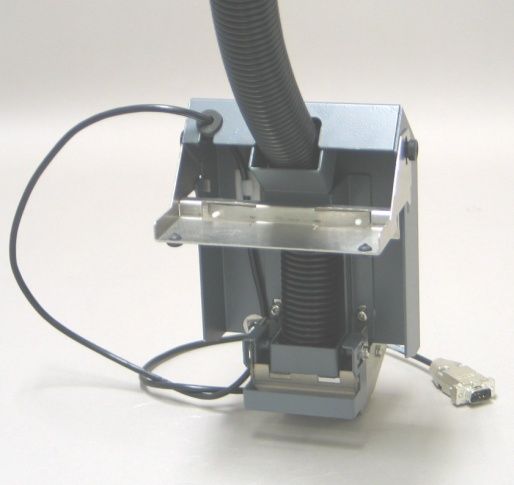
Contents

Contents
            1. Safety Practices and Hazards                     7
                     General                                     7
                     Warning and Caution Messages               9
                     Warning Symbols                           10
                     Notes                                     11
                     Color Coding                              11
                     Electrical Hazards                        12
                     Compressed Gas Hazards                    13
                     Chemical Hazards                          14
                     Other                                     14
                     Electromagnetic Compatibility             15
                               EN55011/CISPR11                 15
                               ICES/NMB-001                    16

            2. Introduction                                    17
                     Working Environment                       18
                     Specifications                            18
                               Environmental Conditions        18
                               Power                           18
                               Gas Supplies                    20
                               Water Supply                    21
                               Weights and Dimensions          21

Agilent Graphite Tube Atomizer GTA 120 User’s Guide              3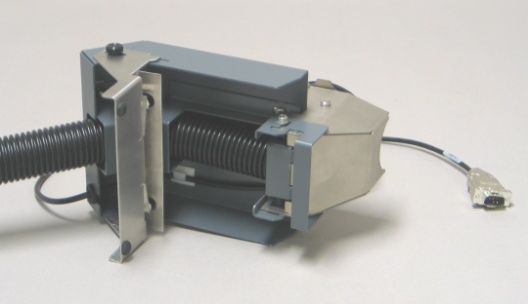
Contents

           3. Getting Started                                                        23
                  GTA Control Unit                                                   24
                          Front View                                                 24
                          Back View                                                  25
                  GTA Furnace                                                        26
                  Water Supplies                                                     26
                  Gas Supplies                                                       27

           4. Using Your GTA                                                         29
                  Installation                                                       30
                  Moving the Accessory                                               30
                  Installing the Control Unit                                        30
                  Installing the Furnace                                             31
                          Non-Zeeman GTA                                             31
                          Zeeman GTA                                                 32
                  Setting the Gas Supply                                             34
                  Turning on the Water Supply                                        34
                  Installing the Tube-CAM Camera Option –
                  Agilent 240/280 AA Only                                            35
                  Installing the Mirror                                              35
                  The Optional GTA Viewing/Fume Extraction Accessory                 36
                  Installing the Programmable Sample Dispenser (PSD)                 36
                  Graphite Tubes and Platforms                                       36
                          Types of Available Graphite Tubes                          37
                          Types of Available Graphite Platforms                      37

4                                    Agilent Graphite Tube Atomizer GTA 120 User’s Guide
Contents

                               Inserting a Graphite Tube                                 39
                               Removing a Graphite Tube                                  41
                     Removing Your GTA Furnace                                           41

            5. The GTA Viewing/Fume Extraction Accessory (Optional)                      43
                     Requirements for Fume Extraction                                    44
                     Installing the GTA Viewing/Fume Extraction Accessory                45
                               Installing the GTA Viewing/Fume Extraction
                               Accessory to the Instrument                               45
                               Installing the Extraction System to the Laboratory
                               Exhaust System                                            48
                               Operation and Maintenance                                 51

            6. Maintenance                                                               53
                     General                                                             53
                     Graphite Shroud and Electrodes                                      54
                     Hoses and Connections                                               54
                     Cleaning the Quartz Windows                                         54
                     Removing and Replacing Electrodes                                   55
                               Non-Zeeman Electrode Removal                              56
                               Non-Zeeman Electrode Replacement                          58
                               Zeeman Electrode Removal                                  60
                               Zeeman Electrode Replacement                              63
                     Fuses                                                               64

Agilent Graphite Tube Atomizer GTA 120 User’s Guide                                        5
Contents

           This page is intentionally left blank.

6                      Agilent Graphite Tube Atomizer GTA 120 User’s Guide
Safety Practices and Hazards

                                    1. Safety Practices and Hazards
                                    General                                            7
                                    Warning and Caution Messages                       9
                                    Warning Symbols                                   10
                                    Notes                                             11
                                    Color Coding                                      11
                                    Electrical Hazards                                12
                                    Compressed Gas Hazards                            13
                                    Chemical Hazards                                  14
                                    Other                                             14
                                    Electromagnetic Compatibility                     15

     General
                A Graphite Tube Atomizer, used in conjunction with an Atomic
                Absorption spectrometer, uses compressed inert gases and high
                voltages. The system generates radiant energy and hazardous wastes
                including corrosive fluids and flammable liquids.
                Careless, improper or unskilled use of this system can cause death or
                serious injury to personnel, or severe damage to equipment and
                property.
                All users of an AA (Atomic Absorption) and GTA (Graphite Tube
                Atomizer) instrument must be familiar with the correct operating
                procedures. Appropriate safety practices have been included in this
                operation manual and your spectrometer operation manual, to help
                you operate the equipment safely. Read all safety practices
                thoroughly before attempting to operate your system.

Agilent Graphite Tube Atomizer GTA 120 User’s Guide                                        7
Safety Practices and Hazards

                 The covers on instruments and accessories must not be removed by
                 the operator, except as permitted for the routine maintenance tasks
                 detailed in the relevant operation manuals.
                 Service is to be performed only by Agilent field support engineers.
                 The safety practices described below are provided to help you
                 operate your instrument safely. Read these safety practices
                 thoroughly before attempting to operate the instrument and always
                 operate the spectrometer in accordance with these safety practices.
                 The GTA uses interlocks and covers which are designed to prevent
                 accidental contact with any of the potential hazards. It is good
                 practice, however, to develop safe working habits which do not
                 depend upon the correct operation of the interlocks for safe
                 operation. It is essential that no interlock or cover is bypassed,
                 damaged or removed.
                 Fumes generated by the GTA can be hazardous, and must be
                 extracted by an exhaust system. Ensure that an exhaust of the
                 appropriate type is fitted, as specified in the pre-installation
                 instructions. It must be vented to the outside air, never within the
                 building. Regularly check the exhaust system by smoke test to ensure
                 that it is functioning correctly. Always switch the exhaust fan on
                 before operating the instrument.

    WARNING      Noxious Gas
                 An exhaust system must be used with an Agilent AA flame and furnace
                 instruments to remove hazardous and toxic gases.

8                                       Agilent Graphite Tube Atomizer GTA 120 User’s Guide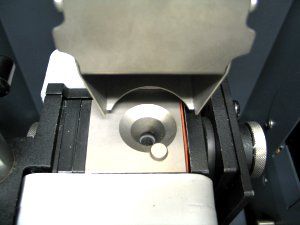
Safety Practices and Hazards

     Warning and Caution Messages
                A Warning message is used in the text when failure to observe
                instructions or precautions could result in death or injury. The list of
                symbols that appear in conjunction with warnings are detailed in the
                next section.

 WARNING        Name of Warning
                Detail of hazard.

                A Caution message is used when failure to observe instructions could
                result in damage to equipment (Agilent supplied and/or other
                associated equipment).

  CAUTION        This is a caution statement.

Agilent Graphite Tube Atomizer GTA 120 User’s Guide                                    9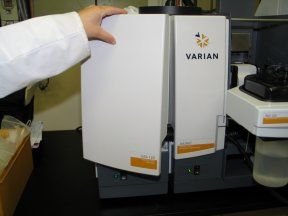
Safety Practices and Hazards

     Warning Symbols
                 The following is a list of symbols that appear in this manual in
                 conjunction with warnings on the instrument. The hazard they
                 describe is also shown.
                 A triangular symbol indicates a warning. The meanings of the
                 symbols that may appear alongside warnings in the documentation
                 or on the instrument itself are as follows:

                      Corrosive liquid        Electrical shock       Explosion hazard

                        Eye hazard              Fire hazard            Heavy weight
                                                                      (danger to feet)

                       Heavy weight             Hot surface          Magnetic hazard
                     (danger to hands)

                       Moving parts             Noxious gas            Toxic hazard

                 The following symbol may be used on warning labels attached to the
                 instrument or in this manual. When you see this symbol, refer to the
                 relevant operation or service manual for the correct procedure
                 referred to by that warning label.

10                                       Agilent Graphite Tube Atomizer GTA 120 User’s Guide
Safety Practices and Hazards
The following symbols appear on the instrument for your
information.
I Mains power on
0 Mains power off
Fuse
Single phase alternating current
When attached to the rear of the instrument, indicates that
the product complies with the requirements of one or more
EU directives.
When attached to the rear of the product, indicates that the
product has been certified (evaluated) to CSA 61010.1 and UL
61010-1
Notes
A Note is used to give advice or information. The format of a Note is
as follows:
NOTE Note text appears here.
Color Coding
The various indicator lights appearing on the accessory has been
color coded to represent the status of the accessory:
A green light indicates the instrument is in normal/standby
condition.
An orange light indicates that a potential hazard is present.
A blue light indicates that operator intervention is required.
A red light warns of danger or an emergency.
Agilent Graphite Tube Atomizer GTA 120 User’s Guide 11Safety Practices and Hazards
Electrical Hazards
The GTA electronic control module contains electrical circuits,
devices and components operating at dangerous voltages. Contact
with these circuits, devices and components can cause death, serious
injury or painful electric shock. Panels or covers that are retained by
screws on the GTA may only be opened by Agilent field service
engineers.
Use of the wrong supply voltage, connection of the accessory to an
incorrectly wired supply outlet, or lack of proper electrical grounding
can create a fire or shock hazard that can cause death, serious injury,
or serious damage to equipment.
1 Always use a 3-wire outlet with a ground connection that is
adequately rated for the load.
2 The installation must comply with local, state and national safety
regulations.
3 Before connecting the GTA, make sure the voltage selector is
correctly set for the mains supply to which you are going to
connect the accessory. If not you should contact an Agilent field
service engineer.
A blown fuse should be replaced with one of the size and rating
stipulated in the text adjacent to the fuse holder. Always ensure the
accessory is turned off and disconnected from the mains supply
before attempting any replacement.
WARNING Electrical Shock
Never attempt to override or disable interlocks. Failure to observe this
warning can result in death or serious injury.
You must always disconnect the mains power inputs when direct access to
the electronics is needed.
12 Agilent Graphite Tube Atomizer GTA 120 User’s GuideSafety Practices and Hazards
WARNING Magnetic Hazard
The Zeeman magnet generates a variable magnetic field of 0.8 Tesla (at
mains frequency) in the workhead. Pacemakers and magnetic storage media
must be kept at least 300 mm from the magnet.
Compressed Gas Hazards
All compressed gases other than air can create a hazard if they leak
into the atmosphere. Even small leaks in gas supply systems can be
dangerous. Any leak other than air can result in an oxygen-deficient
atmosphere which can cause asphyxiation or anesthesia.
Gas cylinders must be stored and handled strictly in accordance with
local safety codes and regulations. Cylinders must be used and stored
only in a vertical position and secured to an immovable structure or
a properly constructed cylinder stand. Move cylinders only on a
properly constructed trolley. The area in which cylinders are stored
and the area surrounding the instrument must be adequately
ventilated to prevent accumulations of gas.
Use only approved regulator and hose connectors; refer to the gas
supplier’s instructions. Keep gas cylinders cool and properly labeled,
all cylinders are fitted with a pressure relief device which will
rupture and empty the cylinder if the internal pressure rises above
the safe limit.
Use only ‘Instrument Grade’ gases with the spectrometer. Ensure
that you have the right cylinder before connecting it to the
instrument.
Always ensure that the gas supplies are turned off at the cylinders or
tanks after completing an analytical procedure and at the end of the
working day. Shut off valves should be installed and easily accessible.
Agilent Graphite Tube Atomizer GTA 120 User’s Guide 13Safety Practices and Hazards
Chemical Hazards
The GTA accessory may involve the use of materials which are toxic,
highly corrosive or otherwise hazardous. Careless, improper, or
unskilled use of such materials can cause serious personal injury.
Always ensure that laboratory safety practices governing the use,
handling and disposal of such materials are strictly observed. These
safety practices should include the wearing of appropriate safety
clothing.
Before attempting any work on the sample compartment area, you
must know exactly what matrix of solutions has been running
through the instrument and particularly what types of solvents are
involved.
Always check that the Programmable Sample Dispenser (PSD) has
been thoroughly flushed out with distilled water and that the
contents of the drain or waste container are known and properly
disposed of if necessary before touching any part.
Wash your hands and gloves thoroughly during the course of sample
compartment work. Avoid contact between hands and eyes at all
times during servicing of the instrument.
Other
GTA control units are heavy. To avoid injury, or damage to the
control unit, two people are needed to move the instrument to the
bench location.
Cooling air flow to the spectrometer and the GTA must be
unobstructed. Do not block the ventilation grills.
Do not position the equipment so that it is difficult to operate the
disconnecting device.
14 Agilent Graphite Tube Atomizer GTA 120 User’s GuideSafety Practices and Hazards
Electromagnetic Compatibility
EN55011/CISPR11
Group 1 ISM equipment: group 1 contains all ISM equipment in
which there is intentionally generated and/or used conductively
coupled radio- frequency energy which is necessary for the internal
functioning of the equipment itself.
Class A equipment is equipment suitable for use in all
establishments other than domestic and those directly connected to a
low voltage power supply network which supplies buildings used for
domestic purposes.
This device complies with the requirements of CISPR11, Group 1,
Class A as radiation professional equipment. Therefore, there may be
potential difficulties in ensuring electromagnetic compatibility in
other environments, due to conducted as well as radiated
disturbances.
Operation is subject to the following two conditions:
1 This device may not cause harmful interference.
2 This device must accept any interference received, including
interference that may cause undesired operation.
Agilent Graphite Tube Atomizer GTA 120 User’s Guide 15Safety Practices and Hazards
If this equipment does cause harmful interference to radio or
television reception, which can be determined by turning the
equipment off and on, the user is encouraged to try one or more of
the following measures:
1 Relocate the radio or antenna.
2 Move the device away from the radio or television.
3 Plug the device into a different electrical outlet, so that the device
and the radio or television are on separate electrical circuits.
4 Make sure that all peripheral devices are also certified.
5 Make sure that appropriate cables are used to connect the device
to peripheral equipment.
6 Consult your equipment dealer, Agilent Technologies, or an
experienced technician for assistance.
7 Changes or modifications not expressly approved by Agilent
Technologies could void the user’s authority to operate the
equipment.
ICES/NMB-001
This ISM device complies with Canadian ICES- 001.
Cet appareil ISM est conforme à la norme NMB-001 du Canada.
16 Agilent Graphite Tube Atomizer GTA 120 User’s GuideIntroduction
2. Introduction
Working Environment 18
Specifications 18
Environmental Conditions 18
Power 18
Gas Supplies 20
Water Supply 21
Weights and Dimensions 21
This manual describes how to install and operate a Graphite Tube
Atomizer (GTA) and Zeeman GTA with Agilent AA spectrometers.
Your GTA consists of a control unit and a furnace. This manual
describes how to install and disconnect the control unit, along with
how to install, remove and maintain the furnace for optimum
performance.
NOTE The GTA 120 is compatible with the Agilent 200 Series AA (including the 140 AA)
ONLY.
More information on the operation of your GTA can be found in the
comprehensive reference supplied with your GTA — ‘Analytical
Methods for Graphite Tube Atomizers'.
Agilent Graphite Tube Atomizer GTA 120 User’s Guide 17Introduction
Working Environment
Graphite tube atomization is a microanalytical technique which
demands a particularly high standard of care in all activities to
ensure good precision and accuracy of the analytical result. Strict
cleanliness is essential in all laboratory procedures — contamination
must be avoided. Ideally, your laboratory should be air-conditioned
and draught-free. All sample preparation should be carried out in an
area which is well separated from the instrument.
Specifications
Environmental Conditions
Your accessory is designed for indoor use only. It is suitable for the
following categories:
Installation category II
Pollution degree 2
Equipment class I
Condition Altitude Temp (°C) Humidity (%RH)
non-condensing
Non-operating (storage) 0-2133 m 5-45 20-80
(0-7000')
Operating within 0-853 m 10-35 8-80
performance (0-2800')
specifications 853-2133 m 10-25 8-80
(2800-7000')
Power
Voltage 208, 220, or 240 volts AC ± 10%, 230 +14% -6% volts AC,
230 +6% -14% volts AC.
Frequency 50-60 Hz ±1 Hz
Normal standby consumption approx 130 VA
Rated firing consumption approx 3500 VA
18 Agilent Graphite Tube Atomizer GTA 120 User’s GuideIntroduction
NOTE The GTA will draw surge currents in excess of the nominal rating of 15 A
(3500 VA). Surges in the GTA accessory depend on the choice of ramp rate and
programmed temperature and may be up to 40 A for approximately 1 second,
reducing to about 20 A for up to 10 seconds, perhaps repeating every 1 to 2
minutes.
Electrical Connections
Mains power cord connector:
Australia: Clipsal 439D15M
USA: Complies with NEMA L6-30P (Hubbel#2621)
Europe: Kaiser CEBEC 616 VDE (complies with DIN 49441R2)
NOTE The GTA 120 has a captive cable.
25 pin D-range type (for Programmable Sample Dispenser) is located
in the instrument power supply compartment.
NOTE To access this 25 pin connector you must open the GTA power supply door .
IEEE-488 is at the rear of the instrument.
Zeeman furnace: CPC 14-way connection into the left hand side panel
of a Zeeman spectrometer (behind the exterior panel).
Fuses
FS3, FS5: T1.6 AL 250 V, IEC60127-2 Sheet 3, 5x20 mm, Littelfuse
0218016 or equivalent
FS4: T2.5 AL 250 V, UL/CSA/ANCE 248, 5x20 mm, Littelfuse 0239025
or equivalent
FS1, FS2: T1.6 AH 250 V, IEC60127-2 Sheet 5, 5x20 mm, Littelfuse
0215016 or equivalent
Agilent Graphite Tube Atomizer GTA 120 User’s Guide 19Introduction
NOTE For safety reasons, any other internal fuse or circuit breaker is not operator
accessible, and should be replaced only by Agilent authorized personnel.
Fuse information on the rear of the instrument is the most up to
date.
Gas Supplies
An inert gas is always needed at the ‘Normal’ gas inlet to the GTA.
This gas is used to shroud the hot graphite components and prevent
oxidation.
The preferred gas for the ‘Normal’ gas inlet is argon. Nitrogen is an
acceptable lower cost alternative but furnace performance may be
degraded for some elements and tube lifetime may be reduced. The
argon or nitrogen used must be at least 99.99% pure.
Nitrogen or air may be used at the ‘Alternate’ gas inlet. A choice is
made on the basis of the analytical technique for the sample.
NOTE Recommendations are made in the document ‘Analytical Methods for Graphite
Tube Atomizers’.
Gas supplies must be regulated to maintain the instrument operating
pressure under dynamic conditions.
The gas must be dry and dust-free; otherwise you must insert a
suitable filter in the supply line.
Recommended pressure: 140 kPa (20 psi)
Maximum pressure: 350 kPa (50 psi)
Normal flow rate approx 0–3.5 L/min
Normal gas connection is 6 mm (1/4 in.) barb.
Alternate gas connection is 6 mm (1/4 in.) barb.
Snap-on gas connector for PSD accessory inside power supply panel.
20 Agilent Graphite Tube Atomizer GTA 120 User’s GuideIntroduction
Water Supply
Maximum temperature 40 °C (104 °F)
Recommended temp. range 18–25 °C (64–70 °F)
NOTE Water temperature should be set above the dew point to avoid condensation
forming on the workhead surfaces.
Minimum flow rate required 1.5 L/min at 180 kPa (27 psi)
Typical flow rate at recommended pressure range 1.5–2.0 L/min
Maximum pressure to the regulator 700 kPa (100 psi)
Typically removes 950 W of heat at 20 °C.
Water connections are 6 mm (1/4 in.) barb, inlet and outlet.
Weights and Dimensions
Weight
Net 41 kg (91 lb) Shipping 76 kg (168 lb)
Dimensions (W x D x H)
Control unit 240 x 570 x 580 mm (10 x 22 x 23 in)
Furnace 150 x 150 x 340 mm (6 x 6 x 13 in)
Packed 950 x 760 x 900 mm (37 x 30 x 35 in) [includes PSD]
GTA 120 Zeeman
Weight
Net 52 kg (113 lb) Shipping 87 kg (192 lb)
Dimensions (W x D x H)
Control unit 240 x 570 x 580 mm (10 x 22 x 23 in)
Zeeman 220 x 290 x 340 mm (9 x 11 x 13 in)
Packed 950 x 760 x 900 mm (37 x 30 x 35 in) [includes PSD]
The length of the connection between the control unit and the
furnace (the umbilical cord) is 380 mm (15 in.).
Agilent Graphite Tube Atomizer GTA 120 User’s Guide 21Introduction
This page is intentionally left blank.
22 Agilent Graphite Tube Atomizer GTA 120 User’s GuideGetting Started
3. Getting Started
GTA Control Unit 24
Front View 24
Back View 25
GTA Furnace 26
Water Supplies 26
Gas Supplies 27
Your GTA consists of a control unit and a furnace, permanently
connected to each other by a flexible umbilical tube. This tube
contains the water and gas supplies as well as the power and control
cable for your GTA furnace. For Zeeman instruments, the furnace is
also connected to the instrument by a cable that plugs into the main
instrument.
For non-Zeeman spectrometers, the GTA furnace is installed in the
sample compartment of your instrument when operating in furnace
mode. When operating in flame mode, you must remove the furnace
from the sample compartment and place it in the storage location
inside the control unit. For Zeeman spectrometers, the furnace can
remain in the sample compartment at all times.
The GTA uses the PSD (Programmable Sample Dispenser) to
automatically deliver measured volumes of sample to the furnace.
Agilent Graphite Tube Atomizer GTA 120 User’s Guide 23Getting Started
GTA Control Unit
The GTA control unit controls the furnace by regulating the
temperature and controlling the gas supply in accordance with the
parameters set in the current software method. Similarly, the unit
also controls the Programmable Sample Dispenser (PSD).
Front View
On the front panel of your GTA control unit are the power switch and
the ‘power on’ indicator. The inert gas supply for the Programmable
Sample Dispenser (PSD) and the PSD control socket are located in
the power supply compartment. (The power supply compartment
door must be opened to access these).
Figure 1. The ‘power on’ indicator and power switch (right, bottom center of the
photo) and the power supply compartment door being opened (left).
Power Switch and Indicator
The power switch and indicator are on the front of the control unit.
The indicator lights up when the GTA is on.
The power switch is a rocker type on-off circuit breaker for the mains
power supply, which also provides over-current protection.
NOTE If the atomizer is held at high temperatures (2800 °C) for long periods of time
(20 seconds) the circuit breaker may trip.
24 Agilent Graphite Tube Atomizer GTA 120 User’s GuideGetting Started
If the circuit breaker trips open during normal operation, this
indicates an over-current fault condition. Wait for at least 20 seconds
before attempting to close the circuit breaker again. If the circuit
breaker will not remain closed, call your Agilent field service
engineer.
Programmable Sample Dispenser Connections
The Programmable Sample Dispenser (PSD) is used with the GTA to
dispense solutions into the furnace. The inert gas supply connector
and control plug connector for the PSD are located in the power
supply compartment. See Figure 1 above.
The gas supply connector is a quick-connect automatic seal-off type
connector. This provides inert gas to pressurize the sampler rinse
system.
The control connector is a 25-way ‘D’ connector, which provides
drive and control signals for the PSD and power for the dispenser
actuator system.
For more details about the PSD and its installation refer to the PSD
User’s Guide.
Back View
The back of the GTA control unit contains the appropriate inlets for
the power, water and gas supplies. A communications cable connects
the GTA to the computer IEEE card via the spectrometer.
The GTA will be set up, ready for use by a field service engineer
during installation. However, you can also refer to sections on the
Pages 26 and 27 for more information on the water and gas supplies.
Agilent Graphite Tube Atomizer GTA 120 User’s Guide 25Getting Started
Figure 2. Back of the GTA 120 control unit
GTA Furnace
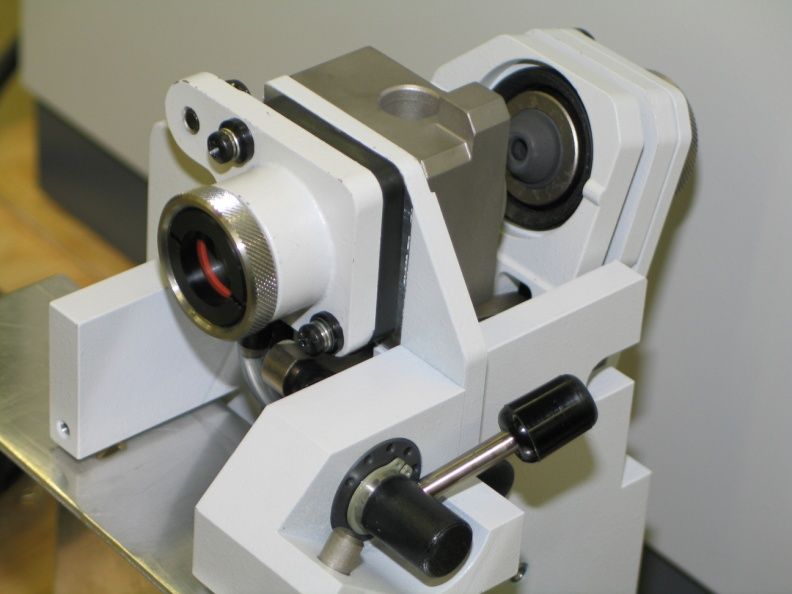
The GTA furnace consists of an electrically heated graphite tube
located in a chamber with windows at each end. A toggle lever at the
front left allows you to open one end of the furnace to insert or
remove graphite tubes.
Water Supplies
During installation of your GTA, the Agilent field service engineer
will connect the water supply. The water pressure is set in
accordance with the specifications listed in Section 2.
A continuous supply of cooling water must be provided for the GTA
furnace. If there is insufficient water (for example, not enough
pressure, failure of the supply, the supply is turned off), an interlock
will prevent the atomizer system from operating. A fault message will
be displayed on the screen and a beeper will sound. The water supply
must be restored before the GTA can be restarted.
An automatic cutout will stop operation if the water temperature
exceeds the maximum temperature as specified in the ‘Water Supply’
section on Page 21.
NOTE Ensure that the return path is not blocked or switched off.
26 Agilent Graphite Tube Atomizer GTA 120 User’s GuideGetting Started
Gas Supplies
Two gas inlets are provided, ‘Normal' and ‘Alternate'. The supply of
gas to the GTA is set up and regulated during installation by an
Agilent field service engineer.
NOTE Depending on your requirements at the time, the alternate gas supply may not
have been connected at installation. If you need to add this supply later, connect
a gas supply to the alternate gas inlet, regulated as per the specifications
provided in Section 2.
The gas pressure is set at installation in accordance with the
specifications included in Section 2.
You should be aware of the following points:
Inert gas must be supplied through the ‘Normal’ inlet at the back
of the control unit; otherwise the system will not operate. If the
gas supply is turned off or fails, a monitoring system will cause
the system to stop. Both normal and alternate supplies are
monitored. A supply failure in a gas needed by your method will
cause the system to stop, an error message to be displayed on the
screen and the beeper to sound.
As outlined in Section 2, the gas supplied through the ‘Normal’
inlet must be an inert gas (either nitrogen or argon) but you can
use either an inert gas or other gases as the alternate gas.
An alternate gas may be used for many reasons. For example, it
can reduce background interferences. (This is seen in blood
analyses, where air is the preferred gas for the ashing step as it
removes more of the blood matrix components.) Refer to the
SpectrAA Help or ‘Analytical Methods for Graphite Tube
Atomizers' for more information on the use of alternate gases.
Agilent Graphite Tube Atomizer GTA 120 User’s Guide 27Getting Started
TIP Although more expensive, argon will generally give better analytical sensitivity
and longer tube life than nitrogen during the ‘Read’ stage. However it is possible
to use nitrogen during the drying/ashing stages and argon during the
ashing/atomization stage. This will reduce gas use costs.
If you are not using an alternate gas, you should cover the inlet to protect against
dust, moisture etc. If you use air, make sure that your furnace method is in
accordance with the limitations on the use of air.
NOTE If air ashing is employed, the flow should be high enough to remove ashing
products and generally assist the ashing process. Do not use air at graphite tube
temperatures above 250 °C, as this will cause excessive deterioration of the
graphite furnace tube.
All gases must be clean, dry and of high purity.
WARNING Fire and Explosion Hazard
To avoid a fire or explosion which could result in death or serious personal
injury, burns or property damage, NEVER use pure hydrogen (or any gas with
a hydrogen content greater than 5%) in the GTA. You may use a proprietary,
pre-packaged mixture of 95% argon and 5% hydrogen as an alternate gas.
28 Agilent Graphite Tube Atomizer GTA 120 User’s GuideUsing Your GTA
4. Using Your GTA
Installation 30
Moving the Accessory 30
Installing the Control Unit 30
Installing the Furnace 31
Non-Zeeman GTA 31
Zeeman GTA 32
Setting the Gas Supply 34
Turning on the Water Supply 34
Installing the Tube-CAM Camera Option –
Agilent 240/280 AA Only 35
Installing the Mirror 35
The Optional GTA Viewing/Fume Extraction
Accessory 36
Installing the Programmable Sample
Dispenser (PSD) 36
Graphite Tubes and Platforms 36
Types of Available Graphite Tubes 37
Types of Available Graphite Platforms 37
Inserting a Graphite Tube 39
Removing a Graphite Tube 41
Removing Your GTA Furnace 41
Agilent Graphite Tube Atomizer GTA 120 User’s Guide 29Using Your GTA
Installation
Before proceeding, you should have:
Read the Safety section in this manual and your instrument
User’s Guide
Set up the AA instrument
Moving the Accessory
WARNING Heavy Weight – Danger to Hands and Feet
When packed, the GTA weighs up to 87 kg (192 lb). To avoid injury to
personnel, or accidental damage to equipment, do not attempt to lift the
package alone.
Installing the Control Unit
The control unit should have already been set up by an Agilent Field
Service Representative. If you wish to move the GTA you will need to
disconnect the control unit's mains power cable, gas hose(s) and
water hoses from their respective supplies.
To install the control unit you must:
Plug the mains power cable into the mains power supply.
Connect the gas and water supplies as described in the previous
chapter.
30 Agilent Graphite Tube Atomizer GTA 120 User’s GuideUsing Your GTA
Installing the Furnace
Non-Zeeman GTA
Before installation, the GTA 120 furnace will be kept in the storage
location on the control unit.
To remove the GTA 120 furnace from its storage cradle and install
it in the sample compartment:
1 Ensure that both the spectrometer and GTA control unit are
switched off and that the spraychamber, etc. have been removed
and safely stowed.
2 Remove the instrument left panel, and remove the cut-out fill
plate, if applicable. To do this, lift the bottom of the panel
upward and then pull it forward (see Figure 4).
3 Undo the retaining screw (see Figure 3), then remove the GTA
workhead from its storage position in the power supply
compartment.
Retaining screw
Figure 3. Location of the retaining screw
Agilent Graphite Tube Atomizer GTA 120 User’s Guide 31Using Your GTA
4 Look under the furnace and note the position of two spigots
(near the toggle lever). These will fit into the two holes on the top
of the burner adjuster on the left side of the sample
compartment. Similarly, note the presence of one stainless steel
spigot near the base of the furnace. When you install the furnace,
this will be inserted into a slot in the burner adjuster.
5 Tilt the furnace slightly to the left and engage the two spigots in
the top of the burner adjuster. Then insert the metal spigot into
the slot.
6 Tighten the securing screw on the bottom right-hand side of the
furnace so that the furnace is firmly secured to the mounting
block.
NOTE The umbilical should be recessed behind the front panel of the instrument. (The
front panel has a cutout in it to accommodate this.)
7 Align the furnace. Refer to the SpectrAA Help for details on how
to do this.
8 Replace the instrument left panel.
NOTE For instruction about how to install and adjust the Programmable Sample
Dispenser (PSD) refer to the PSD User’s Guide.
Zeeman GTA
The furnace will have been installed by an Agilent field service
engineer during installation of the instrument. However, if you have
removed the furnace to replace the electrodes or clean the sample
compartment, reinstall the furnace workhead as follows:
1 Ensure that both the spectrometer and GTA control unit are
switched off.
2 Remove the left panel on the instrument. To do this, lift the
bottom of the panel upward and then pull it forward (see
Figure 4).
32 Agilent Graphite Tube Atomizer GTA 120 User’s GuideUsing Your GTA
Figure 4. Removing the left panel on the instrument
3 Lift the furnace towards the sample compartment, ensuring the
umbilical cord is not twisted as you do so.
4 Keeping the power cord out of the way, lower the workhead onto
the rollers, with the slots over the rollers.
5 Ensuring the furnace is correctly installed; carefully pull the top
of the workhead towards you. It should tilt about 30° then rest
on the stops.
6 Plug the furnace power cable plug into the socket located on the
rear wall of the compartment exposed when the left panel was
removed (see Figure 5).
Figure 5. Power cable plugged into connector on the 280Z AA
Agilent Graphite Tube Atomizer GTA 120 User’s Guide 33Using Your GTA
NOTE Rotate the plug to match the pins in the socket and then push the plug in. Screw
the collar up finger tight until it locks into position.
CAUTION Ensure the plug is securely in place. A loose plug will lead to arcing between the
pins of the plug and damage to the electrical system of the instrument.
7 Refit the left hand panel.
8 Align the HC lamps. Refer to the SpectrAA Help for instructions.
9 Carefully tilt the workhead back into the sample compartment.
10 Align the vertical furnace position.
Setting the Gas Supply
Turn on the gas supplies at the cylinders and set the regulators as
detailed in the ‘Specifications’ section on Page 18.
CAUTION The use of pressures above the recommended maximum may burst internal gas
hoses, requiring service replacement.
Turning on the Water Supply
If you are using a recirculating system, you should refer to its
operating instructions.
NOTE Refer to the required water pressures listed in the ‘Water Supply’ section on
Page 21.
34 Agilent Graphite Tube Atomizer GTA 120 User’s GuideUsing Your GTA
If you are using a mains water supply, turn it on. The water pressure
regulator was set at the factory as per the specifications included in
Section 2.
CAUTION The use of higher pressures may burst water hoses within the furnace assembly,
requiring service replacement.
After turning on your supply, you should check all hoses and
connections for leaks. If you find any you should contact your Agilent
field service engineer.
Installing the Tube-CAM Camera Option – Agilent 240/280 AA Only
This optional accessory allows you to view images from inside the
graphite tube on your PC so you can monitor sample drying during
method development and accurately set the probe dispensing height
during alignment.
If you have purchased the camera accessory option, the camera will
be installed in your instrument at the factory. Camera drivers are
supplied on a CD-ROM. To install the camera drivers, follow the
instructions on the Installation sheet shipped with the instrument.
Installing the Mirror
You may have ordered a mirror to allow you to view the inside of the
graphite tube in the GTA furnace. This may help in method
development (observing the dry phase) and in setting the PSD
capillary position.
To install this mirror:
1 Remove the chimney.
2 Clip the mirror mounting block over the bar at the front of the
sample compartment, on the left hand side.
3 Tighten the securing screw.
Agilent Graphite Tube Atomizer GTA 120 User’s Guide 35Using Your GTA
The mirror can be rotated and moved up or down the shaft. When
you want to use the mirror, swing the mirror lever so that the mirror
is in front of the atomizer window, and adjust the height and angle of
the mirror so that you can view the inside of the graphite tube
atomizer.
WARNING Eye Hazard
To avoid eye damage DO NOT look at a glowing furnace.
The Optional GTA Viewing/Fume Extraction Accessory
If you are using the GTA viewing/fume extraction accessory, you
should install it now. Refer to Section 5 for installation instructions.
Installing the Programmable Sample Dispenser (PSD)
To install the PSD, follow the instructions in your PSD User’s Guide.
Graphite Tubes and Platforms
After setting up your GTA (and PSD), you can insert a graphite tube
and start your analytical run according to your instrument operation
manual. This section describes the types of tubes and platforms
available and how to install and remove them.
36 Agilent Graphite Tube Atomizer GTA 120 User’s GuideUsing Your GTA
WARNING Hot Surface
Parts of the furnace become very hot during use. To prevent burns, ALWAYS
allow the furnace to cool before touching.
Types of Available Graphite Tubes
Description Part number Picture
Omega platform tube, pyrolytically 6310003700
coated (Packet of 10)
Partitioned tube, pyrolytically coated 6310001200
(Packet of 10)
Plateau, pyrolytically coated (Packet of 6310001100
10) required for use with pyrolytic
graphite platforms
Types of Available Graphite Platforms
Description Part number Picture
Platforms, solid pyrolytic graphite 6310001300
(Packet of 10) for use with plateau
tubes only
‘Forked’ Platforms
These platforms are inserted into grooves in a notched partitioned
tube.
The instructions for inserting a forked platform into the furnace are
contained in its instruction booklet.
Agilent Graphite Tube Atomizer GTA 120 User’s Guide 37Using Your GTA
Normal Platforms
For normal platforms in plateau tubes, first insert the platform so
that it is horizontal to, and centered around the injection hole. Then
place the tube into the graphite shroud following Steps 3 and 4 in
the ‘Inserting a Graphite Tube’ section starting on Page 39.
You will now need to re-check that the platform is still horizontal to
the injection hole. Because the mirror is angled when used to view
the graphite tube, you must use a capillary or pipette tip to
determine if the platform is horizontal. Insert the pipette tip and,
with the mirror, check that the platform is perpendicular to the tip.
NOTE If you are using the Tube-CAM to align the platform, you will still need to check
the vertical alignment since the camera may not be completely level.
Alternatively, you can attach and start the sample dispenser and
check that the sampler dispensing capillary is perpendicular to the
platform. Refer to your PSD operation manual.
NOTE Normal platforms cannot be used with partitioned tubes.
Figure 6. Correct positioning of a graphite platform inside a plateau tube
Figure 7. Correct positioning of a forked platform inside a notched tube
38 Agilent Graphite Tube Atomizer GTA 120 User’s GuideUsing Your GTA
Inserting a Graphite Tube
To insert a graphite tube:
1 If you are using a Zeeman graphite furnace, tilt the furnace
assembly forward to access the top of the furnace.
NOTE Some operators may find it easier to tilt the furnace when inserting a graphite
tube. However it is possible to carry out this procedure without tilting the
furnace. If you are going to tilt the furnace, the PSD must first be removed.
2 Open the furnace and insert the graphite tube into the furnace
taking care to ensure the injection hole is on top.
NOTE Handle graphite tubes with care and only in a clean working environment.
NOTE Video clips of how to insert graphite tubes are available in the Agilent SpectrAA
Help.
3 Place the alignment tool through the hole at the top of the
furnace and into the hole in the graphite tube.
4 Close the workhead using the accessory lever. This will hold the
graphite tube in the correct position.
Agilent Graphite Tube Atomizer GTA 120 User’s Guide 39Using Your GTA
Figure 8. Aligning the graphite tube using the alignment tool
5 Push the furnace back into position.
✓ ✗
Figure 9. Using the tool ensures correct injection hole positioning (top view).
NOTE BEFORE using a new graphite tube for analyses, condition the tube by using the
condition tube function, accessible from furnace facilities. This will run the
current furnace temperature program injecting blank and any modifier solution (if
programmed). Conditioning the tube removes any residual contamination from
the tube. (The tube clean facility should only be used on already conditioned
tubes.)
40 Agilent Graphite Tube Atomizer GTA 120 User’s GuideUsing Your GTA
Removing a Graphite Tube
NOTE Video clips of how to remove graphite tubes are available in the Agilent
SpectrAA Help.
To remove a graphite tube:
1 Swing the toggle lever fully to open the furnace.
2 Using the extractor tool provided, remove the graphite tube.
Removing Your GTA Furnace
If you need to remove your GTA from the sample compartment,
follow these steps:
NOTE Video clips of how to remove GTA furnaces are available in the Agilent SpectrAA
Help.
Non-Zeeman:
1 Turn off the gas and water supplies.
2 Turn off the GTA control unit.
3 Remove the PSD if it is connected (refer to your PSD User’s
Guide).
4 Remove the left hand panel on the instrument and open the
access door on the GTA control unit.
5 Loosen the securing screw on the bottom right side of the furnace
that secures the furnace to the burner adjuster.
6 Lift the furnace away from the mount and out of the sample
compartment.
7 Swing the furnace toward the storage cradle on the GTA power
supply compartment in a wide arc — you should prevent the
black umbilical tube from twisting.
8 Lower the furnace into position for storage. Fasten the securing
screw finger tight.
9 Refit the left hand instrument panel.
Agilent Graphite Tube Atomizer GTA 120 User’s Guide 41Using Your GTA
Zeeman
1 Turn off the gas and water supplies.
2 Turn off the spectrometer and the GTA control unit.
3 Remove the PSD if it is connected (refer to your PSD User’s
Guide).
4 Tilt the furnace forward.
5 Remove the left hand panel on the instrument.
6 Unscrew the collar on the plug and remove the plug from the
socket (280 AA Zeeman only).
7 Lift the furnace off the rollers and out of the sample
compartment.
8 Place the furnace on a stable bench top.
WARNING Heavy Weight – Danger to Hands and Feet
The furnace workhead is very heavy. Use appropriate lifting techniques when
moving the furnace.
Particular care should be taken if the bench or trolley are positioned in front
of the instrument.
42 Agilent Graphite Tube Atomizer GTA 120 User’s GuideThe GTA Viewing/Fume Extraction Accessory (Optional)
5. The GTA Viewing/Fume Extraction
Accessory (Optional)
Requirements for Fume Extraction 44
Installing the GTA Viewing/Fume Extraction
Accessory 45
Installing the GTA Viewing/Fume Extraction
Accessory to the Instrument 45
Installing the Extraction System to the Laboratory
Exhaust System 48
Operation and Maintenance 51
The GTA viewing/fume extraction accessory is an optional addition
to your Agilent AA instrument and can be used in conjunction with
the mirror or the Tube-CAM to give you further control over the
alignment of the graphite tube and PSD.
NOTE The GTA viewing/fume extraction accessory is compatible with Agilent 280 AA,
240 AA and 140 AA instruments only.
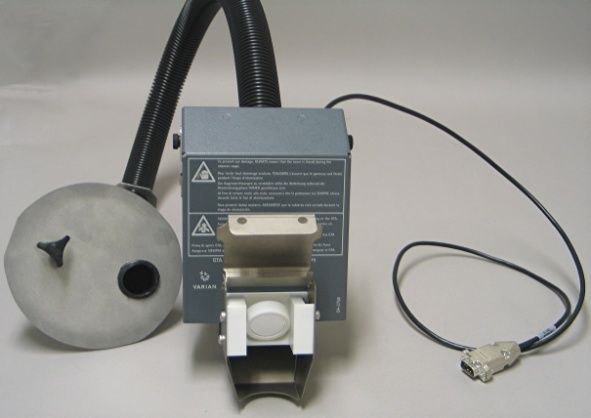
The GTA viewing/fume extraction accessory has three components:
A mirror to allow you to view the workhead sample introduction
port and simplify the alignment of the dispensing capillary.
A light to illuminate the workhead for easier viewing of the
graphite tube when aligning the PSD or when viewing using the
optional Tube-CAM.
An extraction port which can be connected to the instrument
flue, enabling efficient removal of fumes and exhaust gases from
the furnace during operation.
Agilent Graphite Tube Atomizer GTA 120 User’s Guide 43The GTA Viewing/Fume Extraction Accessory (Optional)
The GTA viewing/fume extraction accessory can be used with
graphite furnace operation on either a Flame or Zeeman instrument.
NOTE It is easier to install the GTA viewing/fume extraction accessory when the PSD
is not fitted.
Requirements for Fume Extraction
Recommended requirements for fume extraction:
The GTA viewing/fume extraction accessory must be fitted to a
suitable duct. The diameter of the duct must be either:
150 mm ± 2.5 mm (6 in.), or
125 mm ± 2.5 mm (5 in.).
The extraction flow rate, without the GTA viewing/fume
extraction accessory fitted, must be 6 m3/min (200 cfm), as
specified in the Agilent AA Site Preparation Guide.
For correct fume extraction, the flow rate through the GTA
viewing/fume extraction accessory must be 0.27 m3/min
(9.5 cfm). This gives a pressure drop across the device of
approximately 0.1 kPa (0.014 psi), when measured between the
inside of the extraction duct and the atmosphere, with the GTA
viewing/fume extraction accessory fitted to the instrument. Refer
to Figure 10.
Performance is dependent on the configuration of the fume
extraction system and fan characteristics. Contact your Agilent
field service engineer if further assistance is required.
To check the pressure, remove the handle
and attach a suitable manometer.
Figure 10. Checking the flow rate through the accessory
44 Agilent Graphite Tube Atomizer GTA 120 User’s GuideThe GTA Viewing/Fume Extraction Accessory (Optional)
NOTE You can check that fume extraction is occurring by installing the GTA
viewing/fume extraction accessory, then running a sample that produces smoke
and checking that all of the smoke is extracted from each firing. Whole blood is a
suitable sample.
Installing the GTA Viewing/Fume Extraction Accessory
Installation of the GTA viewing/fume extraction accessory can be
divided into two parts: fitting the accessory to the instrument, and
connection of the accessory to the instrument flue.
Exhaust hose
Hose clip
Handle Cover
Adaptor plate
Mirror D-type connector
Figure 11. The components of the GTA viewing/fume extraction accessory
Installing the GTA Viewing/Fume Extraction Accessory to the
Instrument
1 Set the support bracket to the required location for your
instrument type. To adjust the bracket, loosen the screws and
slide the bracket to the desired position. Refer to Figures 12 and
13.
Agilent Graphite Tube Atomizer GTA 120 User’s Guide 45The GTA Viewing/Fume Extraction Accessory (Optional)
Mounting bracket Support bracket
Figure 12. The support Figure 13. The support
bracket in the position for bracket in the position
Zeeman instruments for D2 instruments
2 Set the mounting bracket to the highest position and gently
tighten the screws.
3 Clip the accessory onto the flame shield. Make sure that the edge
of the flame shield fits between the spring canoe-clips. Refer to
Figures 14, 15 and 16.
Edge of flame shield
Figure 14. The GTA viewing/fume extraction accessory clips onto the flame
shield and is secured by spring-clips.
46 Agilent Graphite Tube Atomizer GTA 120 User’s GuideThe GTA Viewing/Fume Extraction Accessory (Optional)
Figure 15. Note the correct location of the edge of the flame shield in relation to
the spring clip on the accessory
Figure 16. The canoe-clips hold the accessory in place firmly against the flame
shield
4 The base of the accessory should sit 2–3 mm above the
magnet/workhead. Loosen the mounting bracket screws and set
the accessory to the correct height. Tighten the screw firmly.
5 Check that the accessory is firmly in place and cannot move from
side to side. The curve at the bottom of the accessory should be
centered over the sample port. Refer to Figure 17.
Agilent Graphite Tube Atomizer GTA 120 User’s Guide 47The GTA Viewing/Fume Extraction Accessory (Optional)
Leave a 2–3 mm gap between the
furnace and the rim of the accessory.
Figure 17. The rim of the accessory should be centered over the sample port
NOTE To adjust the position of the accessory, tilt the base forwards and lift it up
slightly to enable the accessory to move freely. Move the accessory to the
desired position and then press it down to lock into place.
6 Plug the accessory into the accessory port on the instrument
using the 9 way D-type connector fitted to the accessory. The
accessory port is located on the rear right hand side of the
instrument.
Installing the Extraction System to the Laboratory Exhaust System
The GTA viewing/fume extraction accessory is connected to the
extraction duct using an adaptor plate. Two plates are supplied with
the accessory: use the longer one if you have a 150 mm (5 in.) duct
and the smaller one if you have a 125 mm (5 in.) duct. If your duct is
a different size, contact your local Agilent field service engineer.
48 Agilent Graphite Tube Atomizer GTA 120 User’s GuideThe GTA Viewing/Fume Extraction Accessory (Optional)
Flue
Baffle rest
Handle
Adapter plate
Exhaust hose
Hose clip
Figure 18. The GTA viewing/fume extraction accessory fits into the flue of the
instrument exhaust system
NOTE It may be easier to disconnect the exhaust hose from the accessory first. Refer to
‘Removing the Exhaust Hose’ on Page 51.
1 Remove the flue from the extraction duct.
2 Fit the baffle rest over the edge of the flue. Refer to Figure 19.
Baffle rest step
Figure 19. The baffle rest fits over the top edge of the flue
3 Re-attach the flue to the extraction duct.
4 If you have a 125 mm duct, unscrew the large adaptor plate from
the exhaust hose and screw on the small adaptor plate. If you
have a 150 mm duct, the adaptor plate already attached to the
accessory will be sufficient for your duct.
Agilent Graphite Tube Atomizer GTA 120 User’s Guide 49The GTA Viewing/Fume Extraction Accessory (Optional)
5 Push the adaptor plate up into the flue at an angle of
approximately 30 degrees. Continue to push the plate up until it
is above the baffle rest. Refer to Figure 20.
6 Use the handle to pull the adapter plate down into position. The
plate should rest on the baffle rest step.
Elliptical plate
Step on baffle
Handle
Exhaust hose
Hose clip
Figure 20. The adaptor plate fits onto the baffle rest at approximately a 30° angle
NOTE The plate does not fit flat in the flue but should fit snugly, with no more than a
5 mm gap between the edge of the plate and the edge of the flue.
7 Adjust the position of the hose clip so that the lip is positioned
on the edge of the flue. It is not necessary to physically attach the
hose clip to the flue. When correctly adjusted, the hose clip will
locate the exhaust hose to the rear of the flue.
8 If necessary, reconnect the exhaust hose to the accessory. The
exhaust hose should be pushed down into the accessory until it is
level with the white block at the bottom of the accessory (see
Figure 21 on Page 52).
9 Once the GTA viewing/fume extraction accessory has been fitted
to the instrument you can use it to view the workhead. Lift the
cover on the accessory to illuminate the sample port and view
down into the injection hole of the graphite tube, using the
mirror built into the accessory.
CAUTION Before running the instrument in flame mode, remove the accessory from both
the instrument and the exhaust duct.
50 Agilent Graphite Tube Atomizer GTA 120 User’s GuideThe GTA Viewing/Fume Extraction Accessory (Optional)
Operation and Maintenance
Cover Interlock
The graphite furnace can NOT be started when the cover is open and
the viewing mirror is exposed. However, once the furnace has started
the cover can be lifted up to enable you to view the inside of the
furnace.
WARNING Hot Surface and Eye Hazard
Do not place hands near the GTA viewing/fume extraction accessory during
the atomization stage. You should NOT look into the accessory at this stage
or into the mirror if the cover has been lifted up.
Removing the Exhaust Hose
Refer to Figure 21. To remove the hose, pull it down from the
mounting (1) and then pull it out of the accessory (2). You may also
want to cut the hose to a length suitable to the installation.
When the hose is reinstalled it should sit approximately level with
the base of the white block on the accessory. Refer to Figure 21.
Agilent Graphite Tube Atomizer GTA 120 User’s Guide 51The GTA Viewing/Fume Extraction Accessory (Optional)
2
1
Figure 21. The exhaust hose fits all the way into the accessory until it is level
with the white block at the bottom. Note the directional arrows.
NOTE To remove the exhaust hose from the adapter plate, simply unscrew it.
Changing Location
To adjust the position of the accessory, tilt the base forwards and lift
it up slightly to enable the accessory to move freely. Move the
accessory to the desired position and then press it down to lock into
place.
Cleaning the Mirror
To clean the mirror, wipe the surface with a soft lint-free cloth. Take
care not to put finger marks on the mirror.
If the mirror is particularly dirty, water and detergent can be used
before wiping the surface with a soft lint-free cloth.
Cleaning the Accessory
The exposed parts of the GTA viewing/fume extraction accessory are
made of corrosion resistant materials. The exposed surfaces of the
exhaust inlet should be wiped down with a damp cloth if they
become dirty. If the exhaust hose becomes dirty, it may be removed
and cleaned with water. Refer to Page 51 for instructions on
removing the exhaust hose.
52 Agilent Graphite Tube Atomizer GTA 120 User’s GuideMaintenance
6. Maintenance
General 53
Graphite Shroud and Electrodes 54
Hoses and Connections 54
Cleaning the Quartz Windows 54
Removing and Replacing Electrodes 55
Non-Zeeman Electrode Removal 56
Non-Zeeman Electrode Replacement 58
Zeeman Electrode Removal 60
Zeeman Electrode Replacement 63
Fuses 64
General
Clean up spills immediately. If necessary, wipe the cabinet carefully
with a damp cloth. Use water or a mild detergent only. Do not use
organic solvents or abrasive cleaning agents.
WARNING Hot Surface
Parts of the furnace become very hot during use. To prevent burns, ALWAYS
allow the furnace to cool before touching.
Agilent Graphite Tube Atomizer GTA 120 User’s Guide 53Maintenance
Graphite Shroud and Electrodes
At frequent intervals, inspect the inside of the graphite shroud,
which is mounted in the centre cooling block. Also check the contact
surfaces of the electrodes.
Using a cotton bud or similar clean the graphite surfaces to remove
any loose graphite or other material that may be present. Check to
ensure that the bore and the injection hole are free of loose carbon or
sample residues.
Check for any pitting on the electrode surface. If necessary replace
the electrodes.
Hoses and Connections
Regularly inspect all hoses and connections (gas and water). You
should immediately contact your Agilent field service engineer if you
find any leaks.
Cleaning the Quartz Windows
The quartz window assemblies on either side of the furnace need to
be cleaned regularly.
To remove a window assembly, first grasp the knurled edge of the
window and then pull it out of the furnace while twisting it.
Carefully clean both sides of the quartz window. Use only alcohol and
an optical tissue. Never use coarse cloths or abrasive cleaning agents.
Inspect the inside of the window mounting and clean off any
contamination.
While the window is removed, check the o-ring on the base of the
assembly, it should be supple, pliable and free of kinks or cuts. Also
check the silicone rubber seal on the window. If either of these are
damaged they should be replaced.
If necessary, the complete window assembly can be placed in a
detergent solution in an ultrasonic bath. The sonication may help to
remove stubborn deposits from the window. After sonication, rinse
the window with distilled water and allow to dry before refitting.
54 Agilent Graphite Tube Atomizer GTA 120 User’s GuideYou can also read


