COMMUNITY TREE PLANTING: DRIVE-THROUGH - QUESTIONS? - The Woodlands ...
←
→
Page content transcription
If your browser does not render page correctly, please read the page content below
COMMUNITY TREE PLANTING:
       DRIVE-THROUGH
                           Digital Guide

 Community Tree Planting:                    QUESTIONS?
     Drive-Through
                                      Email the Environmental Services
  Saturday, February 13, 2021
                                               Department at
         9 a.m. - noon              enviro@thewoodlandstownship-tx.gov
  The Woodlands High School                 or call 281-210-3800
          Parking Lot

Use this guide as a resource for
planting your new tree. We cover
how and where to plant your tree,
how to use the reporting app and
many more resources to make
your planting a success!
SITE SELECTION
Trees may be planted at home or in a green space within The Woodlands.
Before digging, consider the following:
   Plant at least 4 feet away from buildings, fences, sidewalks, and curbs.
   Avoid blocking views of oncoming traffic.
   Avoid mowing areas.
   Avoid drainage easements.
   Avoid planting near utility lines.
   Avoid blocking access to utility transformers.

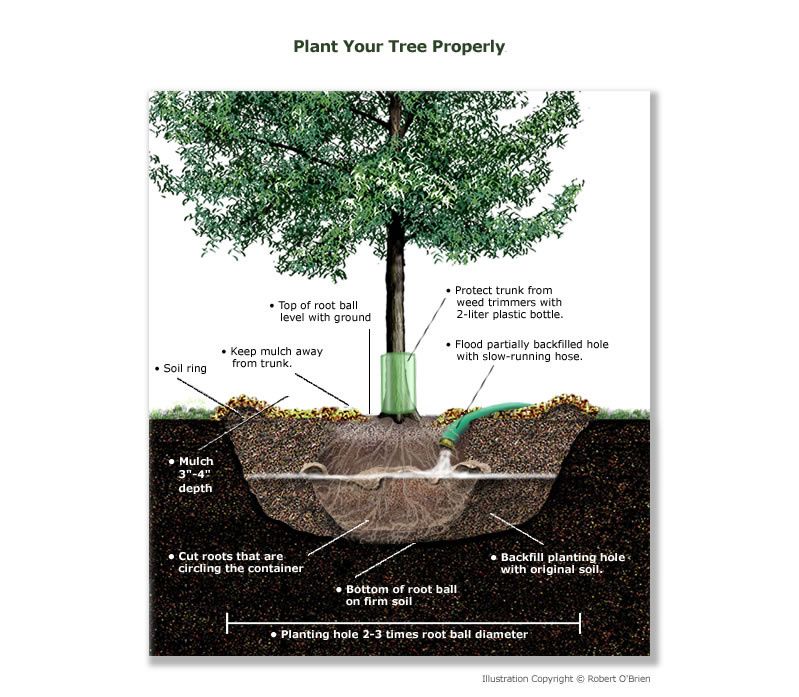
HOW TO PLANT A TREE
Growing a strong and healthy tree
starts with proper planting.

With your phone, scan the QR code
below for 12 easy steps to a successful
planting. Or follow this link:
https://tfsweb.tamu.edu/arborday/pl
antingsteps/

SHARE
Download our free app to share your
tree planting location.

This data helps track reforestation
efforts throughout the community.
HOW TO USE THE APP
Step 1. Download the ARCGIS Survey123 field app to your mobile device, or
click one of the following URLs:
                                         Download ArcGIS Survey123
                                             from iTunes Store
                                         Download ArcGIS Survey123
                                              from Google Play
Step 2. Open the app. You should see a login screen. Select 'Continue
without signing in' at the bottom of the page.
Step 3 . Load your mobile device with The Woodlands Community Tree
Planting Inventory App. Click on the search bar to scan the QR code below
with your phone's camera.

                            Or once you've downloaded the app, use your
                            browser (Google, Bing, Yahoo, etc) to enter the
                            following URL: https://arcg.is/1DiDny . Select
                            'Open in the Survey123 field app to be redirected.

Step 4. The Woodlands Community Tree Planting Inventory App should
automatically open. If not, click on the icon to open.
Step 5 . Click 'Collect' at the bottom of the screen.
Step 6. Complete all fields.
Step 7. Click the Check Mark in the bottom right corner of the screen to submit.
Step 8 . Click 'Send' to complete your report.
                     NOTE: This form collects data on 1 tree at a time.
                If you have an additional tree, you will repeat this process.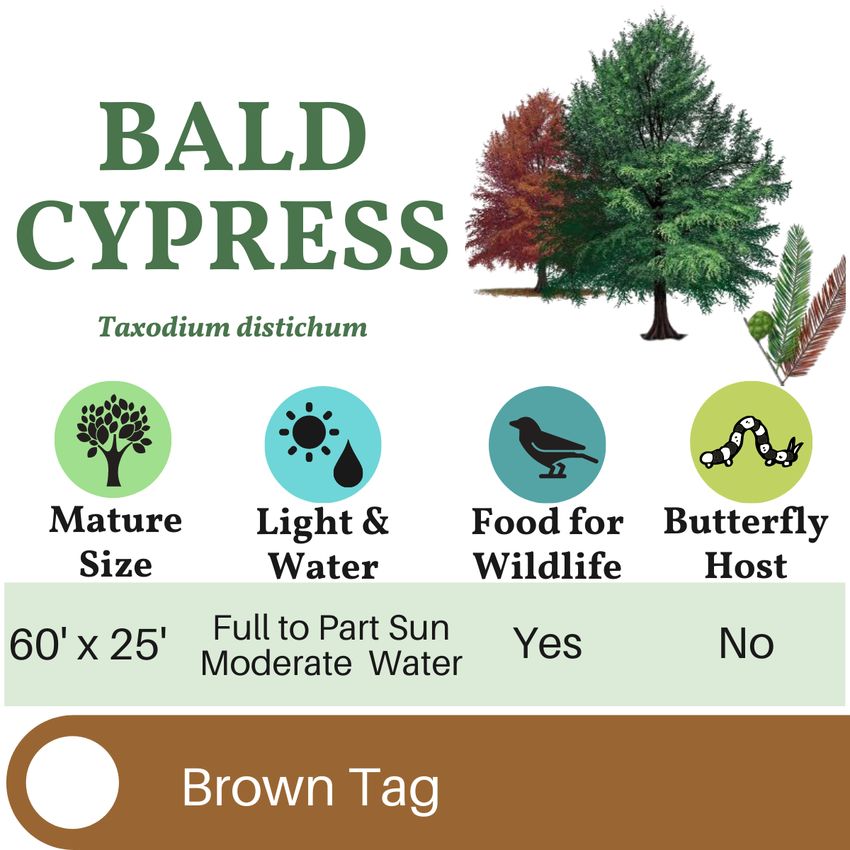
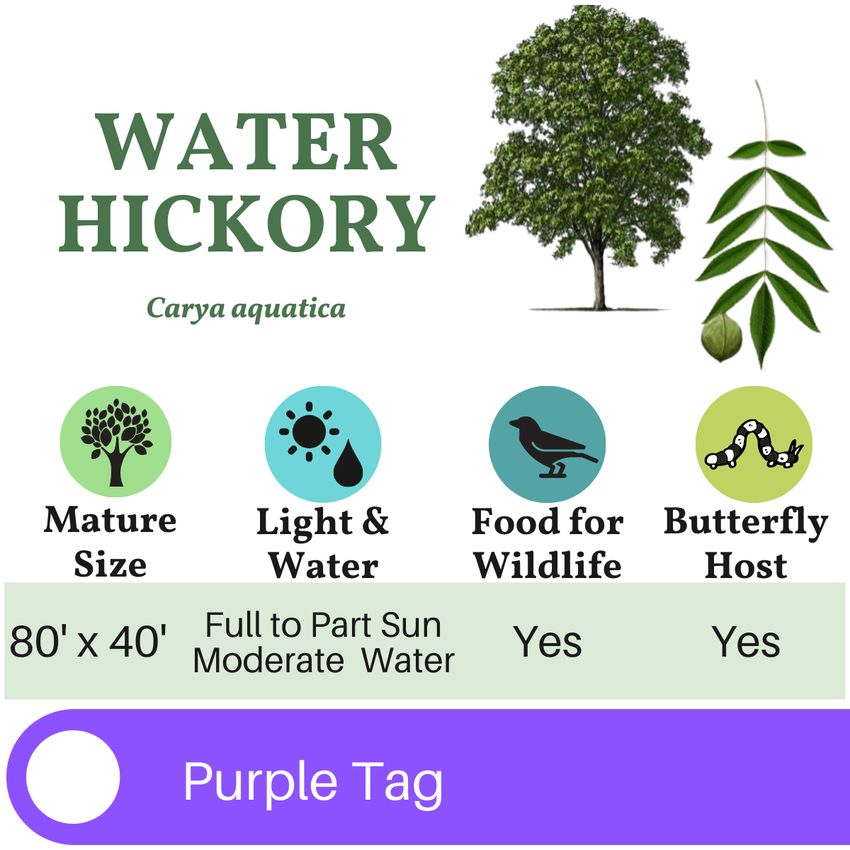
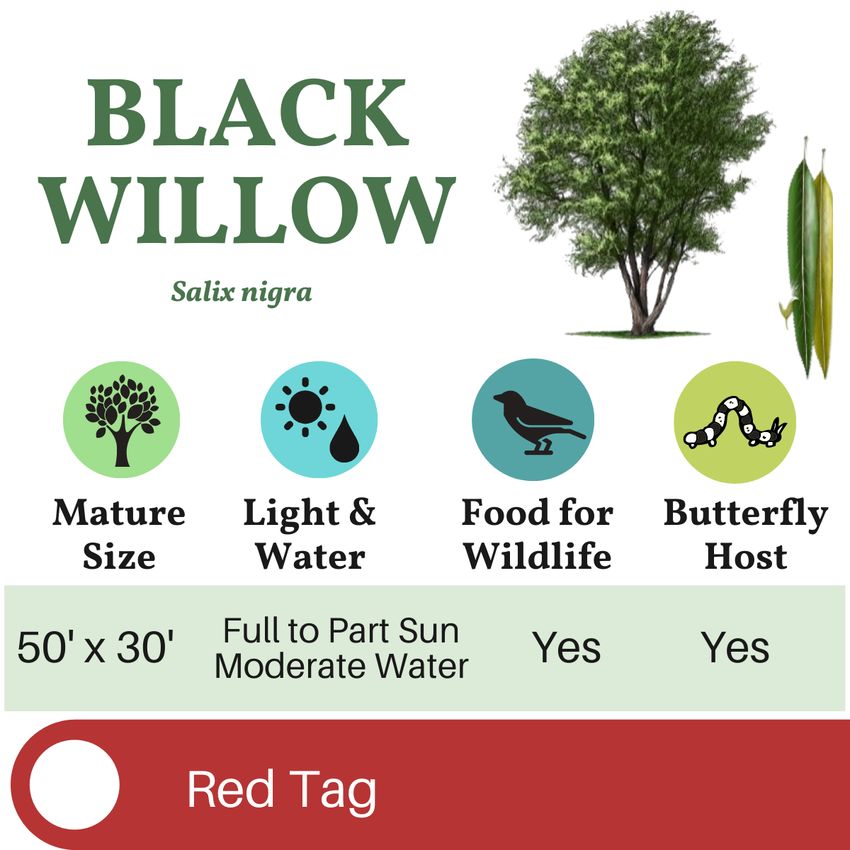
I.D. YOUR TREE
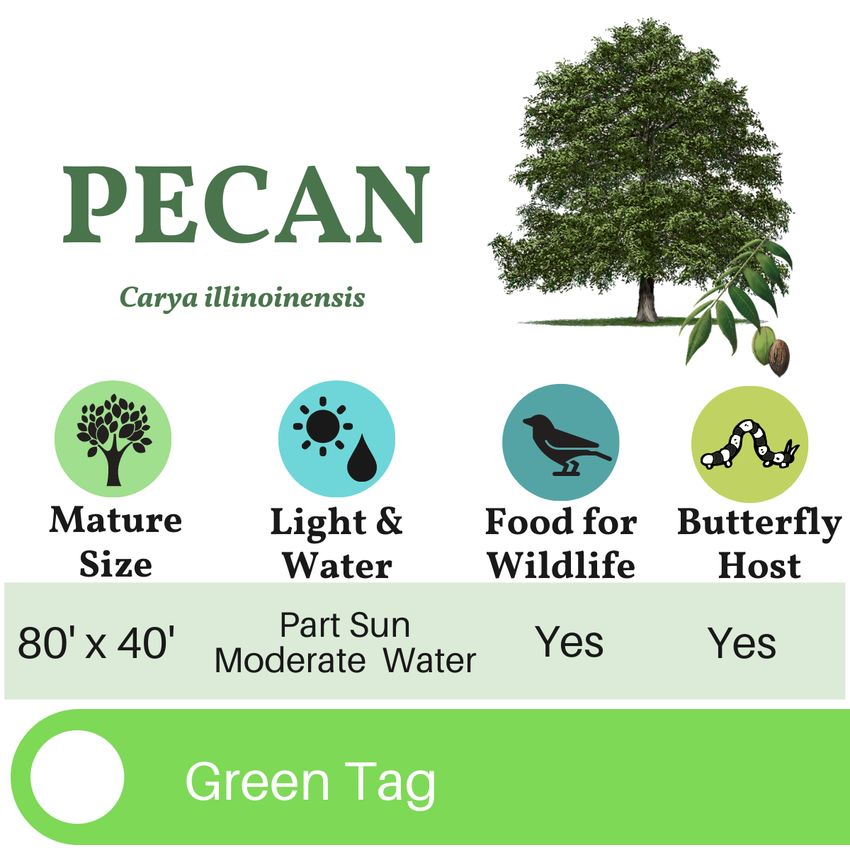
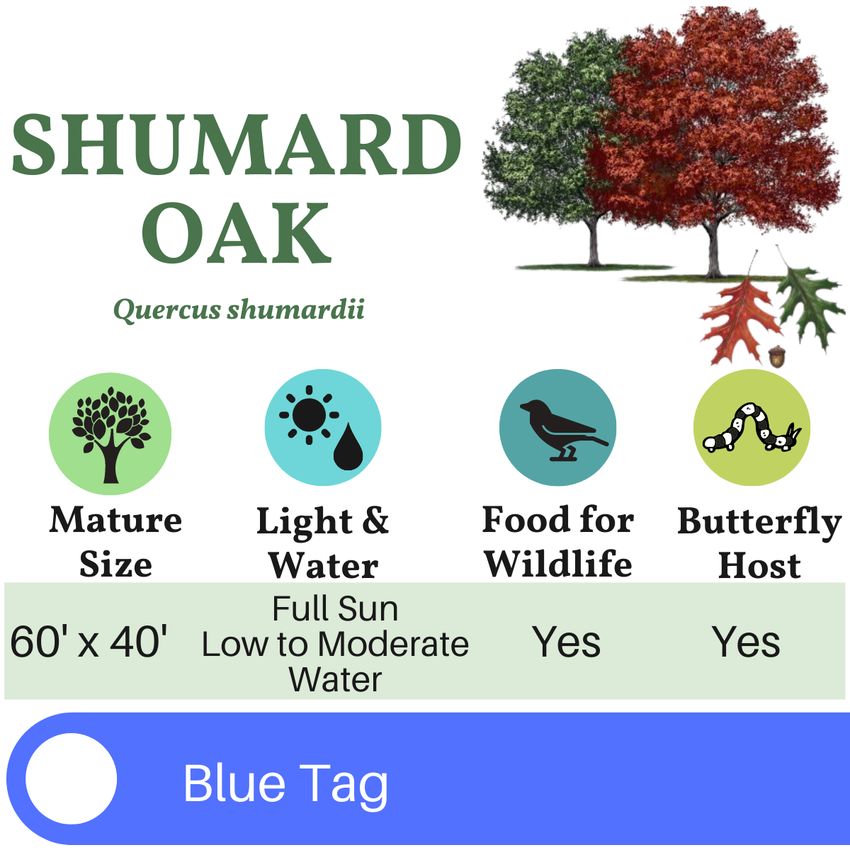
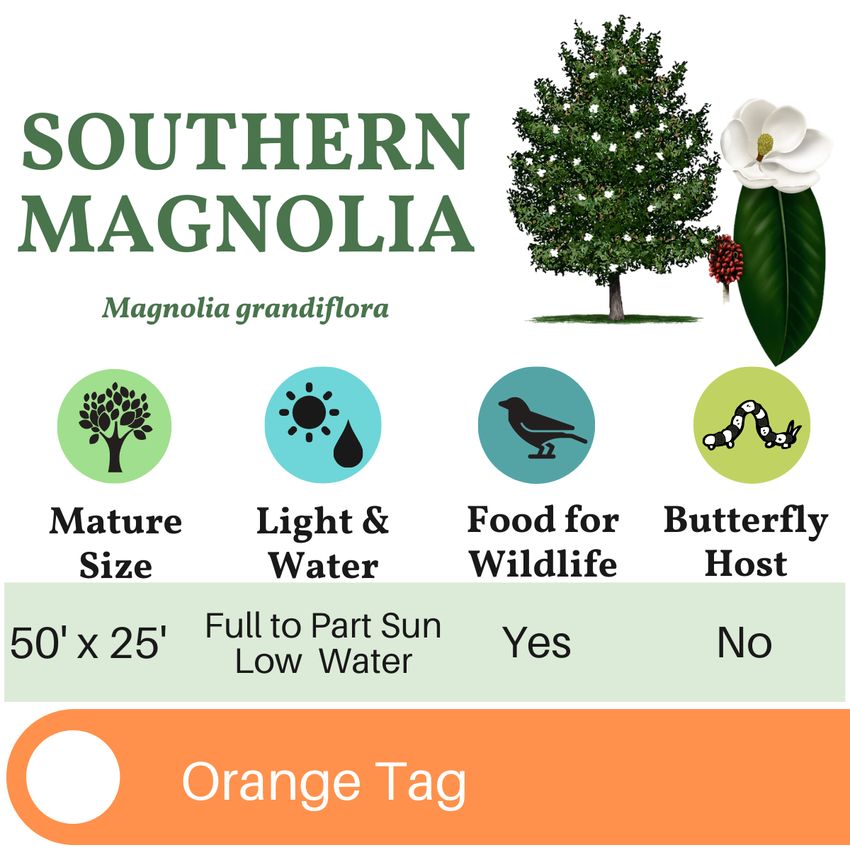
Each 3-gallon native tree is marked with a plastic, reusable tree tag to
help you identify your tree when you get home.

Find your tree below and learn what requirements are needed for space,
sun, and water. These native trees also benefit native wildlife by
providing food and shelter.
DID YOU KNOW?
Many of the native trees distributed at this event are host plants for
butterflies. These trees meet the specific dietary needs of caterpillars
and are essential to the butterfly life cycle. By planting native trees, you
are helping support the pollinator population.
REMINDERS AND RESOURCES
Water the tree for the first two years.
A newly planted tree requires six to eight gallons of water for every
diameter inch of trunk - per week.
Protect the tree from animals and humans.
Consider adding a wire cage or a safeguard against hungry animals and
lawn mowers. Be sure to remove any structure as the tree grows wider.
Avoid fertilizer for the first growing season.
A new tree has tender roots. Many fertilizers are too harsh and may
cause more harm than good.

Check out these resources from Texas A&M Forest Service
My Tree ID helps identify tree species based on leaves,
flowers, seed, bark, or location using key descriptions and
full-color images. There is also a glossary of terms and a
tree age estimator tool. Scan the QR code to the right,
with your phone's camera or follow this link:
https://texasforestinfo.tamu.edu/MobileApps/MyTreeID/

                           TreeMD is a diagnostic tool to help you get to the
                           root of your tree's problem. View the website by
                           scanning the QR code, to the left, with your phone's
                           camera or follow this link:
                           https://texasforestinfo.tamu.edu/treemd/

THANK YOU TO OUR 2021 EVENT SPONSORS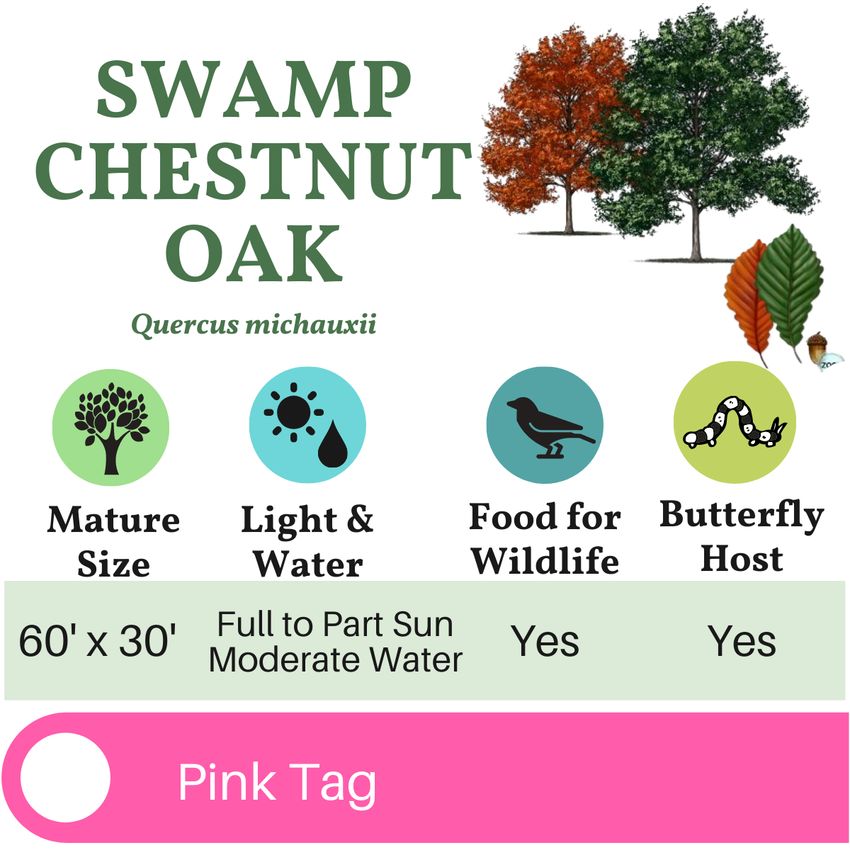
You can also read


