TEMPUR-Ergo Premier Complete Reference Guide - Tempur-Pedic
←
→
Page content transcription
If your browser does not render page correctly, please read the page content below
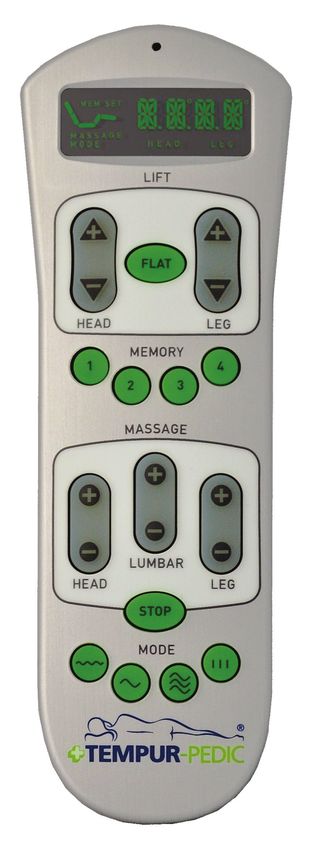
TEMPUR-Ergo Premier®

                                               Complete Reference Guide

   Patents pending

Copyright 2016 Tempur-Pedic North America, LLC. All Rights Reserved.       10003-PC-B206-01 Rev 1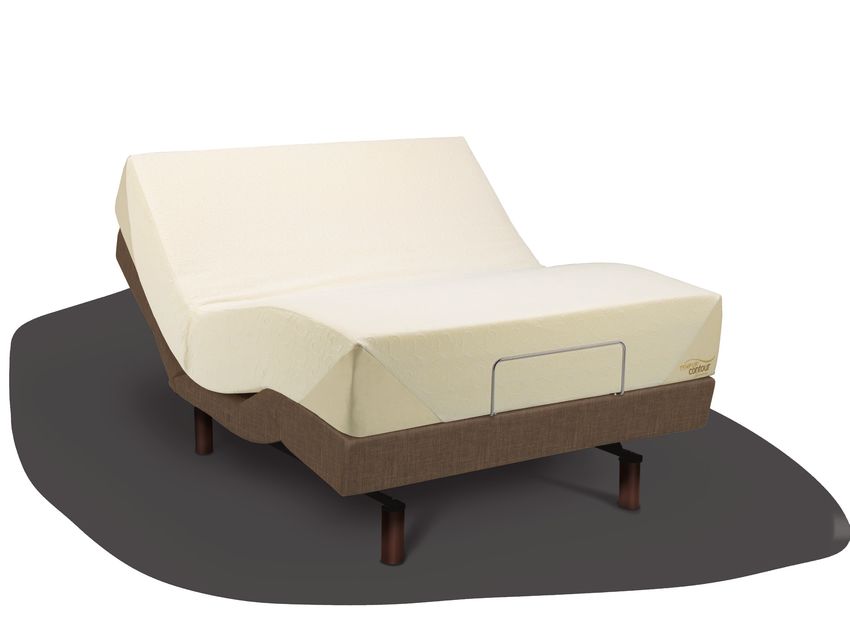
TEMPUR-Ergo Premier                       ®

                                          Table of Contents
    SAFETY PRECAUTIONS .................................................................................................... 3

    COMMONLY ASKED QUESTIONS AND ANSWERS ............................................................. 6

    SPECIFICATIONS .............................................................................................................. 7

    INSTALLATION ................................................................................................................. 8
        Installation Instructions ........................................................................................... 8
        Pre-Delivery Procedure .......................................................................................... 9
        Delivery Procedure ................................................................................................. 10
        Joining Two Split Bases (Tie Strap Installation)...................................................... 12
        Wireless Remote Control Programming ................................................................. 13
        Headboard Installation ........................................................................................... 15

    OPERATION .................................................................................................................... 17
       Wireless Remote Control Features ......................................................................... 17
       Operating Instructions ............................................................................................ 18

    ADVANCED REMOTE CONTROL PROGRAMMING ............................................................ 22

    SPECIAL FUNCTIONS ..................................................................................................... 24
       Reset ...................................................................................................................... 24
       Emergency Power-Down ........................................................................................ 24
       Change from Tandem System to Single System ...................................................... 24

                                                 Conforms to UL Standard 962.

                                                            C22.2 No. 68.

                            CUSTOMER SERVICE: 1–800–821–6621

2
Safety Precautions

Safety Precautions

WARNING!
                                                                 • Keep the cord away from heated surfaces.
                         • Never operate the furnishing with the air openings blocked

IMPORTANT SAFETY           and keep the air openings free of lint, hair and the like.
                         • Never drop or insert any object into any opening.
INSTRUCTIONS.            • Do not use outdoors.

PLEASE READ THESE        • Do not operate where aerosol (spray) products are
                           being used or where oxygen is being administered.
INSTRUCTIONS THOROUGHLY • To disconnect, turn all controls to the off position
BEFORE USING YOUR          then remove plug from outlet.

TEMPUR-ERGO® PREMIER.    WARNING!
SAVE THESE INSTRUCTIONS! Risk of Injury — keep children away from extended
                                                                 foot support (or other similar parts).
Your TEMPUR-Ergo® Premier system has been
designed to provide you with the reliable operation and
durability you expect. This product has been inspected
                                                                 WARNING!
                                                                 Risk of electric shock — connect this furnishing
and tested prior to shipment.
                                                                 to a properly grounded outlet only. See grounding
When using an electrical furnishing, basic precautions           instructions.
should always be followed, including the following:
READ ALL INSTRUCTIONS BEFORE USING YOUR                          GROUNDING INSTRUCTIONS
TEMPUR-ERGO PREMIER.                                             This product must be grounded. If it should malfunction
                                                                 or breakdown, grounding provides a path of least
DANGER                                                           resistance for electric current to reduce the risk of
To reduce the risk of electric shock:                            electric shock. This product is equipped with a cord
• Always unplug this furnishing from the electrical              having an equipment-grounding conductor and
  outlet before cleaning.                                        a grounding plug. The plug must be plugged into
                                                                 an appropriate outlet that is properly installed and
WARNING!                                                         grounded in accordance with all local codes and
To reduce the risk of burns, fire, electric shock or injury      ordinances.
to persons:
• Unplug from outlet before putting on or taking off parts.
                                                                 DANGER
• Close supervision is necessary when this furnishing is         Improper connection of the equipment-grounding
  used by or near children, invalids or disabled persons.        conductor can result in a risk of electric shock. Check
• Use this furnishing only for its intended use                  with a qualified electrician or serviceman if you are in
  as described in these instructions. Do not use                 doubt as to whether the product is properly grounded.
  attachments not recommended by the manufacturer.               Do not modify the plug provided with the product. If it
• Never operate this furnishing if it is not working properly,   will not fit the outlet, have a proper outlet installed by a
  has a damaged cord or plug, has been dropped,                  qualified electrician.
  damaged or dropped in water. Return the furnishing to a
  service center for examination and repair.

                                   CUSTOMER SERVICE: 1–800–821–6621

                                                                                                                                3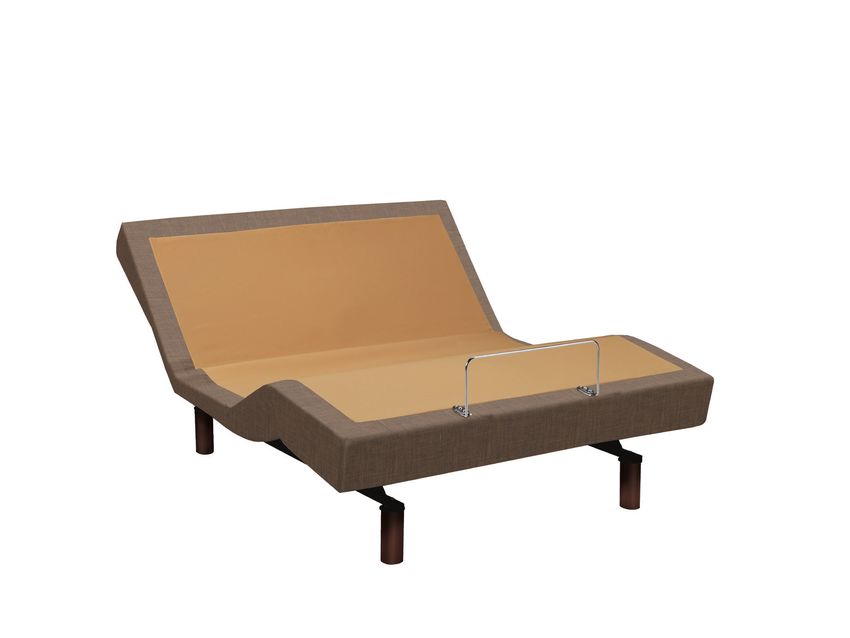
TEMPUR-Ergo Premier            ®

    SAVE THESE INSTRUCTIONS!                                       IN-HOME USE AND HOSPITAL DISCLAIMER
                                                                   Your TEMPUR‑Ergo Premier is strictly designed for
    GROUNDING SAFETY                                               in-home use only. It is NOT designed for hospital
    This product is for use on a nominal 120-volt circuit,         use and is NOT designed to meet hospital standards.
    and has a grounding plug that looks like the plug              DO NOT USE this bed with TENT TYPE oxygen
    illustrated in sketch A (see figure at right). A temporary     therapy equipment or near explosive gases.
    adapter, as illustrated in sketches B and C, may be
                                                                   IMPORTANT SAFETY FEATURES
    used to connect this plug to a 2-pole receptacle as
                                                                   Use this furnishing only for its intended use as
    shown in sketch B if a properly grounded outlet is not
                                                                   described in these instructions. Do not use attachments
    available. The temporary adapter should be used only
                                                                   not recommended by the manufacturer.
    until a properly grounded outlet (shown in sketch A) can
    be installed by a qualified electrician. The green colored     If there is an overload weight condition on the head or
    rigid ear, lug or the like extending from the adapter          foot mechanism, the control unit will automatically stop
    must be connected to a permanent ground such as                the corresponding functions. Once the excess weight
    a properly grounded outlet box cover. Whenever the             is removed, the control unit will automatically allow all
    adapter is used, it must be held in place by a metal           functions to resume.
    screw.
                                                                   Locking casters are available for aftermarket purchase.
                                                                   In order to prevent the movement of this product with
                                                                   casters, all four casters should be in the locked position.
                                                                   This can be accomplished by pushing down the locking
                                                                   latch on the caster. To resume mobility of the product,
                                                                   lift the locking latch up. You are strongly encouraged to
    Unauthorized modifications could void the electrical
                                                                   place rubber caster cups or carpet squares under the
    portion of your warranty. Failure to use a properly
                                                                   casters in addition to locking them in place if the product
    grounded outlet for this product or modification of the
                                                                   is positioned on a hard surface floor such as hardwood,
    plug will compromise this important grounding safety
                                                                   tile or linoleum. Although the casters are locked and will
    feature and may result in electric shock, electrical fire or
                                                                   not roll, they may slide.
    faulty operation of the product.
                                                                   CONSUMERS WITH PACEMAKERS
    FOR BEST RESULTS, YOUR TEMPUR‑ERGO®                            As with any product that produces a vibrating motion
    PREMIER SHOULD BE PLUGGED INTO A SURGE                         (optional), it is possible that some pacemakers may
    PROTECTOR (not included).                                      interpret this motion as a false sense of movement

    INTENDED USAGE                                                 and/or exercise. This may or may not affect your

    The electric adjustable bed should be installed with           pacemaker. If you have any concerns, please consult

    the Headboard Bracket and/or the head of the frame             your physician. For information on disabling the

    should be positioned close to a wall.                          vibrating motors, please contact customer service
                                                                   by calling 1-800-821-6621.

    WARNING!
    DO NOT USE NEAR PEOPLE USING OR WEARING
    MEDICAL DEVICES. FOR HOUSEHOLD / RESIDENTIAL
    USE ONLY. DO NOT USE OUTDOORS.

                                    CUSTOMER SERVICE: 1–800–821–6621

4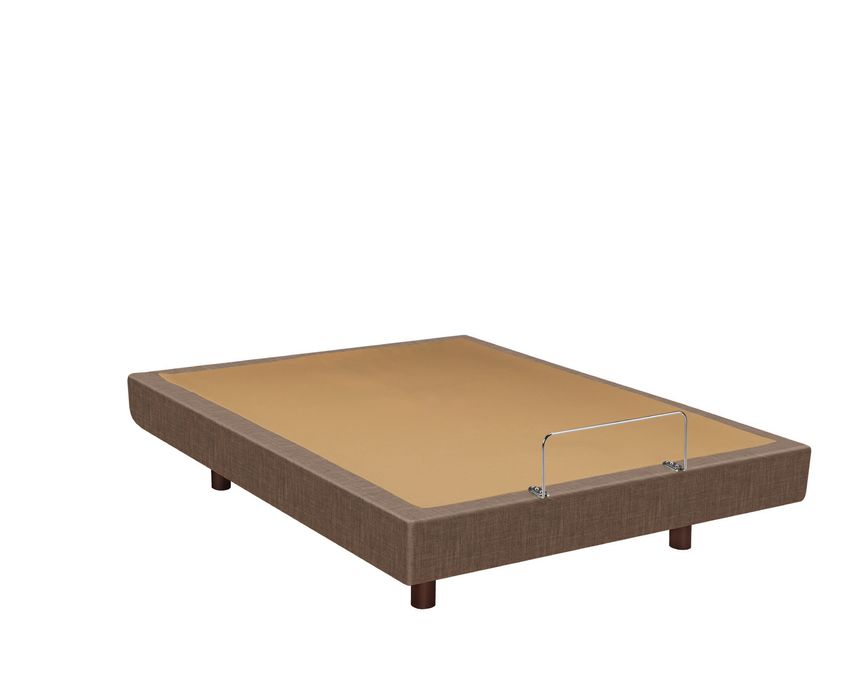
Safety Precautions

POWER RATINGS:                                             compartments). The warranty is void if these units
MODEL NO: TES200, TES300                                   are tampered with. Any repair or replacement of
INPUT: AC 120V VAC, 60 HZ, 2.5 A MAX                       TEMPUR‑Ergo Premier parts must be performed by
OUTPUT: DC 29V – 2.5A                                      an authorized service person.

PRODUCT RATINGS                                            SERVICE REQUIREMENTS
The lift motors in your TEMPUR-Ergo® Premier are           Service technicians are not responsible for moving
NOT designed for continuous use. Reliable operation        furniture, removing headboards and footboards or
and full life expectancy will be attained as long as the   any items required to perform maintenance on your
lift motors do not operate more than two (2) minutes       adjustable bed. In the event the technician is unable to
over an 20-minute period, or approximately 10%             perform service due to lack of accessibility, the service
duty cycle. Any attempt to circumvent or exceed this       call will be billed to the purchaser and the service will
rating will shorten the life expectancy of this product    be re-scheduled.
and may void the warranty. The recommended weight
restrictions on our TEMPUR-Ergo Premier systems are        RADIO FREQUENCY IS 433 MHZ.
as follows: Twin, Twin Long, Double, Queen, Split/Dual       FCC COMPLIANCE
Queen, and Split/Dual CA King bases – up to                  THIS device complies with part 15 of the FCC
650 lbs. each. This TEMPUR-Ergo Premier will                 Rules. Operation is subject to the following
structurally support the recommended weight                  two conditions: (1) This device may not cause
distributed evenly across the head and foot sections.        harmful interference and (2) this device must
This product is not designed to support or lift this         accept any interference received, including
amount of weight in the head or foot sections alone.         interference that may cause undesired
                                                             operation.
  NOTE: Exceeding the recommended weight
                                                             TO comply with the FCC RF exposure
  restrictions could damage your TEMPUR‑Ergo
                                                             compliance requirements, no change to the
  Premier and void your warranty.
                                                             antenna or the device is permitted. Any change
For best performance, you should enter and exit the          to the antenna or the device could result in the
TEMPUR‑Ergo Premier while it is in the flat or fully         device exceeding the RF exposure requirements
lowered position.                                            and void user’s authority to operate the device.
                                                             CAN ICES-3 (B)/NMB-3(B)
Your TEMPUR-Ergo Premier has been designed to
provide you with the reliable operation and durability
you expect. This product has been inspected and            SMALL CHILDREN
tested prior to shipment.
                                                           AND PETS WARNING
USER-SERVICEABLE PARTS
                                                           After your TEMPUR-Ergo® Premier has been unboxed,
This product is specifically designed to be
                                                           immediately dispose of packaging as it can smother
maintenance-free for the user. Therefore, you are
                                                           small children and pets. To avoid injury, children and
encouraged not to open any motors, alter the wiring
                                                           pets should not be allowed to play on or under the
or adjust, modify or change the structure of the
                                                           bed. Children should not operate this product without
product, as it will void the warranty.
                                                           adult supervision. Close supervision is necessary when
WARRANTY PRECAUTION!                                       this furnishing is used by or near children, invalids or
Do not open control box, motors or wireless                disabled persons.
remote control (with the exception of the battery

                                CUSTOMER SERVICE: 1–800–821–6621

                                                                                                                       5
TEMPUR-Ergo Premier            ®

    Commonly asked Questions and Answers

    WHAT IS THE HEIGHT OF THE TEMPUR‑ERGO®                        WHERE IS THE SERIAL NUMBER ON THE
    PREMIER ADJUSTABLE BASE?                                      TEMPUR‑ERGO PREMIER?
      The overall height ranges from 9 to 19.75 inches floor to     The serial number can be found on the law tag attached
      the bottom of the mattress. See chart on page 8 for           to the cover, the power supply under the base and on
      available options.                                            the frame right below the foot end of the base. It may
                                                                    be easier to see by lifting the foot slightly if possible.
    DOES THE TEMPUR‑ERGO PREMIER COME WITH                          The serial number is also located on a sticker on the
    HEADBOARD ATTACHMENTS?                                          back cover of this Complete Reference Guide (owner’s
      No. A headboard bracket kit is available and sold             manual) shipped with the base.
      separately.
                                                                  DOES THE UNIT HAVE AC OR DC MOTORS?
    DOES THE TEMPUR-ERGO PREMIER COME WITH                           The lift motors used on the TEMPUR-Ergo Premier are
    FOOTBOARD ATTACHMENTS?                                           DC motors. The base’s power supply converts the AC
       No, you cannot attach a footboard directly to the             power from the wall outlet to DC power.
       TEMPUR-Ergo Premier. However, you can use a
      “freestanding” bed including headboard, footboard
                                                                  WHO DO I CALL FOR SERVICE OR SUPPORT IF NEEDED?
       and side rails by placing the complete TEMPUR-Ergo
                                                                    Service and technical support is available by calling our
       Premier within the assembled bed. It may be easiest
                                                                    dedicated customer service group at 1-800-821-6621.
       to assemble the bed around the adjustable base.
                                                                    An owner’s manual is included with each base including
       You should measure the inside dimensions of the
                                                                    other information for making claims.
       assembled bed to be sure the adjustable base will fit.
       One of our riser leg sets may be required in some cases.
                                                                  IS AN EXTENDED WARRANTY AVAILABLE?
                                                                      No.
    WILL THE TEMPUR-ERGO PREMIER FIT INSIDE
    EXISTING FURNITURE?
      The TEMPUR-Ergo Premier is designed to fit into             DO I GET A FULL WARRANTY IF I PURCHASE A FLOOR
       most “freestanding” beds. We always recommend you          MODEL?
       measure the inside dimensions of the assembled bed           Yes. However, your warranty start date is the date of
       to be sure the TEMPUR-Ergo Premier will fit. Please           manufacture which is clearly marked on the law tag
       refer to the specifications on page 8 for dimensions of       attached to the base (not your actual purchase date).
       the base. One of our riser leg sets may be required in
       some cases.                                                WHAT ARE THE ELECTRICAL REQUIREMENTS OF THE
       The adjustable base should not be used in                  TEMPUR-ERGO PREMIER?
       conjunction with bed slats. The weight of the base           During normal operation, the base can draw up to 2.5A
       can cause slats to break. Slats should be removed            of electricity from a normal AC wall outlet.
       or the base height should be adjusted such that
       the base stands above the slats and the slats bear
       no weight. A clearance of 1.5 to 2 inches is highly
       recommended.

                                    CUSTOMER SERVICE: 1–800–821–6621

6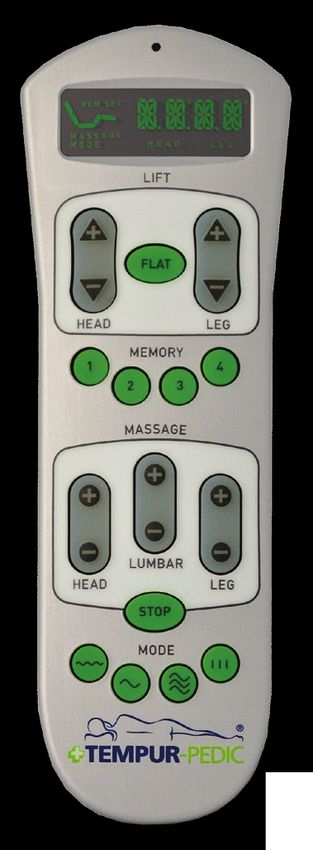
TEMPUR-Ergo Premier                 ®

        Specifications                                                                       Bed Type      A. Frame
                                                                                                            Width
                                                                                                                         B. Base
                                                                                                                          Width
                                                                                                                                    C. Base
                                                                                                                                    Length
                                                                                                                                                     Weight

                                                                                           Twin             24 3/4"      37 1/2"        74 1/4"       169 lb
                                                                                           Twin Long        24 3/4"      37 1/2"            79"       173 lb
                                                                                           Double           39 1/2"      53 1/4"            75"       219 lb
                                                                                           Queen            39 1/2"      58 1/4"            79"       235 lb
                                                                                           Split Queen      24 3/4"      29 1/2"            79"       127 lb
                                                                                           Split CA King    24 3/4"      35 3/4"        82 3/4"       160 lb

            6 1/2"

                                                                        A

                                                                                  B

                                                                                                                                        C

                                                      7"
                                          14 3/4"

                                                                                 54 3/4"

                 Appearance may vary depending upon model.
                 Measurements are approximate.

                          Option          Option           Option       Option              Standard         Option            Option               Option

                     NO LEG (RESTS ON                                   4.5" LEG                             6.5" LEG                                9" LEG
                                        CASTER ONLY        4.5" LEG                         6.5" LEG                           9" LEG
                      RUBBER FOOT)                                    WITH CASTER                          WITH CASTER                            WITH CASTER

Total height:
                           9"             11.50"           12.75"       15.25"               14.75"          17.25"            17.25"               19.75"
Legs + Base

                                               CUSTOMER SERVICE: 1–800–821–6621

                                                                                                                                                                7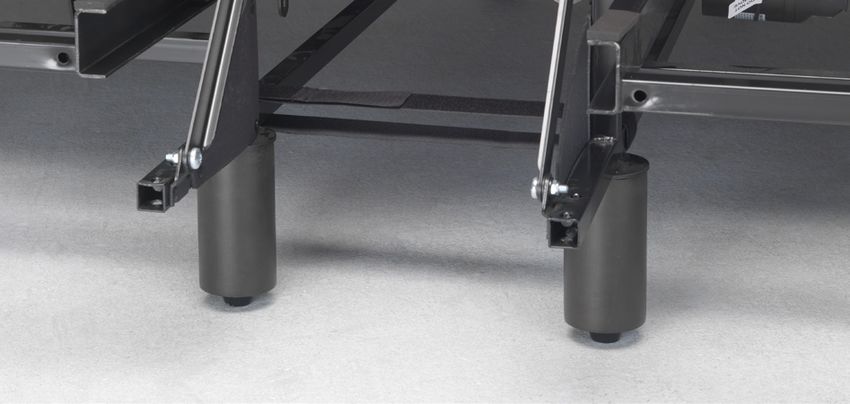
Installation

    Installation Instructions

    Before discarding any packing materials, check your
    TEMPUR-Ergo® Premier carton and verify the following
    items in the parts list are included:                          Appearance of some parts may differ from photos.
                                                                                  Headboard brackets not included.
    PARTS LIST
    A. Wireless Remote Control (1) and                        A.             B.                 C.
       AA Batteries (2)

    B. Mattress Retainer Bar (1)

    C. Retainer Bar Bolt (4)
                                                              D.             E.                 F.
    D. Retainer Bar Plate (2)

    E. Legs (4)

    F. Connection Cable (1) — (Only on Twin Long, Split
       King, Split Queen and Split CA King)                   G.             H.                 I.
    G. Power Cord (1)

    H. 9-Volt Batteries (2)

    I. Tie Strap (1)— (Only on Twin Long and Split CA King)

                                    CUSTOMER SERVICE: 1–800–821–6621

8
TEMPUR-Ergo Premier      ®

Pre-Delivery Procedure

STEP 1                                                      STEP 5
  Lift carton top off box to reveal the bottom               Once the warehouse test is successful and complete:
  of the base.                                                • Unplug the power extension cord
                                                              • Remove the batteries from the remote control and
STEP 2
                                                                return both to the accessory pack
  Remove power cord from accessory pack and plug
                                                              • Remove the power cord and return it to the
  into power supply. Using a power extension cord to
                                                                accessory pack
  reach the base, plug in the base’s power cord.
                                                              • Place the lid back on the outer carton and secure
 NOTE: Do not uncoil the base power cord which
                                                                for delivery
 is packaged for shipment.
                                                            NOTE: Always keep the Ergo base in a flat,

STEP 3                                                      horizontal position during transportation and

  Remove the remote control and (2) AA batteries            delivery.

  from the accessory pack, remove the cover from the
                                                            NOTE: To avoid damage to the TEMPUR‑Ergo®
  remote control’s battery compartment and install the
                                                            Premier, always open the carton while the bed
  batteries.
                                                            is in the flat position.
 NOTE: Do not mix old and new batteries.

STEP 4
  Power Test Procedure:
  Press each of the following buttons long enough to
                                                                                        OPEN FLAT
  illuminate the green LED signature light on the
  remote control and watch/listen for the base to
  activate. This ensures you will be delivering a base
  that is fully functional. Test the base by pressing the
  buttons in the following sequence.
  1. Head Lift                 5. Leg Massage
  2. Leg Lift                  6. Stop
  3. Head Massage              7. Flat
  4. Lumbar Massage

 NOTE: Only press each button long enough to
 hear or see the function activate on the base.

                              CUSTOMER SERVICE: 1–800–821–6621

                                                                                                                    9
Installation

     Delivery Procedure

      NOTE: Always keep the TEMPUR-Ergo®                       STEP 4
      Premier in a flat, horizontal position during             Remove the remote control and (2) AA batteries
      transportation and delivery. Always open the              from the accessory pack, remove the cover from the
      box in the flat position.                                 remote control’s battery compartment and install the
                                                                (2) AA batteries into the remote.
     STEP 1
       Carefully take base, in the carton, to the bedroom
       and place next to where the customer wants it set up.

     STEP 2
       Carefully lift the TEMPUR‑Ergo Premier out of
       the shipping carton keeping the unit topside down.
                                                                Cut power supply free from its attachment to the
       For safety reasons this should be performed by
                                                                frame. Install (2) 9-Volt batteries into the battery
       two people.
                                                                compartment of the power supply.
                                  NOTE: To avoid damage
                                  to the adjustable base,
                                  always open the carton
                     OPEN FLAT
                                  while the bed is in the
                                  flat position.
                                                                Remove power cord from accessory pack and plug
                                                                into power supply.
     STEP 3
       The products come packed in a cardboard box.            NOTE: Do not mix old and new batteries.
       Some components are also sealed in plastic film.
       To unpack, proceed as follows:                          STEP 5
                                                                Thread the power cable through the strain-relief
       STEP 3A
                                                                hooks on the power supply.
       Remove the cardboard and plastic film from the
       components.                                              Snap in the power cord into the hooks
       STEP 3B                                                  The purpose of the
       Check the package contents.                              hooks is to relieve the
                                                                cable connector and
       STEP 3C
                                                                protects the power cord
       Dispose of the packaging materials.
                                                                from damage.
       STEP 3D
                                                               NOTE: Ensure the cables are not under tension.
       Keep the user manual at hand for the operators.

                                                                Uncoil power supply and place on the floor. Connect
                                                                the power lead from the power supply to the surge
                                                                protector (not included).

                                   CUSTOMER SERVICE: 1–800–821–6621

10
TEMPUR-Ergo Premier ®
STEP 6 STEP 8
Attach TEMPUR‑Ergo® Premier Legs: Open the Install Retainer Bar with Retainer Bar Plates and
accessories box, take out the (4) legs and thread Retainer Bar Bolts provided in the accessory pack.
them in a clockwise direction into the pre-threaded Requires using a standard screw driver or hex head
holes in the frame. driver (not provided).
NOTE: Hand tighten the legs securely to the
frame. DO NOT over tighten. Make sure the legs
are screwed completely into the frame. Legs
that are not securely attached may become
unsafe. DO NOT unscrew a leg to compensate
for an uneven floor.
NOTE: Locking casters are available for
aftermarket purchase. In order to prevent the
movement of this product, all four casters
should be in the locked position.
STEP 7 STEP 9
Carefully flip the TEMPUR‑Ergo Premier over to the If this delivery involves dual bases and/or split
topside up position. mattresses, program accordingly. (Program remote
NOTE: Make sure to lift the adjustable base off control(s) per the instructions contained in the
the ground before flipping over. DO NOT use legs Complete Reference Guide.)
as a leverage point to ensure they do not break.
STEP 10
Place the mattress(es) on the base(s).
! ATTENTION ! Improper handling
DO NOT STEP 11
lean the bed against the Ensure the power switch on the surge protector is in
installed legs to flip it over. the “on” position and that it is plugged into the wall
outlet. Check the system for functionality with the
mattress in place.
! Proper handling
NOTE: If the system does not respond, follow
Turn bed over without leaning against the
installed legs. the Setup Procedure on page 14 to ensure the
base and remote control are communicating.
CUSTOMER SERVICE: 1–800–821–6621
11Installation
Joining Two Split Bases (Tie Strap Installation)
Your TEMPUR-Ergo® Premier is designed to be safe
STEP 3
and reliable. While using a split adjustable base, it
Locate the two (2) fastener straps (one (1) included
is important to adhere to the following installation
with each split King or Split Cal King adjustable
instructions. Proper use of the included tie straps will
base), wrap one (1) strap around the steel frame
securely hold split King or split Cal King adjustable
rails of the two bases near the head of the bed and
bases together.
secure with strap.
INSTALLATION INSTRUCTIONS FOR
ADJUSTABLE BASE TIE STRAPS
STEP 4
Wrap the other strap around the steel frame rails of
NOTE: One (1) strap is included with each split
the two foundations near the foot of the bed and
King or split Cal King adjustable base.
secure with strap.
STEP 1
Complete the installation of two bases
side-by-side according to the Complete Reference
Guide provided with your TEMPUR-Ergo adjustable
base. It is recommended that the gap between
bases be no more than 1 inch (25mm).
STEP 2
Using the remote control(s), raise the head and foot
sections of each base completely. STEP 5
Using the remote control(s), lower the head and foot
sections of each foundation to the flat position.
CUSTOMER SERVICE: 1–800–821–6621
12TEMPUR-Ergo Premier ®
Wireless Remote Control Programming
SETUP PROCEDURE — SINGLE BASE OR TWO BASES STEP 5
OPERATING INDEPENDENTLY Within 30 seconds, reconnect the TEMPUR-Ergo
NOTE: The remote control included with the Premier power supply to a working outlet. You
TEMPUR-Ergo Premier adjustable base
® will hear two “double-clicks” when the set-up is
will already be programmed to operate the successfully completed. You may use the remote
accompanying base without any additional setup. when the RF channel stops flashing. Alternately,
you can press the STOP button to stop the RF
Follow these steps if you replace your remote control or channel from flashing.
if your base does not function out of box.
NOTE: Pressing the STOP button prematurely
STEP 1 will cause the set-up process to fail and require
Ensure two (2) AA batteries have been inserted into you to repeat Steps 1–5.
the wireless remote control.
NOTE: Do not mix old and new batteries. SETUP PROCEDURE — TWO BASES OPERATING IN
TANDEM BY A SINGLE REMOTE
STEP 2
Ensure the TEMPUR-Ergo Premier is disconnected Follow these simple steps to set up a tandem system.
from power.
STEP 1
STEP 3 Ensure two (2) AA batteries have been inserted into one
Press and hold the FLAT and STOP buttons wireless remote control. Store extra remote for future use.
simultaneously for at least 10-15 seconds. The
NOTE: Do not mix old and new batteries.
current RF channel number will be shown on the
LCD screen.
STEP 2
STEP 4 Ensure both TEMPUR‑Ergo Premier bases are
Press the FLAT button to confirm the RF channel disconnected from power.
number. The RF channel number will flash for 30
STEP 3
seconds.
Install connection cable by inserting one connector
into each control box, pairing together both bases.
CUSTOMER SERVICE: 1–800–821–6621
13Installation
STEP 4 STEP 3
Press and hold the FLAT and STOP buttons Install connection cable by inserting one connector
simultaneously on the remote control for 10-15 into each control box, pairing together both bases.
seconds. The current RF channel number will be shown
STEP 4
on the LCD screen.
The following buttons are used to set the first and
STEP 5 second part of the RF channel number:
Press the FLAT button to confirm the RF channel 1: Memory 1 5: Head Up
number. The RF channel number will flash for 30 2: Memory 2 6: Head Down
seconds. Within this 30 seconds, reconnect the 3: Memory 3 7: Leg Up
first base into the power outlet. You will hear two 4: Memory 4 8: Leg Down
“double clicks.” Then reconnect the second base to
Please pre-select two digits and make a note of
a working outlet (within the same 30 seconds). You
selection for the following steps.
will again hear two “double-clicks.”
STEP 5
STEP 6
Press and hold the FLAT and STOP buttons
Perform System Reset: Press and hold the FLAT
simultaneously on the first remote for 10–15
button. After 15 seconds, the LCD changes from
seconds. The current RF channel number will be
FLAT to RST.
shown on the LCD screen. Enter the first and then
the second pre-selected digits from Step 4. Then
NOTE: Do not release the FLAT button!
press the FLAT button on the first remote to confirm
the RF channel. The RF channel number will flash
Continue holding the FLAT button for an additional
for 30 seconds.
30–60 seconds as the bed moves forward and
backward. The reset process is complete when no STEP 6
audible clicks or movement occur for a minimum of Within 30 seconds, reconnect the first base into the
10 seconds. power outlet. You will hear two “double clicks.”
SETUP PROCEDURE — TWO BASES OPERATING STEP 7
IN TANDEM BY TWO REMOTES To program second remote, repeat Steps 5–6.
Follow these instructions to set up a tandem system
STEP 8
which can be operated by either remote.
Perform System Reset: Press and hold the FLAT
button. After 15 seconds, the LCD changes from
STEP 1
FLAT to RST.
Ensure two (2) AA batteries have been inserted into
each wireless remote control.
NOTE: Do not release the FLAT button!
NOTE: Do not mix old and new batteries.
Continue holding the FLAT button for an additional
STEP 2 30–60 seconds as the bed moves forward and
Ensure both TEMPUR‑Ergo® Premier bases are backward. The reset process is complete when no
disconnected from power. audible clicks or movement occur for a minimum of
10 seconds.
CUSTOMER SERVICE: 1–800–821–6621
14TEMPUR-Ergo Premier ®
Headboard Installation
NOTE: Headboard Bracket Kit sold separately. STEP 1B
Place the Inner Headboard Bracket (A) over the square
Before discarding any packing materials, check your tube frame making sure the open side of the channel is
Headboard Bracket Kit and verify the following items facing outboard.
in the parts list are included:
Align two (2) holes from the pattern of the Inner
PARTS LIST Headboard Bracket (A) with the two (2) holes of
A. Inner Headboard Bracket (2) the square tube frame such that a distance of
B. Outer Headboard Bracket (2) approximately 1.5 inches to 2 inches exists between
the edge of the TEMPUR-Ergo Premier adjustable
C. Frame Bolt (4)
base and the Headboard Bracket assemblies.
D. Lock Washer (12)
The exterior setting is for Split CA King. The middle
E. Bracket Bolt (8) setting is for Twin Long, Queen, and Split Queen.
F. Locking Nut (12) The interior setting is for Twin and Double.
Place the two (2) Frame Bolts (C) with two (2) Lock
TOOLS REQUIRED
Washers (D) through the holes and fasten with
Flat Head Screwdriver
Locking Nuts (F).
Wrench (7/16")
NOTE: This step is needed if using a headboard
ONLY; not headboard, footboard and side rails.
NOTE: Failure to follow the proper headboard
bracket installation instructions may result in
damage to your TEMPUR‑Ergo® Premier.
WARNING: The bottom of the headboard cross
member must be positioned so that there is no
more than 3 inches between the bottom of the
headboard and the top of the mattress. Failure
to follow this instruction could result in serious Hand tighten the Frame Bolt (C) and Locking Nut (F)
injury or death to a person or pet caught in place using a flat head screwdriver and a crescent
between the mattress and the headboard. wrench.
Repeat on other side of the frame.
STEP 1
Assemble the Headboard Bracket:
STEP 1A
Use the wireless remote to raise the head of the
bed in order to gain access to the TEMPUR‑Ergo
Premier frame.
CUSTOMER SERVICE: 1–800–821–6621
15Installation
STEP 1C STEP 2C
Place the open side of the Outer Headboard Bracket If the Headboard Brackets require adjustment,
(B) over the rectangular plate of the Inner Headboard loosen the bolts that are holding the Outer
Bracket (A). Headboard Brackets and move them so that the
mounting holes on the Outer Headboard Bracket
A align with the mounting holes on your headboard.
F Reinstall the bolts on the Outer Headboard Bracket
and firmly tighten.
STEP 2D
D
Place your headboard bolts through the mounting
E B holes on both the Outer Headboard Bracket and
your headboard. Firmly tighten.
STEP 3
®
Place four (4) Bracket Bolts (E) with four (4) Lock Place your Tempur-Pedic mattress on top of your
TEMPUR‑Ergo® Premier.
Washers (D) through the slots of the Outer Headboard
Bracket (B) and into the holes of the Inner Headboard
Bracket (A). Use four (4) Locking Nuts (F) to secure
the brackets in place, but loose enough to allow
adjustment.
A
B WARNING: Verify the space between the
headboard cross member and the top of the
mattress is no more than 3 inches.
Repeat on other side of the frame.
Your TEMPUR-Ergo Premier installation is now
STEP 2 complete. Refer to the Wireless Remote Control Guide
Attach your headboard to the Headboard Brackets on the following pages or the supplied Quick Reference
following the steps below: Guide for additional usage instructions.
STEP 2A
Measure the center-to-center distance of the
mounting holes in your headboard.
STEP 2B
Measure the center-to-center distance of the
mounting holes in the Headboard Bracket
assemblies.
CUSTOMER SERVICE: 1–800–821–6621
16TEMPUR-Ergo Premier ®
Wireless Remote Control Features
READ ADVISORY INFORMATION IN THE SAFETY PRECAUTIONS SECTION OF THIS GUIDE CAREFULLY BEFORE
USING THIS PRODUCT. THE POTENTIAL FOR ELECTRIC SHOCK EXISTS IF ELECTRICAL COMPONENTS ARE NOT
INSTALLED OR OPERATED PROPERLY.
1. STATUS LED
2. LCD
3. HEAD UP (HU) 5. LEG UP (LU)
4. HEAD DOWN (HD) 6. LEG DOWN (LD)
7. FLAT (F)
8. MEMORY 1 AND 2 9. MEMORY 3 AND 4
(M1 AND M2) (M3 AND M4)
12. LUMBAR MASSAGE
INTENSITY + (LUM+)
10. HEAD MASSAGE
INTENSITY + (HM+) 13. LUMBAR MASSAGE
INTENSITY – (LUM-)
11. HEAD MASSAGE
INTENSITY – (HM-) 14. LEG MASSAGE
INTENSITY + (LM+)
15. LEG MASSAGE
16. STOP MASSAGE (S) INTENSITY – (LM-)
17. MASSAGE MODE 1: 20. MASSAGE MODE 4:
CONSTANT PULSE
18. MASSAGE MODE 2: 19. MASSAGE MODE 3:
WAVE SIMULTANEOUS WAVE
CUSTOMER SERVICE: 1–800–821–6621
17Operation
Operating Instructions
To ensure safe operation of the system, please observe the following safety instructions:
CAUTION: Keep children away from electrically adjustable beds and control units. There is risk of injury
and electric shock.
CAUTION: Unplug the power cord during a thunderstorm or if you do not intend to use the system for an
extended period of time.
NOTE: Do not put the remote control button-side down. The LCD display must be facing upward.
NOTE: If the LCD is not readable any more, you may need to change the batteries.
NOTE: Do not mix old and new batteries.
NOTE: The actuators will continue moving until you release button or the maximum height is reached.
MANUAL ADJUSTMENT OF HEAD AND FOOT
Head (3,4) Leg (5,6)
This function adjusts the Head section to This function adjusts the Leg section to the
the desired position. desired position.
Press the HEAD UP button (3). Press the LEG UP button (5).
Keep pressing the button until the desired Keep pressing the button until the desired
height is reached. The LCD will show the height is reached. The LCD will show the
following segments: following segments:
Press the HEAD DOWN button (4). Press the LEG DOWN button (6).
Keep pressing the button until the desired height is Keep pressing the button until the desired height is
reached. The LCD will show the following segments: reached. The LCD will show the following segments:
CUSTOMER SERVICE: 1–800–821–6621
18TEMPUR-Ergo Premier ®
Flat (7) Recall a memory position (8, 9)
Press the FLAT button (7) and the bed Press one of the Memory 1 to
frame will automatically move to its Memory 4 buttons (8, 9), for less
complete flat position. The LCD will show the than 3 seconds. The base will
following segments: move to the corresponding memory position.
The LCD will show the following segments, by
pressing the button MEMORY 1, button (8):
NOTE: Ensure all obstructions are clear of the
base’s undercarriage when lifting or lowering
the base’s head and leg sections to avoid risk
of pinching or damage. NOTE: When the new position of the head is
higher than the current position of the head,
NOTE: When the movement to the flat position
first the head section and then the leg section
is active it is possible to interrupt the movement
move to the corresponding memory position.
with any of the movement buttons 3-9, at any
time during movement for safety reasons. NOTE: If the new position of the head is equal
or lower than the current position of the head,
MEMORY first the leg section and then the head section
move to the corresponding memory position.
Store a memory position (8, 9)
The system is able to store up NOTE: When the movement to a memory
to four (4) memory positions position is active it is possible to interrupt the
Memory 1 to Memory 4. movement with any of the movement buttons
First, move the head and leg sections to the desired 3-9, at any time during movement for safety
position. Then press one of the MEMORY 1 to reasons.
MEMORY 4 buttons (8, 9) for more than 3 seconds.
The corresponding memory position will be stored.
After a position has been stored, the backlight and
the LED signature light on the remote flash three
times.
The following segments are flashing on the LCD:
CUSTOMER SERVICE: 1–800–821–6621
19Operation
MANUAL MASSAGE Lumbar massage (12, 13)
The bed frame is equipped with three (3) Press the LUMBAR Massage Intensity + button
massage motors (head, lumbar and leg). (12), the lower back massage switches on at 10%
The system offers manual massage intensity.
and four (4) predefined massage modes. The corresponding level of the intensity of the
massage is shown on the display (L0 to L10).
NOTE: Once a massage is switched on it Press the +/- buttons (12-13) to adjust the intensity
automatically switches off completely after 30 accordingly. The following segments are flashing on
minutes or when the STOP button (16) on the the LCD:
remote control is pressed.
NOTE: Whenever any massage function is on
and the user operates one of the lift buttons,
the massage switches off as long as the base
is moving. After the movement is finished, the
massage switches on with the same settings it
Leg massage (14, 15)
had before the stop.
Press the LEG Massage Intensity + button (14),
NOTE: Each massage zone is adjustable in the leg massage switches on at 10% intensity.
10% increments.
The corresponding level of the intensity of the
NOTE: Whenever the massage motor is on massage is shown on the display (L0 to L10).
and the manual massage button “+” or “–” is Press the +/- buttons (14-15) to adjust the intensity
pressed, the massage motor intensity increases accordingly. The following segments are flashing
or decreases by one level. This can be repeated on the LCD:
until the intensity reaches the maximum or
minimum value.
Head massage (10, 11)
Press the HEAD Massage Intensity + button (10),
the head massage switches on at 10% intensity.
The corresponding level of the intensity of the MASSAGE MODES
massage is shown on the display (L0 to L10). A massage mode is a program
which changes intensity and
Press the +/- buttons (10-11) to adjust the intensity
speed of one or more massage
accordingly. The following segments are flashing on
zones. In doing so, each of the massage motors
the LCD:
runs automatically through a predefined sequence.
The system offers the following four (4) predefined
massage modes:
• Constant • Simultaneous Wave
• Wave • Pulse
CUSTOMER SERVICE: 1–800–821–6621
20TEMPUR-Ergo Premier ®
The intensity of each motor zone can be changed
Massage Program 3: Simultaneous Wave (19)
while the program is running.
In this massage mode all three massage motors
Press one of the Massage buttons (Head Massage simultaneously follow a wave.
+/- (10-11), Lumbar Massage +/- (12-13) or
Press Massage Mode 3 button (19), and massage
Leg Massage +/- (14-15), the intensity of the
mode 3 will start at 50% intensity at all three motors.
corresponding massage motor will change.
The LCD will show the following segments:
NOTE: If you change the massage mode
or change from massage mode to manual
massage, it will take approximately 2 seconds
before the new massage program will start.
Massage Program 1: Constant (17) Massage Program 4: Pulse (20)
In this massage mode all three massage motors run In this massage mode the three massage motors
at a constant intensity. are switched on one after another in a pulse.
Press Massage Mode 1 button (17), and massage Press Massage Mode 4 button (20), and massage
mode 1 will start at 50% intensity at all three motors. mode 4 will start at 50% intensity at all three motors.
The LCD will show the following segments: The LCD will show the following segments:
Massage Program 2: Wave (18) STOP MASSAGE
In this massage mode the three massage motors Press the Stop Massage button (16), all
are switched on one after another in a wave. massage motors stop running. The LCD
Press Massage Mode 2 button (18), and massage will show the following segments:
mode 2 will start at 50% intensity at all three motors.
The LCD will show the following segments:
CUSTOMER SERVICE: 1–800–821–6621
21TEMPUR-Ergo Premier ®
Advanced Remote Control Programming
The control box and the wireless remote control need
STEP 3
to be able to communicate via different RF channel
Press one of the massage buttons (10-15), (17-20)
numbers in order to avoid interference with other
to select a new random RF channel number. The
wireless remote controls or other remote control
LCD shows the new random RF channel number on
equipment used near the system.
the display.
For this case the system offers ways to set up or
STEP 4
change the RF channel number.
Press the FLAT button (7) to confirm the
RF channel number and the wireless
LEARN PROCEDURE – WITH RF CHANNEL NUMBER
remote control sends its current RF channel number
CHANGE (HOME MODE)
for 30 seconds. The LED signature light and the
This channel setup procedure changes the backlight of the buttons are flashing during this time.
RF channel number from the factory setting. During this time also the LCD still shows the
The new RF channel number will be chosen RF channel number.
automatically by the system.
STEP 5
NOTE: Use this procedure to avoid interference Re-connect the power cord (G) to the wall outlet
with other wireless remote controls or other within 30 seconds of Step 4.
remote control equipment (e.g. remote
controlled toys, garage door openers…) You will hear two “double-clicks.” Then press the
which are used near the system. STOP button (16).
NOTE: If the 30 seconds of RF channel number
STEP 1
transmission expire before the system is re-
Disconnect the power cord (G) from wall outlet.
connected to the power, the control box and the
STEP 2 wireless remote control will not work together.
Press and hold both FLAT button (7) and In this case the procedure must be repeated.
STOP button (16) for at least 10 seconds.
NOTE: If the new RF channel number is
The current RF channel number will be
not confirmed with the FLAT button (7), the
shown on the display (e.g. “2875”) for
RF channel number will remain unchanged and
10 seconds.
the steps must be repeated.
CUSTOMER SERVICE: 1–800–821–6621
22Advanced Remote Control Programming
LEARN PROCEDURE – WITH RF CHANNEL NUMBER STEP 5
CHANGE (SHOWROOM MODE) Press the FLAT button (7) to confirm the RF channel
In contrast to the home mode, the RF channel number. The RF channel number will flash for 30 seconds.
number can be chosen yourself. The LCD will show the following segments for example:
The advantage of this procedure is that you can
use up to eight systems in one showroom without
interrupting each other.
The following steps must be performed:
STEP 1
Disconnect the power cord (G) from wall outlet. NOTE: The first part of the RF channel number
selects a specific frequency range whereas the
STEP 2 second part selects a RF channel number within
Press and hold both the FLAT button (7) that frequency range. The showroom mode
and the STOP button (16) for at least 10 allows up to 64 different RF channel numbers.
seconds. The current RF channel number
will be shown on the display (e.g. “2875”) NOTE: In showrooms, when several bases
for 10 seconds. will operate simultaneously, it is required that
the first digit of the RF channel be unique (e.g.
RF channel number “12” can be used at the
same time as “22” or “32,” but not necessarily
at the same time with “13” or “15” etc.)
STEP 6
Re-connect the power cord (G) to the wall outlet within
STEP 3 30 seconds of Step 5. You will hear two “double-clicks.”
Press one of the memory buttons (1-4) or one of Then press the STOP button (16).
the manual movement buttons (5-8) to select the
NOTE: If the 30 seconds of RF-channel number
first part of the RF channel
transmission expire before the system is re-
number. Select a unique 5 7
connected to the power, the control box and the
number for each base.
6 8 wireless remote control will not work together.
The LCD shows the first
In this case the procedure must be repeated.
selection as a number, 1 4
2 3
from 1 to 8, for 10 seconds.
The RF channel number which will be shown
depends on the pressed button.
STEP 4
Press one of the memory buttons (1-4) or one of
the manual movement buttons (5-8) to select the
second part of the RF channel number. The LCD
shows the second part of the selection, as 1 to 8,
for 10 seconds (the RF channel number which will
be shown depends on the pressed button).
CUSTOMER SERVICE: 1–800–821–6621
23TEMPUR-Ergo Premier ®
Special Functions
SYSTEM RESET NOTE: During the emergency power-down
procedure the lowering speed will be reduced.
This function resets the system to the zero position.
NOTE: Do not mix old and new batteries.
A reset is required in the following cases:
• One of the components is removed
TANDEM OPERATION
• The bases don’t work synchronously in tandem
operation Each base must be moved to the flat position
• After a power outage (only for tandem operation) separately by following the single system instructions.
• System error After this procedure the two (2) 9-Volt batteries
of both power supplies must be changed.
RESET PROCEDURE
Once power returns the user must perform a system
Press and hold the FLAT button (7). After 15
reset to connect both systems with each other (see
seconds, the LCD changes from FLAT to RST.
System Reset on page 30).
NOTE: Do not release the FLAT button! NOTE: Do not mix old and new batteries.
Continue holding the FLAT button (7) for an NOTE: After emergency power-down in a
additional 30–60 seconds as the bed moves forward tandem system, a system reset must be
and backward. The reset process is complete when performed (see System Reset on page 30).
no audible clicks or movement occur for a minimum
of 10 seconds.
Change from a Tandem
System to a Single System
STEP 1
Emergency Power-Down Disconnect both bases from wall outlet.
STEP 2
The power-down button on the power supply gives the Remove connection cable from each control box.
user the possibility to move the bed to a flat position
during power failure. STEP 3
Learn Remote 1 to Base 1 following Learn
SINGLE SYSTEM Procedure on page 28.
Press the power-down button on the power supply
STEP 4
until the bed arrives at the flat position. After this
Perform System Reset on page 30 for Remote 1
procedure the two (2) 9-Volt batteries must be
and Base 1.
changed.
STEP 5
DANGER: Risk of pinching!
Repeat Steps 3-4 using Remote 2 and Base 2.
CUSTOMER SERVICE: 1–800–821–6621
24TEMPUR-Ergo Premier ®
Troubleshooting
In the event that your TEMPUR-Ergo® Premier fails to operate properly, investigate the symptoms and possible
solutions provided in the chart below:
SYMPTOM SOLUTION
• Verify that the power cord is plugged into a working, grounded
electrical outlet. A grounded, electrical surge protection device
Wireless Remote Control LED Signature is recommended. Test the outlet by plugging in another working
Light illuminates and appears to be appliance.
operable but will not activate the
• Verify that the power cord is plugged into power supply.
TEMPUR‑Ergo Premier.
• Verify the control box is learned to the remote by following the
Setup Procedure on page 14.
• Verify the green LED light on the power supply is lit – if not the
unit is not receiving power.
• Program the Wireless Remote Control (see the Wireless Remote
Control Guide, included with this product, for programming
procedures). Make certain the Power Down Box is easily
accessible. Relocate the Power Down Box if necessary.
No features of the
• Unplug the power cord, wait 60 seconds and plug the power
TEMPUR-Ergo Premier will activate.
cord back in to reset the electronic components.
• Your surge protection device and/or electrical circuit breaker
may be tripped. Check both to verify.
• Your surge protection device and/or electrical outlet may
be defective. Test the outlet by plugging in another working
appliance.
• Replace the batteries in the Wireless Remote Control. The unit
requires two (2) AA batteries.
Wireless Remote Control LED Signature
Light will not illuminate. NOTE: Do not mix old and new batteries.
• Ensure the batteries are installed correctly.
• The TEMPUR‑Ergo Premier may be obstructed. Elevate and
check for an obstruction. Remove the obstruction.
Head and/or Leg section will elevate
• The head section may be too close to the wall.
but will not return to the horizontal (Flat)
position. • The headboard may be too close to the edge of the mattress.
Verify that a 1.5" (38.1mm) to 2" (50.8 mm) distance is between
the headboard brackets and the mattress. Adjust if required.
CUSTOMER SERVICE: 1–800–821–6621
25Troubleshooting
SYMPTOM SOLUTION
• Check batteries in Wireless Remote Control, replace with two (2)
new AA batteries if necessary.
NOTE: Do not mix old and new batteries.
• Make sure that you are following the duty cycle of the motors
(do not operate more than 2 minutes over a 20-minute period,
Head and/or Leg lift function has minor or approximately 10% duty cycle).
interference during operation.
• Press the lift buttons squarely and accurately.
• Wireless Remote Control may be experiencing common Radio
Frequency Interference from other radio transmitting devices.
Wait several seconds, and then try pressing appropriate button
again. See FCC Compliance Statement on page 5 of this
guide.
• If the bed is located on hard surface flooring, place carpet
pieces or rubber pieces (not included) under each leg or caster
of your TEMPUR‑Ergo® Premier.
• Using the Wireless Remote Control, elevate the head or leg
section a short distance to realign the lift/lower mechanisms
with the bed support platform.
• Verify that your TEMPUR‑Ergo Premier is not positioned against
Excessive massage motor noise.
a wall, night stand or other object that may cause the vibration
or noise.
• If the TEMPUR‑Ergo Premier is installed over a bed frame,
verify that the massage motors are not causing the bed frame
(or bed frame components) to vibrate.
• Verify that the headboard attachment hardware is properly
tightened (if used).
A clicking noise is heard under the bed • This is normal. The lift motor relays “click” when they are
when raising or lowering. engaged. No action is required.
• If the vibration motor overheats, the thermal protection will
turn the motor off. Wait 30 minutes, turn the massage back on.
Massage motor overheats or stops.
If it does not come on, turn it off and report the situation
to customer service.
CUSTOMER SERVICE: 1–800–821–6621
26Serial Number:
FOR TECHNICAL SUPPORT OR SERVICE,
QUESTIONS ABOUT YOUR TEMPUR-PEDIC® MATTRESS,
OR TO ORDER TEMPUR‑ERGO® PREMIER ACCESSORIES:
1-800-821-6621
OR VISIT WWW.TEMPURPEDIC.COM
10813-TEMYou can also read


