Factory Automation Svibanj 2020 - Siemens
←
→
Page content transcription
If your browser does not render page correctly, please read the page content below

Factory Automation
Svibanj 2020.

© Siemens 2020   siemens.com/simatic
Klik na
mikrofon

Razvojni alat, softver
TIA Portal V16

Unrestricted © Siemens 2020
Page 4             May 2020
PC-based Systems
HMI incl. SCADA Portfolio

                              TIA integration focus    up to      strong customizing focus

                                         Small - medium - to large scale

              WinCC               WinCC
              Advanced            Professional    WinCC Unified               WinCC V7         WinCC OA

                                    TIA Portal V16                            V7.5 SP1          OA 3.17

               WinCC Unified will expand over the next years in parallel.
               In the long-term, the HMI & SCADA Portfolio in TIA Portal will be based on WinCC Unified.

Unrestricted © Siemens 2020
Page 5             May 2020
is changing…

                                         25.000.000.000.000

Increase of                            Increasing number of devices       Upcoming user
production data                        and systems to connect             interaction scenarios
The amount of data generated           Gartner IT forecasts that the      Expected sales of virtual reality
annually will increase by five times   number of IoT devices will reach   equipment by 2022: 26.7 million
until 2025. (175 Zettabyte)            25 billion by 2021                 devices (0.8 million in 2018)

Unrestricted © Siemens 2020
Page 6             May 2020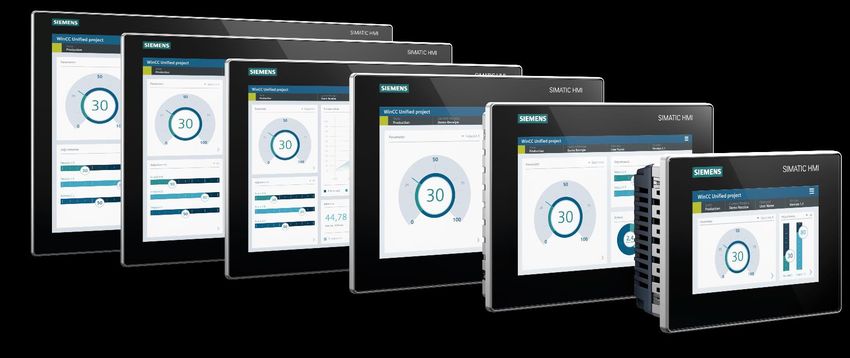
you have to deal with…
                                                   Web Technology
                                    Scalability   Manufacturing IT   Collaboration   Object orientation
                                                                 Openness Plant Intelligence
                              SVG    Device independency Everywhere       Access
                  Engineering Automation One Engineering
                                                          Data Backbone HTML5
                   On Premise IT-Integration Edge computing Connectivity Usability
                                       Digitalization Cloud Connectivity

              These topics define the requirements for the HMI systems of the next decade.

Unrestricted © Siemens 2020
Page 7             May 2020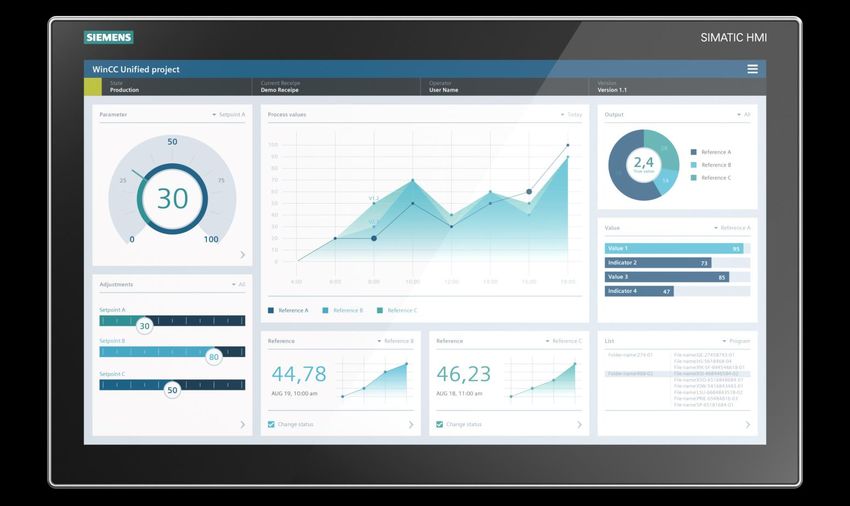
to cover all use cases

    WinCC
                              Panel            PC                  Apps                AR
    Unified

              WinCC Unified is fit for today's HMI and SCADA applications, but also ready for future
              scenarios in the digitization context (e.g. Augmented Reality or Edge technologies).

Unrestricted © Siemens 2020
Page 8             May 2020
with the new WinCC Unified system!

   Technology                   Scalability              WinCC Unified     Everywhere           Integration
                                                          in TIA Portal

• Native Web Tech-            • One Engineering                           • On Premise        • Basis for Digitalization
  nologyHTML5, SVG,                                                                           • Plant Intelligence
                              • Unified Comfort Panels                    • Unified @Cloud
  JavaScript
                              • WinCC Unified PC                          • Unified @Edge     • Integration Platform
• Device independent                                                                            for everything
                              • Collaboration                             • MindSphere Apps
• Object oriented –                                                                             north of the PLC
  HMI                                                                                         • Openness

Unrestricted © Siemens 2020
Page 9             May 2020
WinCC Unified V16
Plant Intelligence Options

 Plant Intelligence                                                                                    Unified         Unified
 Options                                    Description                                             Comfort Panels   PC Runtime
 Calendar1                                  Calendar-based administration of events and schedules
                                            Visualization and analysis of asset performance
 Performance Insight1
                                            with KPIs and time/state model

 Plant Intelligence                                                                                    Unified         Unified
 Options                                    Description                                             Comfort Panels   PC Runtime
 Line                                       Coordination and synchronization of machines/
                       Q2 / 2020
 Coordination1                              units via recipe-controlled procedures
 Sequence              Q2/2020 SSR          Flexible arrangement of automatic steps within
 Execution1                                 the production process including manual interaction

1 Technologischer Hierarchie is mandatory

     Available        Available (limited)        In work   Not available

Unrestricted © Siemens 2020
Page 10              May 2020
PC-based systems –
Integration – Plant Intelligence Options
WinCC RT WinCC RT Unified WinCC WinCC
Plant Intelligence
Adv. V16 Prof. V16 PC RT V16 V7.5 SP1 OA V3.17
Calendar
Performance
Calculation (OEE)
Sequence
Execution1 Q2 2020
Line
Coordination
1 via special sales release
Available Available (limited) Not available Work in process
Unrestricted © Siemens 2020
Page 11 May 2020PC-based systems –
Technology
WinCC RT WinCC RT Unified WinCC WinCC
Technology
Adv. V16 Prof. V16 PC RT V16 V7.5 SP1 OA V3.17
Web (HTML5)
Java Script
SVG Graphics
Dynamic SVG Graphics
Object oriented WinCC RT WinCC RT Unified WinCC WinCC
approach Adv. V16 Prof. V16 PC RT V16 V7.5 SP1 OA V3.17
Object oriented approach
Available Available (limited) Not available Work in process
Unrestricted © Siemens 2020
Page 12 May 2020PC-based systems –
Scalability Single Station –> SCADA system
Scalable SCADA WinCC RT WinCC RT Unified WinCC WinCC
Functionality Adv. V16 Prof. V16 PC RT V16 V7.5 SP1 OA V3.17
1 Server 1 Server Max.18 Srv Max. 2,048 Srv
Max. 16k
Server/Client PowerTags
max. 256k max. 600,000 max. 256k Unlimited
PowerTags PowerTags PowerTags PowerTags
Max. Max. Max.
Native Clients 64/Srv 64/Srv 255/Srv
System
WebUX WebUX
Clients (Zero Inst.) Max. 100
tested up to
Max. 100
ULC UX
max.150
CSV/RDB
File-based Logging SQLite
SQLite
Incl. Incl. Incl. Connect to
Databased Logging Via odbc
MS SQL MS SQL MS SQL Oracle, Influx
Incl. at option All
Logging Tags „Logging
optional up to optional up to optional
included
max. 80,000 max. tags up to 80,000
Available Available (limited) Not available Work in process
Unrestricted © Siemens 2020
Page 13 May 2020PC-based systems –
Everywhere
WinCC RT WinCC RT Unified WinCC WinCC
Adv. V16 Prof. V16 PC RT V16 V7.5 SP1 OA V3.17
On Premises
Private/
Prepared for Cloud Private Private
Public
Industrial
Prepared for Edge Edge
IOT Suite
Augmented Reality
Available Available (limited) Not available Work in process
Unrestricted © Siemens 2020
Page 15 May 2020WinCC Unified V16 – User Interface
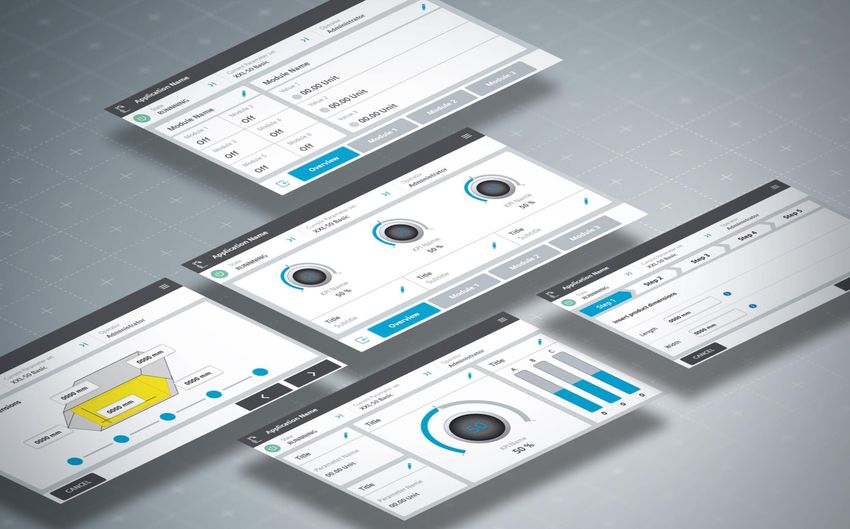
Scalable for all devices
Unified Comfort Panel PC
Homogeneous design, usability and
functionality for Panel and PC systems
• Identical User Interface for Panel- & PC-
Systems
• Zero installation client (PC Systems)
based on native web technology
• Homogenous engineering of consistent
visualizations, independent from technology
e.g., Unified Comfort Panel or web-browser
Unified Comfort Panels
PC Systems
Unrestricted © Siemens 2020
Page 16 May 2020WinCC Unified V16 – User Interface
Scalable for all devices
Unified Comfort Panel PC
Scalable Vector Graphics (SVG)
for all resolutions without loss of quality
• Animate (dynamic) SVG files
according to the process state
• Ready to use industry library
with static and dynamic SVGs
Unrestricted © Siemens 2020
Page 17 May 2020WinCC Unified - Videos WinCC Unified first program: https://www.youtube.com/watch?v=IspDMFQbNo8 String handling: https://www.youtube.com/watch?v=fKEaattACCU Export logged tags: https://www.youtube.com/watch?v=jTmL5F4D42E Connect a OPC UA Client to the Unified Server: https://www.youtube.com/watch?v=6KTJfKBCjVs Secure download, secure connection, encrypted transfer: https://www.youtube.com/watch?v=atm4vnO1E6c Kolekcija: https://www.youtube.com/results?search_query=%23DerHecht Unified Comfort panel: https://www.youtube.com/watch?v=XKPsaj9Qdc4 Unrestricted © Siemens 2020 Page 19 May 2020
SIMATIC Energy Suite
   Proactive load management in the production
   - Easy and integrated – technical slides

                                       siemens.com/energysuite

Unrestricted © Siemens 2020
Page 20            May 2020
TIA Portal V16 SIMATIC Energy Management Unrestricted © Siemens 2020 Page 21 May 2020
SIMATIC Energy Suite Load Management –
Load peaks reduction

 Customer requirements                                                         Siemens offering – SIMATIC Energy Suite with load
 • Reduction of the capacity charge through the avoidance of load peaks        management
   and more even power distribution                                            • Direct integration into the production level due to PLC-based solution
 • Production processes must not be influenced                                   ➔ No intervention of IT systems in the production level necessary
 • Automatic regulation of the system without external influence               • Avoidance of load peaks through integrated prediction algorithm
 • Response of the system to feedback of the production process                • Smooth load distribution due to independent switch of consumers or
                                                                                 activation of generators
                                                                               • Future-proof due to a modular function block concept
 Calculation of the Capacity Charge                                              ➔ Simple extension of the number of actuators
 • Determination of the highest average consumption (in kW) during a           • Fast integration into an existing visualization including all relevant data
   period (usually 15 minutes) within a year                                     of the actuators and the entire system
 • Multiplication of this value by the contractually determined price per kW   • Archiving of every switching action and limit violation
   with the energy supplier company
  Power consumption

                                                 Price            Capacity
                                                per kW            Charge

                                         X                  =

                                                                               consumption
                                                                                                                            Configured limit          Without load

                                                                                  Power
                                                                                                                                                      management

                      1 year           Time                                                                                                           With load
                                                                                                                                                      management

                        High costs with only a single load peak                                                                                Time

Unrestricted © Siemens 2020
Page
Page 22
     22                May 2020
SIMATIC Energy Suite Load Management –
Basic prerequisites
Production process Acquisition of the infeed
Measurement value
• Should not be influenced • Captures the total consumption of all
• Base load actuators and production
• Measurement device should provide
an energy counter in best case
• Alternatively a power value can also be
provided
Consumers
counter
Energy
• Can be switched off
• Variable power
(e. g. chiller, heating,
compressor, …) Data processing and
preparation
• S7-1500 PLC
Feedback of the actuator
• SIMATIC Energy Suite must be
Producer available
• Can be switched on • An energy object is generated of the
• Variable power acquired data of the device
(e. g. generators, …) • Archiving period of the energy object
specifies the monitoring period of the
load management
Control via relay or analog
value
Unrestricted © Siemens 2020
Page
Page 23
23 May 2020SIMATIC Energy Suite load management –
Functionality
Power consumption
Load management software Energy consumption Forecast t2
• Continuously calculates the forecast of the Forecast
Forecast t3
energy demand at the end of the period Limit
• Switches actuators on or off depending on Forecast t4
available potential Forecast
• Actuators are switched according to
configured priority Forecast t1
• The lower the priority (relevance for the
production process), the more often the
actuator is switched Time
Start End
Period
t1 t2 t3 t4 Period
1 Generator
2 Heating
Priority
Forecast --- < Limit > Limit > Limit < Limit ---
3 Compressor Switching Compressor & Heating & Compressor
Heating on Generator on compressor off
---
action ventilation on on
Energy
4 Ventilation ---
demand
Unrestricted © Siemens 2020
Page
Page 24
24 May 2020SIMATIC Energy Suite load management –
Load management in the Energy Suite
Energy program Visualization
for acquisition
Acquisition
with SIMATIC HMI (only
acquisition)
SIMATIC SINAMICS
SIMOCODE SENTRON
Energy
Suite Visualization &
Archiving
Actuators
with WinCC Professional
Load management
program
Unrestricted © Siemens 2020
Page
Page 25
25 May 2020SIMATIC Energy Suite load management –
Visualization example
https://www.youtube.com/watch?v=Qm2QwT6KBAA
Overview of the load management
- Presentation of the previous and current period using a
triangle diagram
+ - Historical values of the infeed up to 7 days
- List of all actors including status and configuration
possibility
Detail view per actuator
- All relevant information at a glance
+ - Subsequent configuration possible
- Operation of the manual mode
Unrestricted © Siemens 2020
Page 27 May 2020TIA Portal V16
Your gateway to automation in the Digital Enterprise
TIA Portal Cloud as 21-day free TRIAL
Feature / Function Benefit
New
Simple cloud environment for TIA Portal • fast ad-hoc use of TIA Portal
Engineering • Simplified trial use of TIA Portal and TIA
Portal options NAJAVA
TIA Portal + SIMATIC Tools Simple test environment for TIA Portal • Simplified test environment with high
• Step 7 Prof. / WinCC Adv. / Safety Adv.
• Startdrive Adv. / SINAMICS DCC
usecases in the cloud performance
• S7-PLCSIM Adv. / Energy Suite / SiVArc • simulation capability with
• Sinetplan / Proneta / SAT S7-PLCSIM Advanced
web-based access to TIA Portal engineering
NEW • No installation effort at all
in the cloud • Flexible application possibilities on any PC
and tablet hardware
• Very low hardware requirements
Cloud-based FileShare for • Easy management with centralized data
TIA Portal projects storage of
TIA Portal projects
www.siemens.com/simulation-cloud
Unrestricted © Siemens 2020
Page 28 May 2020TIA Portal V16 u vrijeme COVID-19
„Home-Office ponuda” do 31.7.2020.
Svjedoci smo da je u ovim izazovnim vremenima vrlo važna fleksibilnost i mogućnost rada
neovisno o lokaciji. Kako bismo omogućili rad izvan firme, pripremili smo posebnu ponudu koja
će našim korisnicima omogućiti korištenje najnovijeg TIA PORTALA V16.
Trajanje licenci vremenski je ograničeno do 31.12.2020.
U promotivni paket uključene su TIA Portal floating licence:
• STEP 7 Professional V16
• WinCC Advanced V16 i WinCC Unified V16 (10K PT)
• STEP 7 Safety Advanced V16
Kataloški broj za naručivanje: 6ES7822-1AE06-0YS0
>> Narudžbe su moguće do 31.7.2020.
>> Kataloška cijena: 25 €
>> Isporuka isključivo putem standardnog Online Software Delivery (OSD) procesa.
Unrestricted © Siemens 2020
Page 29 May 2020Powered by WinCC Unified SIMATIC HMI Unified Comfort Panels Unrestricted © Siemens 2020 siemens.com/wincc-unified-system
SIMATIC HMI Unified Comfort Panels –
Highlights

 Great usability                      Size doesn’t                        Need more?                         The power
 in a brilliant way                   matter                              Add Apps!                          to do more
 Capacitive Multitouch                Same interfaces and functionality   Use Siemens Industrial Edge to     Realize larger applications thanks
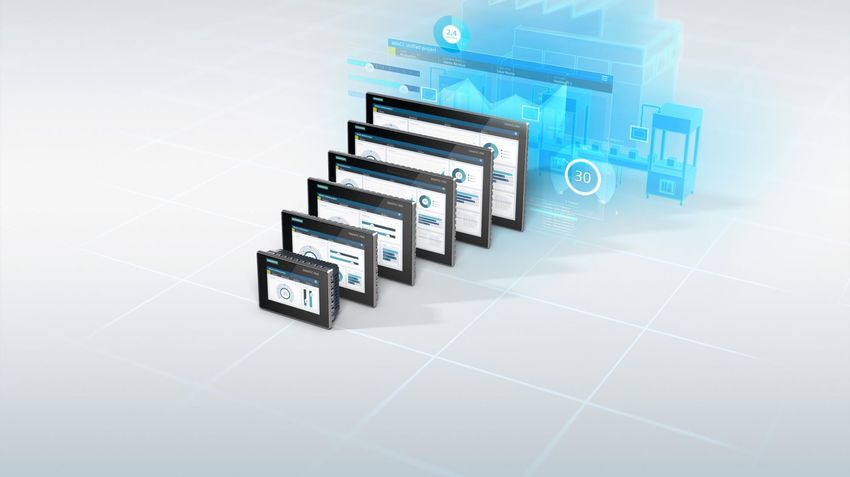
 technology combined                  for all devices from 7" to 22"      extend standard functionality by   to increased system limits
 with bright colors and                                                   edge apps
 excellent readability

 Security                             Everything                          Ready for the future               Comfort DNA
 Integrated                           under control                       as of today                        remains
 From access control and encrypted    Full commissioning within           Take full advantage of WinCC       Well known Comfort Panel
 communication to security patches.   TIA Portal. No IT-management        Unified with a Modern UI,          features like automatic system
 Everything is inside                 necessary                           openness and full scalability      backup remain

Unrestricted © Siemens 2020
Page 31            May 2020
SIMATIC HMI Unified Comfort Panels –
Standard- and Neutral design version

     Standard design                        Neutral design
     Silver frame – With Siemens branding   Black frame – No branding

Unrestricted © Siemens 2020
Page 32            May 2020
SIMATIC HMI Unified Comfort Panels – Multitouch from 7’’ to 22’’ Unrestricted © Siemens 2020 Page 33 May 2020
SIMATIC HMI Unified Comfort Panels –
      Display Information 1

                            MTP 700        MTP 1000             MTP 1200                    MTP 1500                       MTP 1900          MTP 2200

Resolution                   800x480        1280x800            1280x800                     1366x768                      1920x1080         1920x1080

Diagonal                              7“         10.1“                12.1“                       15.6“                           18.5“          21.5“

PPI                                  133          149                   125                         100                             119           102
(Points per Inch)

Aspect ratio                        15:9        16:10                16:10                        16:9                            16:9           16:9

Viewing angle                       160°         160°                 176°                        170°                            178°           178°

Brightness (cd)                     400           400                   400                         400                            350            250

MTBF (hours)                  50.000           50.000              50.000                      50.000                          50.000          30.000
   1 This data is not included in the technical data in the Siemens Industry Online Support, as the values may vary if a supplier changes.

      Unrestricted © Siemens 2020
      Page 34            May 2020
SIMATIC HMI Unified Comfort Panel
Increased system performance
Comfort Panel Unified Comfort Panel
7 – 12"/15 – 22" 7 – 12"/15 – 22"
PLC-Connections 8 16 Increased quantity structure
Tags 2,048 / 4,096 8,000 from 7" to 22"
Alarms 4,000 / 6,000 9,000
Logs 50 50
Doubled quantity structure
Logging Tags 2,048 5,000
compared to Comfort Panel
Scripts 100 / 200 600
Text-/Graphic list 500 750
Differentiation only for
Screens 500 / 750 1,200
- Objects per screen 400 / 600 800 / 1,200
tags and objects per screen
- Tags per screen 400 600 / 800
Unrestricted © Siemens 2020
Page 35 May 2020SIMATIC HMI Unified Comfort Panels
Glove operation
Support of commercial work gloves
• UVEX tested gloves (link):
Unrestricted © Siemens 2020
Page 36 May 2020SIMATIC HMI Unified Comfort Panels
Connectivity
2 Port PROFINET Switch
1 IP address 100 Mbit
1 Port Ethernet
1 IP address 100 Mbit/1 Gbit
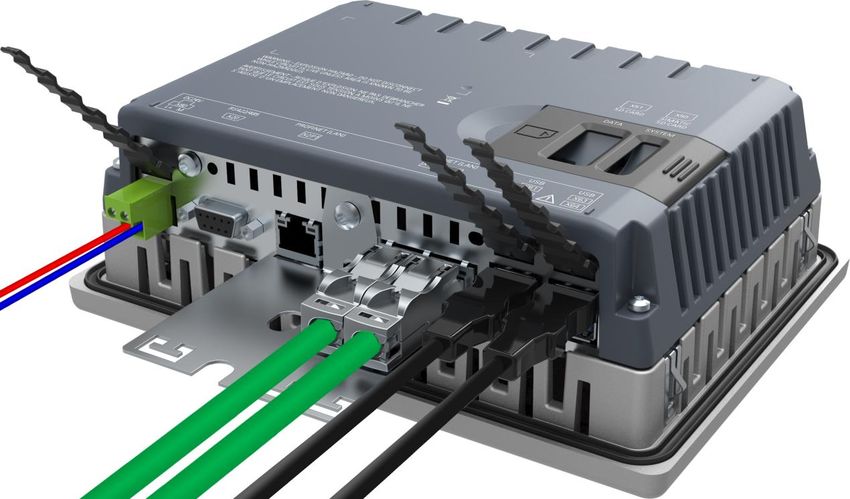
Serial
(422, 485) to support 3rd party PLCs1
4x USB 3.0
Support of USB Hardware e.g., printer,
2x SD-Card
Data card for files, logs and customer data
System card for automatic backup
Reset Button
Set device to reset mode
1 Available after device release via CSP
Unrestricted © Siemens 2020
Page 37 May 2020SIMATIC HMI Unified Comfort Panel
Temporary not all services on all interfaces!
Integrated Switch Gigabit Interface
2 Ports 1 Ports
• S7/S7+ Communication • Project download and Firmware
• MRP / HSYNC Update via Ethernet
• PN Basic Services • Sm@rtServer (VNC) Access
(assign name, IP,..) • Web Browser
• Project Download via PN • Network Access
• Edge Management and Apps
• 3rd Party PLC1
PROFINET ETHERNET
(e.g. Modbus RTU)
• If both communication services are required, two Ethernet wires must be used temporarily
• Will be changed with Update for WinCC Unified V16
Unrestricted © Siemens 2020
Page 38 May 2020 1 Available after device release via CSPSIMATIC HMI Unified Comfort Panel Completely new designed control panel • New look for the Control Panel - optimized for touch devices • User has only access to control panel UI – not operating system UI Unrestricted © Siemens 2020 Page 39 May 2020
SIMATIC HMI Unified Comfort Panels –
Get work done!

                                       Ready to use system applications
                                       Work in documents, view instruction videos or get
                                       access to web-based systems with the preinstalled
                                       applications on every Unified Comfort Panel.

                                       Preinstalled system applications
                                       Browser               Google Chrome
                                       Media Player          VLC Media Player
                                       Office                Libre Office
                                       PDF Viewer            Okular

Unrestricted © Siemens 2020
Page 40            May 2020
SIMATIC HMI Unified Comfort Panel
Increased flexibility by openness
TIA Portal Openness Application Openness
• Enables automated • Preinstalled applications
engineering for Panel and • Siemens Industrial Edge
PC-Systems to expand the standard
functionality
Runtime Openness Hardware Openness
• Local access • More flexibility
to HMI Runtime Tags with ready to use
via OpenPipe USB hardware
• Custom Web Controls e.g., printer
for more flexibility
Unrestricted © Siemens 2020
Page 41 May 2020SIMATIC HMI Unified Comfort Panels
Openness to add applications using Edge technology
Expand the standard functionality
via Edge Apps
• Siemens or others can provide applications
• Access to WinCC Unified Online Tags using
OpenPipe interface
• Device Managed Edge
Apps can be managed directly on the device
• Central Managed Edge Step 2
Apps can be managed centrally via Edge
Management System
Note: Edge applications can be used on all Unified Comfort Panels.
Unrestricted © Siemens 2020
Page 42 May 2020SIMATIC HMI Unified Comfort Panels –
Edge App Examples
MQTT
MQTT App SIMATIC Flow Creator SIMATIC Notifier
Cloud Connection Data processing made easy Mobile Notification
MQTT is the most common protocol Define your data flow and create rules, Transform the Unified Comfort Panel
for the connection of automation equipment KPIs or trigger actions, if threshold values into a messaging service. Manage
to cloud based systems like MindSphere. are exceeded or a special event happens. and send mobile notifications directly
to your Smartphone or Smartwatch.
Unrestricted © Siemens 2020
Page 43 May 2020Device-Managed Edge Licensing –
Unified Comfort Panel
Free €200
Demo, Test and Development Productive Usage
• Siemens Industrial Edge is part of every • As soon as the device is in productive usage a certificate
Unified Comfort Panel by default of license will be required for each Unified Comfort Panel
• Simply activate the Edge functionality in the Control Panel • No need for license transfer
• No need for a separate software package • Version independent
Unrestricted © Siemens 2020
Page 44 May 2020SIMATIC HMI Unified Comfort Panel
System architecture
Control Panel Project
Applications e.g.,
EDGE mgmt.
EDGE App
EDGE App
EDGE App
VLC, Chrome
EDGE RT Device Model HMI RT
Operation System
Hardware
Unrestricted © Siemens 2020
Page 45 May 2020SIMATIC Industrial OS
Strategy
One Linux …
• Based on one of the best-known and most stable distributions → Debian 9
• Use of existing advantages such as freely available packages, simple
update concept, etc.
• Large community (support and exchange of experiences)
• LTS version → Long-term availability
• Preemptive Patch → real-time capable
• Quick and easy installation
• Installation of additional components (e.g. Gnome Desktop-Environment)
already prepared
cross-platform, ...
• SIMATIC IPCs (entire current Portfolio)
• Edge Devices (based on SIMATIC IPC)
• SIMATIC HMI Panels (new Generation)
• SIMATIC IOT Devices (new Generation)
• Hypervisor-based platforms, z. B.: Open Controller
Unrestricted © Siemens 2020
Page 46 May 2020SIMATIC HMI Template Suite
SIMATIC HMI Template Suite –
The TIA Portal library for good HMI design
Ready to use screen
templates for WinCC Unified
and Unified Comfort Panels
Available for all common
resolutions from 7” - 22”
Available free of charge in
Industry Online Support
Download under entry ID 91174767
or from Industry Online Support via the following link:
https://support.industry.siemens.com/cs/ww/en/view/91174767
Unrestricted © Siemens 2020
Page 47 May 2020SIMATIC WinCC Unified System –
Application Examples
Type German English
TIA Portal Add-In
SIOS Download SIOS Download
Data 2 Unified
WinCC Unified
SIOS Download SIOS Download
Tag Simulator
WinCC Unified
SIOS Download SIOS Download
Demo projects
TIA Portal Library
SIOS Download SIOS Download
HMI Template Suite
Getting Started
Soon Soon
Edge @ Unified Comfort Panel
From Comfort to Unified Comfort
Soon Soon
Guideline
Unrestricted © Siemens 2020
Page 48 May 2020SIMATIC Industrial PC
SIMATIC Industrial-PC
Portfolio
                                                             Rack PC   Box PC    Panel PC

                              IPC1x7
                              Ultracompact                             IPC127E

 Embedded Industrial-PCs      IPC2x7
 without fan                  Compact                                  IPC227E    IPC277E

                              IPC4x7                                                           Long-term availability:
                              Powerful                                 IPC427E   IPC477D/E           4 – 6 years
                              IPC6x7                                                                 plus 5 years
                              High Performance                                               repair and spare parts service
                                                             IPC647E   IPC627E    IPC677E

 High-end Industrial-PCs      IPC8x7
 High-end functionality       Extensive expandability
                                                             IPC847E

                              IPC1047
                              High CPU and GPU Performance   IPC1047

 Advanced Industrial-PCs      IPC5x7
 Latest PC technology                                                                           Long-term availability:
                              Maximum Performance            IPC547G   IPC527G                  2 – 3 years plus 3 years
 Basic Industrial-PCs                                                                        repair and spare parts service
                              IPC3x7
 Attractive price             available from stock           IPC347E   IPC327E    IPC377E
Unrestricted © Siemens 2020
Page 50            May 2020
SIMATIC IPC127E
The ultra-compact industrial PC for your application
High-performance data processing with the most compact design High system availability
• Latest CPU technology of • Maintenance-free, as there are no rotating
Intel Apollo Lake series parts (fan, HDD)
2 or 4-core processors • Self-diagnosis thanks to local diagnostic
• Comprehensive interface equipment software SIMATIC IPC DiagBase
• Integrated 128 GB SSD
• Up to 3 LAN interfaces
High investment security
Operating system • Short delivery times due to warehouse
• Windows 10 Enterprise LTSB 2016 variants
• SIMATIC Industrial OS (Debian based Linux) • Long-term availability: Service & support
period from 8 - 10 years from market launch
ualifie *
e ice Adaptable to the machine
High flexibility internet of t ings
• Up to 55 ºC ambient temperature
• Flexible mounting in all vertical mounting positions
• Dust protection due to closed housing
• Small space requirement
• LEDs for efficient self-diagnosis; optimization
(installation volume approx. 0.3 liters)
for headless operation
Unrestricted © Siemens 2020
Page 51 May 2020SIMATIC IPC327E/IPC377E
Industrial PC technology at an attractive price
SIMATIC quality
Latest PC technology designed for 24/7 operation in
with Intel Celeron Quad Core, up to industrial environments incl.
8GB RAM and mPCIe/mSATA for standard run-in tests and certificates
easy expandability
Attractive price
with an excellent price-performance ratio
for cost-efficient implementation of a
Proven standards wide range of applications
with USB 3.0, display port, 6
serial ports and more for easy
integration into existing systems
Available from stock
with reduced complexity in pre-configured
ualifie *
e ice variants for shorter delivery times
internet of t ings
* To operate AWS IoT Greegrass, the following operating systems are supported:
Unrestricted © Siemens 2020
• Ubuntu 18.04.1 LTS
Page 52 May 2020 • SIMATIC Industrial OS V1.3SIMATIC Rack PCs – High performance, functionality and
expandability for versatile applications
Functionality / Performance
IPC1047
IPC1047
Maximum CPU und GPU Performance
High-end
IPC847 IPC847
Maximum expandability and long-term
availability
IPC647
IPC647
IPC547
Highest compactness and long-term
availability
IPC347
IPC547
Industrial
Latest technology and maximum performance
System availability
IPC347
On stock - short
High performance and optimized price delivery times
Build-to-order - maximum configuration freedom
SIMATIC Quality – 24/7 continuous operation in
industrial applications
Unrestricted © Siemens 2020
Page 53 May 2020SIMATIC ITP1000
PC in Tablet design
Mobile Devices in Production Paperless Factory
Strong growth of mobile devices in No more printed documents in
manufacturing (+5.1% last year) production.
Specific Functions High performance
At least 70% of all Industrial Tablet
Demanding applications now mobile.
users need special functions
Windows in Production Industry Core Requirements
High ruggedness, long product
Some have tried to switch to iOS /
availability for use in industrial
Android and return to Windows.
environments.
Long-term available, Windows-based industrial tablet PC with many interfaces and integrated functions
Unrestricted © Siemens 2020
Page 54 May 2020TIA Portal V16
Zanimljivi linkovi
• Digital Training with Highlights of TIA Portal V16
https://support.industry.siemens.com/cs/document/109772991/sitrain%3A-digital-training-with-highlights-of-tia-portal-
v16?dti=0&lc=en-WW
• TIA Portal Tutorial Centar
https://cache.industry.siemens.com/dl/dl-media/707/106656707/att_961750/v9/106656707_TIA_Portal_-
_Tutorial_Center_web/start.htm#!/en
• Automation Tasks in 10 minutes
https://cache.industry.siemens.com/dl/dl-
media/570/109767570/att_986452/v1/109476605_Automation_Tasks_web/start.htm#!/de
• Basic Process Library
https://support.industry.siemens.com/cs/ww/en/view/109749508
• HMI Option +
https://support.industry.siemens.com/cs/ww/en/view/109754400
• HMI design Template
https://support.industry.siemens.com/cs/ww/en/view/91174767
Unrestricted © Siemens 2020
Page 55 May 2020Adrian Lucić
Mob: +385 91 6105 128
adrian.lucic@siemens.com
Siemens d.d.
Heinzelova 70a
10000 Zagreb, Hrvatska
Subject to changes and errors. The information given in this document only contains general descriptions and/or performance features which may
not always specifically reflect those described, or which may undergo modification in the course of further development of the products. The
requested performance features are binding only when they are expressly agreed upon in the concluded contract.
All product designations, product names, etc. may contain trademarks or other rights of Siemens AG, its affiliated companies or third parties.
Their unauthorized use may infringe the rights of the respective owner.
Unrestricted © Siemens 2020
Page 56 May 2020Ordering Information Unrestricted © Siemens 2020 Page 57 May 2020
SIMATIC WinCC Unified –
Promotion Packages

                                                                                            Available until 31/12/2020

  WinCC Unified PC                            WinCC Unified PC                  WinCC Unified PC
  (1k) RT                                     (10k) RT                          (50k) RT
  •    WinCC Unified PC (1k) RT               •   WinCC Unified PC (10k) RT     •   WinCC Unified PC (50k) RT

  •    Parameter Control (PC)                 •   Parameter Control (PC)        •   Parameter Control (PC)
  •    Logging Tags (100)                     •   Logging Tags (1000)           •   Logging Tags (1000)
  •    Report Execution                       •   Report Execution              •   Report Execution
                                                                                •   Database Option
                                                                                •   Client Operate (1)

      6AV2155-2ES01-6AL0                       6AV2155-2FS01-6AL0               6AV2155-1GS01-6AL0

                                Packages only available via Online Software Delivery (OSD)

Unrestricted © Siemens 2020
Page 58            May 2020
SIMATIC WinCC Unified –
Promotion Packages Plant Intelligence Options
Available until 31/12/2020
WinCC Unified
Plant Intelligence
Optionen
• Calendar Option (Basis)
• Performance Insight Option (Basis)
• Logging Tags (100)
6AV2155-0XP01-6AL0
Packages only available via Online Software Delivery (OSD)
Unrestricted © Siemens 2020
Page 59 May 2020SIMATIC WinCC Unified V16 Engineering – Ordering information WinCC Unified Engineering Package (DVD) Online Software Delivery (OSD) WinCC Unified Comfort ES 6AV2151-0XB01-6AA5 6AV2151-0XB01-6LA5 WinCC Unified PC (10k) ES 6AV2153-2FB01-6AA5 6AV2153-2FB01-6LA5 WinCC Unified PC (100k) ES 6AV2153-2GB01-6AA5 6AV2153-2GB01-6LA5 WinCC Unified PC (Max) ES 6AV2153-0XB01-6AA5 6AV2153-0XB01-6LA5 WinCC Unified PC (1k) ES Trial 6AV2153-2EB01-6AA7 Download via SIOS The complete list for WinCC Unified (Engineering and Runtime) can be found in the product announcement here https://support.industry.siemens.com/cs/ww/en/view/109771724 Unrestricted © Siemens 2020 Page 60 May 2020
WinCC Unified V16 –
IPC Packages

 Package                                                                   Order Number

 WinCC Unified V16 PC RT 150, Package                                      6AV2155-3DB01-6AA0

 WinCC Unified V16 PC RT 500, Package                                      6AV2155-1EB01-6AA0

 WinCC Unified V16 PC RT 1k, Package                                       6AV2155-2EB01-6AA0

 WinCC Unified V16 PC RT 2.5k, Package                                     6AV2155-2MB01-6AA0

 WinCC Unified V16 PC RT 5k, Package                                       6AV2155-1FB01-6AA0

 WinCC Unified V16 PC RT 10k, Package                                      6AV2155-2FB01-6AA0

 WinCC Unified V16 PC RT 50k, Package                                      6AV2155-1GB01-6AA0

          Further information: https://support.industry.siemens.com/cs/de/en/view/99860269
Unrestricted © Siemens 2020
Page 61            May 2020
SIMATIC HMI Unified Comfort Panels –
Ordering information
Device Name Display Size MLFB Standard Design MLFB Neutral Design
MTP700 Unified Comfort 7.0’’ 6AV2128-3GB06-0AX0 6AV2128-3GB36-0AX0
MTP1000 Unified Comfort 10.1’’ 6AV2128-3KB06-0AX0 6AV2128-3KB36-0AX0
MTP1200 Unified Comfort 12.1’’ 6AV2128-3MB06-0AX0 6AV2128-3MB36-0AX0
MTP1500 Unified Comfort 15.6’’ 6AV2128-3QB06-0AX0 6AV2128-3QB36-0AX0
MTP1900 Unified Comfort 18.5’’ 6AV2128-3UB06-0AX0 6AV2128-3UB36-0AX0
MTP2200 Unified Comfort 21,5’’ 6AV2128-3XB06-0AX0 6AV2128-3XB36-0AX0
License for
6AV2170-2BA00-0AA0
Device Managed Edge
Unrestricted © Siemens 2020
Page 62 May 2020Mounting Frames –
Ordering information
Available Q2/2020
Name Mounting compatibility MLFB
Mounting Frame Set 15” Touc from TP1500 to MTP15000 6AV6881-6QD41-1AA0
Mounting Frame Set 19” Touc from TP1900 to MTP1900 6AV6881-6UD41-1AA0
Mounting Frame Set 22” Touc from TP2200 to MTP2200 6AV6881-6VD41-1AA0
Unrestricted © Siemens 2020
Page 63 May 2020SIMATIC HMI Unified Comfort Panels –
Starter Kits
Available Q2/2020
Device Name MLFB List price
MTP700 Unified Comfort Starter Kit 6AV2128-3GB06-0AP0 1400 €
MTP1000 Unified Comfort Starter Kit 6AV2128-3KB06-0AP0 2150 €
MTP1200 Unified Comfort Starter Kit 6AV2128-3MB06-0AP0 2800 €
MTP1500 Unified Comfort Starter Kit 6AV2128-3QB06-0AP0 3350 €
MTP1900 Unified Comfort Starter Kit 6AV2128-3UB06-0AP0 4000 €
MTP2200 Unified Comfort Starter Kit 6AV2128-3XB06-0AP0 4650 €
Unrestricted © Siemens 2020
Page 64 May 2020You can also read


