Headset compatibility guide - Winter 2013
←
→
Page content transcription
If your browser does not render page correctly, please read the page content below

Headset compatibility guide
    Winter
    S
           2013

M

                        Next   Exit
Contents
Headset solutions from Plantronics – always the first choice   4                      Softphone Headset Compatibility
Strategic Partners                                              5                     Aastra, Alcatel-Lucent, Avaya, Cisco, IBM      25
Why use headsets?                                              6                      Microsoft, NEC, Panasonic, Shoretel            26
Connect Partner Programme                                       7                     Unify, Skype, Swyx, Deutsche Telecom           27
Plantronet                                                     8
                                                                                      Deskphone Headset Compatibility
Notes on using multiple cordless headsets                      9
                                                                                      Aastra                                         32
DECT™ and Bluetooth® – safety overview                         10
                                                                                      Agfeo                                          36
Notes for eavesdropping security with cordless headsets        11
                                                                                      Alcatel Lucent                                 38
Good for health and the environment:
                                                                                      Auerswald                                     40
headsets with TCO certification                                12
                                                                                      Avaya                                          42
Wireless headsets                                              13
                                                                                      Cisco                                          46
Corded headsets                                                15
                                                                                      Funkwerk                                      48
Audio processors                                               17
                                                                                      NEC                                            50
Calisto products                                               18
                                                                                      Nortel                                         52
Headsets as the decisive interface
for Unified Communications                                     19                     Panasonic                                      54
Greater productivity through Unified Communications            20                     Polycom                                        56
Compatible softphones                                          22                     Snom                                           58
Plantronics SPOKES software                                    23                     Swyx                                          60
Plantronics is a Microsoft Gold Certified Partner              24                     Deutsche Telecom                               62
Softphone compatibility                                        25                     Tiptel                                         70
Plantronics UC Toolkit                                         28                     Unify                                          72
Headset technology explained                                   31

                                                                                                                                  PLANTRONICS HEADSET GUIDE 2013
                                                                    Previous | Next               Exit
Headset solutions from
Plantronics – always the first choice
The story of Plantronics began in the early 1960s, when the pilots Keith Larkin       Even today, Plantronics continues to develop innovative communication
and Courtney Graham decided they had had enough of their old, cumbersome              solutions for various fields of application, such as unified communications,
headphones and the bulky microphones that the airlines usedas standard                fixed line telephony or mobile communication. As a global industry leader
back then.                                                                            in close co-operation with strategic partners, Plantronics develops integrated
                                                                                      communications solutions that make daily work easier, increase productivity
Together, they developed a lightweight, comfortable headset with a microphone         and that mean you can be contacted anytime, anywhere. Plantronics products
arm and were the first to bring a headset of this kind onto the market. In 1969,      are sold via a global network of authorised partners. These include OEMs and
it was a Plantronics headset that transmitted the historic first words from the       established manufacturers of telecommunications, speech recognition and
moon to the earth: “That‘s one small step for a man, one giant leap for mankind”.     audio devices.
Since then, Plantronics headsets have been first choice as far as business-critical
applications are concerned – be that in air traffic control, in emergency call
centres or on the New York Stock Exchange.

COMPATIBILITY: HEADSETS                                                                                                                                                3
                                                                                          Previous | Next              Exit
4   PLANTRONICS HEADSET GUIDE 2013
                                     Previous | Next   Exit
Strategic partners
In developing products and solutions, Plantronics works closely
with industry-leading partners to ensure optimum compatibility and
a high degree of user-friendliness. Here is an overview of our current
strategic partners.

                                                      Technology
                                                       Developer

                                                                                                  Partner

                                                                              Technology
                                                                                ParTner

                                                                                                            5
                                                                         Previous | Next   Exit
Why use headsets?

    Flexibility and freedom of movement                                                                      Excellent sound quality
    The most obvious advantage of headsets is that the user has both hands free. This means that             Headset solutions provide an audibly better sound quality for you and the other party.
    he or she can complete several tasks whilst on the phone, for example look up files or work on           Background noises are filtered out – an enormous advantage in open-plan offices.
    the PC. A headset can turn the long-established standard practice in call centres into reality in
    every office and thus make work easier.
                                                                                                             Health aspects
    Cordless headsets that are based on DECT technology have another advantage: during the call,
                                                                                                             Studies show that the majority of office workers suffer from neck tension, backache and
    the employee can leave their workstation and move around in the office, for example to retrieve
                                                                                                             headaches, even if they only use the phone for approximately two hours per day. The most
    documents from the filing cabinet, consult with colleagues or get information. Thanks to the
                                                                                                             frequent cause is clamping the receiver between the ear and the shoulder. Using headsets can
    cordless headset, there is no need to end the call – saving a lot of time.
                                                                                                             reduce muscle tension and poor posture by up to 41%.
    Another important plus point of modern, cordless headsets: no missed calls, since you can pick
    up the call simply by pressing a button on the earpiece of the headset – sophisticated software
    makes this possible. Sprinting to the desk to pick up the telephone in time when it rings is a
                                                                                                             Higher productivity
    thing of the past.                                                                                       One finding will make all employers happy: a study from the USA (H.B. Maynard & Co., Inc) has
                                                                                                             concluded that headsets can increase the productivity in offices by up to 43%. Above all, this is
    Modern headsets are so light that they can be worn comfortably for longer periods. Since every           because normal time-intensive tasks such as entering information via the keyboard or checking
    human ear is different, there are different configurations that all provide stability: ear hooks,        documents during calls were performed much faster and more efficiently. Purchasing headsets
    overhead style or the hairstyle-saving neckband.                                                         for the office can thus pay off quickly.

                                                                                                             In brief: the use of headsets makes communication easier, more comfortable and increases
                                                                                                             productivity. At the same time, you prevent the generation of noise and reduce health risks.

6                                                                                                                                                                              PLANTRONICS HEADSET GUIDE 2013
                                                                                           Previous | Next              Exit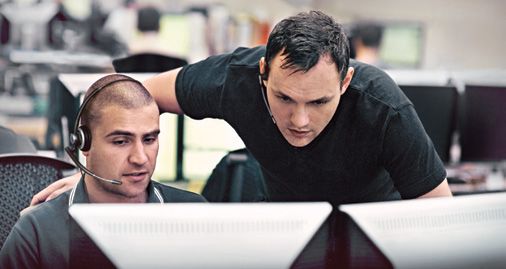
Connect Partner Programme

To provide our sales partners with the support they need, we have set up the               Home plantro.net                                                Compatibility
three-level Connect programme. Our focus is constantly on your business
activities in the headset area and how we can provide you with dedicated support.
With measures tailored to your specific situation, we provide you with support
from the sale of your first headset right up to Premium Partner status.

• Specialised sales programme with three partner levels
• Tailored to your specific business situation
• Your direct line to up-to-date information and advice
• Access to the online partner portal
• Profit from well thought-out campaign modules
• Easy ordering of samples with an online form

                                                                                                                                                                       https://plantro.net/en/compatibility.html

                          Monthly         Regular          Connect          Tradeshow/
                          Newsletter      Product          Partner Logo     Event
                                          Information                       Attendance

                          Monthly         Regular          Connect          Tradeshow/     Partner                                Support from   Product
                          Newsletter      Product          Partner Logo     Event          Certificate                            Plantronics    training/
                                          Information                       Attendance                                            employees      product
                                                                                                                                                 demonstrations

                          Monthly         Regular          Connect          Tradeshow/     Partner         Participation          Support from   Product          Joint creation       Product               Project support
                          Newsletter      Product          Partner Logo     Event          Certificate     at annual              Plantronics    training/        of an                samples/              (e.g. joint
                                          Information                       Attendance                     Premium                employees      product          account plan         samples case          customer visits,
                                                                                                           Partner Event                         demonstrations                        for internal          provision of
                                                                                                                                                                                       sales team            samples)

COMPATIBILITY: HEADSETS                                                                                                                                                                                                         7
                                                                                         Previous | Next                   Exit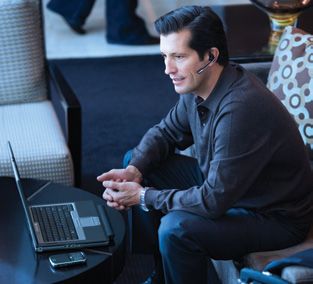
plantro.net – the online digital library

    Quick access to all relevant information that you need to
                                                                                                                                       Product range                                               Download Centre
    sell Plantronics products. Up-to-date, extensive, practical.
    Register as a partner today and benefit from this attractive
    offer immediately – and from our monthly newsletter service.

                                                                                                                                                                                                                https://plantro.net/en/download_center.html

     Access to the            Creation of              Download of                Support for
     Partner Portal           sales materials          product                    conventions/
                              via an                   information,               events
                                                                                  (roll-up banners,
                              online tool              product images             pop-up advertising,
                                                                                  samples cases)

     Access to the            Creation of              Download of                Support for              Integration of       Participation in
     Partner Portal           sales materials          product                    conventions/             the online           multipoint
                              via an                   information,               events                   compatibility        loyalty
                              online tool              product images             (roll-up banners,        tool into your       programme
                                                                                  pop-up advertising,      own website (if
                                                                                  samples cases)           desired in own CI)

     Access to the            Creation of              Download of                Support for              Integration of       Participation in   Special              Incentives   Demand       Receive             Advertising
     Partner Portal           sales materials          product                    conventions/             the online           multipoint         campaigns as                      generation   leads from          subsidy*
                              via an                   information,               events                   compatibility        loyalty            part of the multi-                campaigns    Plantronics
                              online tool              product images             (roll-up banners,        tool into your       programme          point loyalty                                  campaigns
                                                                                  pop-up advertising,      own website (if
                                                                                  samples cases)           desired in own CI)                      programme

    *Subject to budget availability and the individual agreement between Premium Partner and Plantronics Account Manager

8                                                                                                                                                                                                                            PLANTRONICS HEADSET GUIDE 2013
                                                                                                                                    Previous | Next                     Exit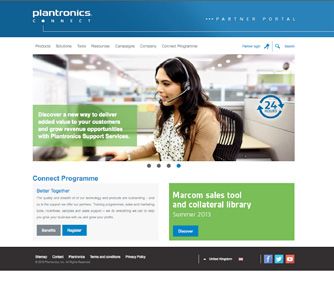
Notes on using multiple cordless headsets

Introduction                                                                                           Bluetooth technology
Where multiple cordless headsets are used in a specific environment, the following important           If cordless Bluetooth headsets are used, in a standard office space with a surface area of
factors must be considered:                                                                            15 x 20m, eight users (in active calls) are possible. If the surface area is doubled, the maximum
1. The number of people using headsets simultaneously                                                  number of active calls can be multiplied by 1.5. Normally, a much larger number of users is
                                                                                                       possible as it is unlikely that all users will be making calls simultaneously.
2. The building structure and layout
3. The cordless technology (e.g. Bluetooth or DECT) and the narrowband or wideband frequency           Bluetooth uses a frequency range that stretches over 79 frequencies. However, this does not
   range used                                                                                          mean that it is possible to have 79 users at one location. For every call, the Bluetooth device
4. Use of other devices that use the same technology or frequency Bluetooth and DECT                   actually jumps backwards and forwards between all or most of these frequencies. This happens
   systems transmit at different frequencies so that neither technology can be subject to              several times per second using a technology called Adaptive Frequency Hopping (AFH) and
   interference. Thus you can use both technologies at the same location, providing that the           contributes to reducing interference from 802.11 Wi-Fi systems.
   maximum concentration detailed below is observed.
                                                                                                       There are two different types of Bluetooth classes:
                                                                                                       Class 1 for high transmission power and high range and class 2 for lower transmission power
DECT technology                                                                                        and lower range. Plantronics products with Bluetooth class 1 also have an adaptive transmission
A decisive advantage of DECT technology is in the use of a protected frequency band.                   power that enables lower values, as in class 2, if the user is in the vicinity of the base station.
This prevents any interference with other Wi-Fi or Bluetooth radio signals. In contrast to
                                                                                                       Since most users will be in the vicinity of the base station during telephone calls, it is highly
Bluetooth technology, you can use cordless headset systems at the same location if you use
                                                                                                       probable that Plantronics products with Bluetooth class 1 will have no influence on the number
DECT technology. However, numerous related factors influence the maximum possible number
                                                                                                       of headsets that can be used at a location.
of devices you can use. Depending on the working environment, you can use considerably more
headsets. Some Plantronics customers have up to 500 cordless headsets in use at any time.
For precise recommendations, a location survey is necessary.

COMPATIBILITY: HEADSETS                                                                                                                                                                                      9
                                                                                     Previous | Next               Exit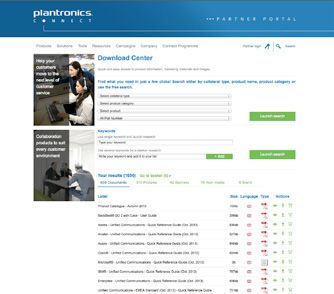
DECT and Bluetooth – safety overview

     DECT and Bluetooth are wireless technologies for transmitting data over        These headsets therefore meet the exclusion provisions of the                 Specific Absorption Rate (SAR)
     short distances. They involve much lower radiation levels than a normal        European standards for this test type, for example, ES 59005 and
     mobile phone. According to current scientific studies, there are no known      EN50360/EN50361. Even though there is no obligation to do so,
     health risks connected to using DECT or Bluetooth headsets since the           Plantronics has had independent tests performed. The results show              Up to 1.5 W/kg

     transmission power is considerably below the permitted safety restrictions.    that the SAR values fell considerably below the values required for
                                                                                    compliance with international standards.

     Transmission power                                                             • SAR value of a mobile phone:
     The average transmission power of a standard GSM mobile phone                    generally 0.3 to 1.5 W/kg, averaged over 10g
     with 900 MHz is up to 250 mW. The transmission power of a standard DECT        • SAR value of the Bluetooth Voyager Legend headset from Plantronics:
     phone is 10.43 mW (250 mW × [417 us/10,000 us]), whereas a Plantronics           0.016W/Kg, averaged over 10g of tissue.
     DECT headset has a transmission power of only 0.26 mW                          •	SAR value of the DECT Savi W740 headset from Plantronics:
     (6.3 mW × (417 us/10,000 us). Bluetooth headsets have an even lower               0.007 W/kgm averaged over 10g
     transmission power, since they have a range of only 10m, compared to
     a range of 100 m for DECT headsets. In other words, the transmission power     The figures stated above show that the transmission power of an
     of DECT and Bluetooth headsets from Plantronics corresponds                    average Bluetooth or DECT headset is between 0.03% and 1.5% of the
     to approximately 0.1% of the transmission power of a normal mobile             recommended upper limit for SAR values in Europe. In light of the fact
     phone and 2.5% of the power of a normal DECT mobile phone.                     that average mobile phones reach between 15 and 75% of the SAR limit,
                                                                                    it is clear just how low the transmission power of the headset actually is.
                                                                                    The SAR values for headsets are so low that a precise measurement is
     Safety restrictions and SAR values                                             quite difficult. The Bluetooth and DECT headsets from Plantronics meet
     Today, the specific absorption rate (SAR) of wireless devices is measured as   the globally applicable standards for this field. Within the EU, standard
     a matter of course. Measuring the SAR value can effectively determine how      EN 50360 applies for mobile phones and other devices worn close
     much energy is absorbed by biological tissue, in particular, the human body.   to the head.
     SAR measurements are mainly concentrated on the head. There, the current
                                                                                    Furthermore, we must not forget that the tests must be performed at
     SAR limit for uncontrolled load is 2 W/kg, averaged over 10g. This limit is
                                                                                    maximum transmission power for all current specifications. If Bluetooth
     valid in Europe, Japan and Korea. For DECT and Bluetooth headsets,                                                                                                         0.016 W/Kg
                                                                                    headsets are worn when there is no active call (for example, when the                                            0.007 W/Kg
     no SAR value is usually determined since, due to the lower transmission
                                                                                    user is waiting for a call), they are in low power mode. This reduces the
     power, this value would be considerably below the basic test restrictions.                                                                                      Mobile         Voyager Legend    Savi W740
                                                                                    high-frequency load over a longer period. DECT headsets are set in
                                                                                    listening mode when there is no active call taking place. In this mode
                                                                                    their transmission power is zero.

10                                                                                                                                                                   PLANTRONICS HEADSET GUIDE 2013
                                                                                        Previous | Next              Exit
Notes for eavesdropping security with cordless headsets
Eavesdropping security with DECT headsets Security with Bluetooth headsets
The cordless DECT headsets from Plantronics use digital technology and meet the requirements Thanks to highly developed authentication and encryption algorithms, the wireless contact
of the DECT security standard ETSI EN 300 175-7. Security is one of the many strengths of a between a phone and a Plantronics Bluetooth headset is very secure. The headsets must only be
DECT system. It combines TDMA-/TDD-based wireless transmission and dynamic channel ‘recognisable’ (i.e. visible to other devices) for a short time, when they are configured for
selection with a three-level security system. This three-level security system is based on the use with a new device (e.g. a mobile phone). In this process, known as ‚pairing‘, the two devices
following methods: registration, encryption and identification. This guarantees a high degree exchange information to establish a secure connection. After pairing, Plantronics headsets are
of security against eavesdropping. not visible to other devices and all transmissions are encrypted.
1. Registration The pairing process
Base stations and handsets are paired such that they can identify the correct base or handset During pairing, the following information must be exchanged:
easily. Using the DECT Standard Authentication Algorithm (DSAA), a secret authentication key
1. The Bluetooth address of each device
is calculated. The complete specification of this algorithm is known only to the device
manufacturers. 2. The PIN code entered by the user
3. A unique timestamp generated by the mobile phone
2. Encryption
During the wireless connection, the data is coded and decoded on the opposite side. From this information, a 128-bit security key is created. This is then used for all connections
This is done using a key that is known to the two stations but that is not transmitted itself. between the headset and the phone (or Voyager base station). It is very difficult to determine
the timestamp at a later point in time, even if potential spies already know the address and PIN
3. Identification code. A Frequency Hopping Spread Spectrum is used for communication between Bluetooth
Base stations and handsets check whether the correct authentication key has been used and devices. This is a frequency spread procedure that offers a very high degree of security
also create a code key for encrypting the data transmitted. The encryption standard DECT against eavesdropping.
Standard Cipher (DSC) is used, and its specification is known only to the device manufacturers.
HF protocol: Tap-proof calls
thanks to dynamic channel assignment, the HF protocol provides a high degree of security. The Plantronics DECT headsets digitally encrypt the information transmitted between the headset
In this procedure, one free channel is selected for each carrier (for the uplink and downlink) from and the phone (or Voyager base station) using a 64-bit security key. This method is similar to the
10 carrier frequencies and 12 time slots. This channel can be changed if disruptions occur. encryption of GSM wireless signals between a mobile phone and base station. Many of the security
gaps discovered for Bluetooth do not apply for headsets. However, some settings can still contribute
to increasing the security, in particular, deactivating ‘visible’ mode. If they are used correctly,
Bluetooth headsets and the phones paired with them are a difficult target for attackers.
COMPATIBILITY: HEADSETS 11
Previous | Next ExitGood for health and the environment: headsets with TCO certification
Plantronics is the first manufacturer globally whose products have been certified
with the TCO ‘07 standard for headsets. Numerous models from the office, call
centre and mobile communication ranges have all received the TCO certification. “We have always worked at making sure our products meet the
All current and future Plantronics products will be subjected to the TCO ‘07
testing process.
latest standards since they have to work together with products
from many other manufacturers. TCO certification confirms the
TCO – a globally recognised standard Plantronics claim of developing first-rate headsets that offer
TCO certification is a globally recognised standard in the IT industry. It has the highest audio quality for business and private users.”
been awarded for headsets since 2007 (TCO ‘07). The Swedish Confederation for Philip Vanhoutte, Managing Director, Plantronics EMEA
Professional Employees (Tjänstemännens Centralorganisation – TCO) uses it to
distinguish particularly ergonomic products that protect the health of employees.
These are mostly devices used in offices.
Demanding test criteria
All headsets that receive the TCO ‘07 certification for headsets must fulfil Make the right choice
certain criteria with regard to ergonomics, environmental protection and energy. TCO is a global certification for headsets designed
for maximum performance, usability and
These include integrated protection against acoustic shock, volume control, the minimal environmental impact. It shows that
Plantronics’ products have passed 3rd party lab and
replaceability of parts for better hygiene, recyclable products and the minimisation independent testing for low emissions, superior sound
of materials that harm the environment. For cordless headsets, radiation values quality and high durability.
TCO approved headsets have fulfilled the following criteria:
are also decisive: the SAR value for a cordless headset must not exceed 0.04 W/kg. ✓Ergonomics
• Built-in acoustic safety protection
• Replaceable parts for better hygiene
• Adjustable for individual comfort and highly durable
• Great sound quality with a longer life
✓Ecology
• ISO 14001 certified manufacturing
• Ethical employment practices
• Highly efficient energy usage
• Minimal use of harmful substances TCO Edge
• Highly recyclable – reduced landfill Premium Certification for maximum comfort
• Enhanced acoustic limiting
✓Emissions • Recognised sustainable design
• Very low electrical / magnetic fields and SAR • Best-in-class acoustic performance
Plantronics has a 100% pass rate
More TCO certifications than any other headset manufacturer.
Make the right choice
TCO is a global certification for headsets designed for
maximum performance, usability and minimal
environmental impact. It shows that Plantronics’ products
have passed 3rd party lab and independent testing for low
emissions, superior sound quality and high durability.
12 PLANTRONICS
TCO approved headsets have fulfilled the following criteria: HEADSET GUIDE 2013
✓Ergonomics ✓Emissions ✓Ecology
Previous | Next Exit
TCO EdgeWireless headsets
Savi® 700 Series Savi® 400 Series Voyager Legend™ UC
Enjoy wireless freedom while seamlessly The Savi®440 is the lightest headset Meeting the demands of mobile professionals
managing PC, mobile and desk phone calls on the market and part of Plantronics’ like never before. With connectivity to PC,
with a single intelligent headset system. pioneering portable DECT range. Its 120 metre smartphone, or tablet, sensors, precisely-tuned
wireless range and hot swappable battery* audio, voice controls and advanced charging
• Automatically routes calls to whichever device –
mobile phone or headset – is within easy reach make it a productivity powerhouse. accessories – it’s the only headset you need for
• Transfer audio from headset to mobile phone at the your mobile life.
• Manage PC voice communications and multimedia
touch of a button, and take calls on the move
wherever your work takes you • Manage PC and mobile device calls from a single headset
• UC presence* and status is automatically updated
• Lightest DECT wireless headset on the market • Smart Sensor™ technology for a seamless and intuitive
when on a PC, mobile or desk phone call
• Versatile, convertible headset with three comfortable user experience
• Voice-dedicated DECT technology eliminates
wearing styles: over the ear, over the head, and behind • Bluetooth mini USB adapter for always-ready PC
Wi-Fi interference
the head connectivity
*With supported softphones, using supplied Plantronics software. • Wireless range of up to 120 metre • Includes portable case and desktop stand for anywhere
W745 P/N 86507-12 • Up to 7 hours talk time on a single charge charging
W740 P/N 83542-12 • Hot swappable battery* for unlimited talk time • Precision tuned triple-mic with enhanced DSP for superior
W740-M P/N 84001-12 • One-touch call answer; hang-up; volume control, noise cancellation
W730 P/N 83543-12 and mute and flash with supported softphones • Three layers of wind noise protection
W730-M P/N 84002-12 *Additional battery sold separately. • PC Wideband delivers heightened speech clarity
W720 P/N 83544-12
W720-M P/N 84004-02 W440A P/N 83359-02 B235 P/N 87670-02
W710 P/N 83545-12 W440A-M P/N 83372-02 W410A P/N 84007-04 B235-M P/N 87680-02
W710-M P/N 84003-02 W430A P/N 82396-02 W410A-M P/N 84007-02
W430A-M P/N 82397-02 D100A P/N 83550-02
*Call control on the headset: if you want to answer
W420A P/N 84008-04 D100A-M P/N 83876-02
or end calls with a wireless headset and require either
W420A-M P/N 84008-02 the mechanical HL10 handset lifter or a vendor-specific
electronic module (Electronic Hook Switch, EHS)
COMPATIBILITY: HEADSETS 13
Previous | Next ExitWireless headsets
CS500™ Series Voyager Legend™ CS Savi™ Go
Setting a new standard for wireless The headset system that moves with you Wideband audio support on PC
deskphone communications. The new convertible throughout your day. Enjoy intuitive call communications.
headsets – the lightest DECT headsets on the management and outstanding audio from your
• Bluetooth wirelessly connects to Microsoft Office
market – feature streamlined design, improved mobile phone on the road to your desk phone Communicator 2007, Microsoft Lync Server 2010
performance, and the same great reliability. in the office, and everywhere in between. and your mobile phone
• One-touch multifunction call control:
• Hands-free mobility to enable easier multitasking • Manage desk phone and mobile device calls from a • Call answer/end/volume adjust and mute controls all
• Adaptive power system delivers longer talk and single headset on one button
standby times. • Smart Sensor™ technology for a seamless and intuitive • In-use indicator light: Button lights up when phone is
• Voice-dedicated DECT technology eliminates user experience in use
Wi-Fi interference • Roam up to 10 meters from desktop charging base or • Extended boom with noise-cancelling microphone for
• Choose narrowband mode to preserve talk time or mobile device clearer calls
wideband mode for clearer conversations • Use your voice to answer incoming calls and for a host • Convertible wearing styles for customisable comfort
of other commands1 and fit
CS510A P/N 84691-02 • Enhanced voice alerts tell you connection status,
CS520A P/N 84692-02 talk time remaining and more WG100/B P/N 38658-02
CS530A P/N 86305-02 • Announces incoming caller’s name1 WG101/B P/N 38635-02
CS540A P/N 84693-02
VOYAGER LEGEND CS 88863-02
VOYAGER LEGEND CS/HL10 88863-22
VOYAGER LEGEND CS/APS-11 200898-01
VOYAGER LEGEND CS/APA-23 200898-02
1
Caller name announcement and Answer/Ignore voice commands are
currently for mobile phone only
14 PLANTRONICS HEADSET GUIDE 2013
Previous | Next ExitCorded headsets
Supra Plus® EncorePRO™ Entera™
Winning combination of great audio Premium audio, comfort and styling for An entry level headset with limited features,
performance and reliability high quality customer conversations available in a monaural style that can be
worn on either ear or binaural, to block out
• Wide choice of models – to meet personal preferences; • Enhanced noise-cancelling, and wideband audio –
monaural or binaural, voice-tube or noise-cancelling give you clearer conversations with your customers background noise.
• Single cable binaural – for complete comfort enabling you to offer a better service
• Noise reducing microphone for improved intelligibility
and convenience • Distinctive, unique design – provide high performance
and a stylish look • Choose the monaural style to confer with colleagues
• QuickCall feature – allows you to take a call
or the binaural style to block out background noise
quickly and easily • VoIP ready – through the use of enhanced echo control
and wideband audio, allows you to preserve your • Wideband audio to help you preserve investment
• Robust design and construction – for exceptional
investment through future phone system upgrades when moving to VoIP
reliability
• Seven axes of adjustability – ensure you can wear the • Comfortable and lightweight
• Available in the following options:
headset in the most comfortable and effective position
– hard of hearing HW111N P/N 79180-03
– silver HW291N P/N 78712-02 HW121N P/N 79181-03
– wideband HW301N P/N 78714-02
HW251 P/N 36828-41
HW251N P/N 36832-41
HW261 P/N 36830-41
HW261N P/N 36834-41
HW351 P/N 82310-41
HW351N P/N 82311-41
HW361 P/N 82312-41
HW361N P/N 82313-41
COMPATIBILITY: HEADSETS 15
Previous | Next ExitCorded headsets for Unified Communications
Blackwire® 300 Series Blackwire™ 435 Blackwire® 500 Series Blackwire® 700 Series
The Blackwire 300 Series USB headsets are a The Blackwire 435 is the first corded headset The Blackwire 500 Series corded USB headsets The versatile UC headset that offers high-
simple-to-use, comfortable, and durable choice designed specifically for unified communications. with Smart Sensor™ technology intuitively help quality PC audio and seamless Bluetooth
for conference calls, Web-based training, and Whether its video conferencing or listening you manage PC calls. Simply put the headset connectivity to mobile phones and tablets.
PC multimedia applications. to music – experience the perfect balance of on to answer a call and you’ll hear every word
• Simple USB connectivity to your PC and detachable cable
style, sound quality and flexibility. thanks to its premium audio quality. to take your mobile calls throughout the office
• Two wearing styles available: binaural/hi-fi stereo or
monaural design • Intuitive inline controls to answer/end PC and mobile calls,
• Convertible headset for mono or stereo wearing options • Smart Sensor technology lets you answer a call by simply
• Lightweight metal headband offers durability and a control volume, and mute
• Discrete design is hairstyle, eye-glasses and putting on the headset
customisable, comfortable fit • Inline indicator lights and voice prompts give connection,
Web-cam friendly • One-touch call answer/end, vol +/-, and mute
• Intuitive inline controls to answer/end calls, control mute and volume status
• Over the ear and behind the head* wearing options. • Inline indicator lights and user friendly audio alerts the
volume, and mute • Smart Sensor technology lets you answer a call by simply
• Answer, end and mute controls simplify PC user to connection, mute and volume statu
• Smartly placed indicator lights and helpful audio alerts putting on the headset
call management • Dynamic EQ automatically adjusts audio settings between
give user call, mute, and volume status • Smart Call Transfer automatically routes audio from the
• Inline indicator lights display call and mute status voice calls and music
• Wideband audio with noise-cancelling for high-quality PC mobile phone to the headset whenever it’s put on – and
• Noise-cancelling microphone filters out background noise • Enjoy hi-fi stereo sound (C520) for unmatched audio vice versa
telephony clarity when listening to multi-media
• Dynamic EQ feature automatically adjusts audio for voice • Wideband audio delivers the best possible PC music clarity • Built-in sensors provide contextual information, creating a
• PC wideband audio with noise-cancelling microphones for long-lasting, adaptable platform
or multimedia use • Dynamic EQ stereo automatically adjusts for voice or high-quality PC telephony
• Enhanced Digital Signal Processing (DSP) provides more multimedia use • PC wideband audio with noise-cancelling microphones for
• Digital Signal Processing (DSP) provides natural voice sound high-quality PC telephony
natural voice sound • Enhanced Digital Signal Processing (DSP) technology
provides more natural sounding voice • Carrying case for easy storage and portability • Dynamic EQ automatically adjusts audio settings between
• SoundGuard® technology provides protection against
audio spikes voice calls and music
• SoundGuard™ technology provides protection against C510 P/N 88860-01
• Travel case provides secure and convenient transportation sudden loud noises • Integrated A2DP lets you listen to streaming media from
C510-M P/N 88860-02 your mobile phone or tablet
• Rugged, collapsible design easily stows away and durable C520 P/N 88861-01
C310 P/N 85618-02 C315 P/N 200264-02 travel case offers extra protection
C520-M P/N 88861-02 C710 P/N 87505-02
C310-M P/N 85618-01 C315-M P/N 200264-01
C435 P/N 85800-05 C710-M P/N 87505-01
C320 P/N 85619-02 C325 P/N 200263-02
C435M P/N 85801-05 C720 P/N 87506-02
C320-M P/N 85619-01 C325-M P/N 200263-01
C720-M P/N 87506-01
16 PLANTRONICS HEADSET GUIDE 2013
Previous | Next ExitAudio processors
Vista M12™/M22™ VistaPlus™ DM15E VistaPlus™ AP15™ MDA200™
Better sound quality and enhanced Digital Audio Processor for complete Plantronics VistaPlus AP15 is an Audio Designed to solve the communications
intelligibility. protection against acoustic incidents. Processor that will help you improve the challenges of businesses migrating to Unified
important measures of call time or first call Communications, the MDA200™ makes it easy
• Maintains volume – at the user chosen level regardless of • Protection against sudden sounds – removes sudden
incoming call volume unwanted noises such as fax or DTMF tones, and feedback resolution in your Contact Centre. Enabling to manage PC voice and multi-media, while
• Outbound noise reduction – enhances the performance of • Keeps headset sound exposure level to below legislative them to make more calls and to improve maintaining connectivity to your desk phone.
all Plantronics headsets to reduce the background noise a limits (85 or 80dB) customer satisfaction by removing
caller hears • Maintains volume – at the user chosen level regardless of • Allows the choice of one corded or wireless USB headset
unnecessary repetitions and recording for users in the office or on-the-go
• Incoming noise reduction – lowers incoming noise to incoming call volume
enhance the agents listening comfort customer details correctly first time. • Simple user interface to easily answer, end, hold and
• Digital Signal Processing (DSP) – frequency response
shaping maximises speech intelligibility whilst phone line switch between desk phone and PC calls
M12 P/N 33413-11 • Improves
poor or degraded audio quality on calls • Supports remote call control with Plantronics corded and
noise is reduced
from sources such as mobile and cordless phones wireless USB headsets
DM15E/A P/N 39380-01 • Helps eliminate echo and filter-out background noise • Manage calls from PC, desk phone and even a mobile
• Automatically adjusts the volume to the user’s phone when used with Bluetooth USB headsets
preferred level (like Voyager™ PRO UC)
• Compatible with Plantronics corded desk phone headsets
AP15 79960-03 when used with a USB adapter
• True voice clarity with wideband/stereo audio support
• Plug-and-play, hassle-free installation
• Compatible with softphones from every major UC provider
• Upgradable firmware ensures future compatibility and
ongoing feature support
• Use with Plantronics Electronic Hookswitch (EHS) cable or
HL10 handset lifter to enable remote answer or end
control from the desk phone
MDA200/A 83757-02
COMPATIBILITY: HEADSETS 17
Previous | Next ExitCalisto products
Calisto® 240 Calisto® 620 Calisto® 800
Make the evolution to PC communications The first wireless speakerphone designed for Experience a whole new way to manage your
simple with the Calisto® 240 USB handset. UC, Calisto 620 seamlessly integrates calls PC, mobile and home* phone calls with the
from your laptop, smartphone or even tablet in Calisto® 800 Series multi-device speakerphone
• A familiar phone interface for managing PC calls
a lightweight portable UC solution that sounds system. Enjoy excellent audio quality and
• Integrated full duplex speakerphone for hands-free
convenience great and sets up easily, all without cords or fuss. freedom of movement at home or in the office.
• LCD screen for easy call ID viewing and menu navigation *Home phone (analogue) connectivity is available only with the Calisto 835 model
• Simplified call management with an easy interface on PC,
• Answer/end/mute/dial/redial controls at your finger tips smartphone or tablet • 2.4” colour display and touch sensitive keys for intuitive
visual call management
• Wideband offers the best PC audio available • Bluetooth mini USB adapter for always-ready PC
connectivity • Premium sound with full duplex wideband audio support
• Slim, portable design easily fits into laptop bag and advanced noise cancellation
• Enhanced protection with included carrying pouch • Up to 7 hours wireless talk time, up to 5 days standby time
• User friendly Caller ID and call log
• SoundGuard® technology provides protection • PC wideband audio and Digital Signal Processing reduces
drop-outs and echo • For privacy, use with Bluetooth or corded headsets/
against audio spikes headphones (3.5mm)
• Powered by USB, no batteries required • Bi-directional microphones activate in the direction of
speaker’s voice • Bright, backlit LCD displays incoming caller ID, time,
and user’s online status/presence
P240 57240.002 • Full duplex audio with 360° room coverage
• Wireless microphone offers unparalleled voice
P240-M 57250.002 • Integrated A2DP lets you listen to streaming media from transmission and freedom of movement
your mobile device
• Compact, wireless design goes anywhere with included P825-M 84261-01
soft carrying case P835-M 85210-03
• Flexible charging options: AC adapter with USB to micro
USB cable
P620 86700-02
P620-M 86701-02
18 PLANTRONICS HEADSET GUIDE 2013
Previous | Next ExitHeadsets as the decisive interface for Unified Communications
The end of the classic office The importance of the voice is growing
Working in the office from ‘9 to 5’? If futurologists are to be believed, this model Therefore, in successful business communication, more emphasis
has already outlived itself. By 2020, 80% of the workforce in Germany, France is placed on the human voice and its wealth of expression.
and Great Britain will no longer work at fixed locations during conventional Our voice is our most important business card if we cannot meet
working hours. Even today, the increase in home office, desk sharing and mobile colleagues and business partners personally. Especially in customer
working styles shows that in the future, work will take place decentrally at discussions, a good command and conscious use of the voice is
flexible locations and times. Rapid technological developments are transforming decisive for the overall impression we give and for a high level of
the traditional working world into a new, virtual world in which interactive professionalism. Optimal speech transmission is therefore one of
co-operation plays a decisive role. the decisive parameters for a successful Unified Communications
solution. Voice over IP, telephony by means of a data connection
But what are the reasons for this change? It is caused by the nature of work via a softphone, currently offers excellent transmission rates. It is
today: the focus of value creation is increasingly on creativity and innovation. now up to ITC planners to add high-quality audio end devices that
This makes the flexible network of multi-faceted human resources a decisive reproduce the human voice with as little loss as possible to their
competitive advantage for businesses – and good ideas and solutions need UC infrastructure.
their own time and location. According to current surveys, employees having
their best ideas at the traditional office desk is the exception.
Solutions from Plantronics for professional communication
But how can the decentralised workforce be consolidated? Businesses today
Plantronics supports Unified Communications with a wide range of specially certified end devices. Professional
are increasingly investing in Unified Communications to connect employees,
headset solutions such as the Voyager Pro UC can be seamlessly integrated into any existing UC structure and,
customers and suppliers and to integrate co-ordination processes. For example,
using Plug & Play, can be used together with softphones from all large manufacturers.
presence notifications and ‘one number’ concepts make it clear for all project
participants how best to reach their contacts. Sophisticated collaboration tools This considerably increases the freedom and flexibility enjoyed by UC users. Plantronics technologies enable voice
ensure documents and business data are synchronised. This provides the flexible communication even in the most difficult acoustic environments. Modern noise-cancelling procedures already filter
working culture with an effective infrastructure that makes classic office space out disruptive background noise in the headset microphone. Digital Signal Processing (DSP) ensures that disruptive
increasingly superfluous. line echoes, often experienced with mobile phone networks, are suppressed. Finally, broadband transmission reflects
the frequency range of the human voice down to the very last detail. This means that important nuances are
On the other hand, the increase in virtual collaboration is also changing our
transmitted, maximising the speech intelligibility overall – regardless of the location of the speaker.
business culture. More and more businesses are reducing the number of
customer meetings in order to save on travel costs or to improve their CO2 Plantronics headsets therefore offer ideal support, particularly in the mobile use of unified communications.
balance. This increase in mobile working styles also leads to fewer direct Regardless of whether you’re in a street cafe, on a business trip or using your home office (complete with noise from
encounters amongst employees. Our communication is thus losing the children): Plantronics solutions open up countless new opportunities for working efficiently outside the office.
important element of body language. Things that would have been indicated
with a gesture or a look in a customer discussion survive at best as an For more information on Unified Communications and smarter working, visit: smarterworkingevolution.com
emoticon in the age of the email.
COMPATIBILITY: HEADSETS 19
Previous | Next ExitGreater productivity through Unified Communications
Current expert studies Advantages of UC solutions
by Plantronics show that,
in businesses, the PC is Reduction of CO2 emissions 2,6
becoming a telephone
The experts are united: the use of Unified Reduction in travel costs 3,3
Communications (UC) leads to increased
Increase in technical efficiency 3,9
productivity in businesses. This assessment
was given by industry experts surveyed by Improvement in internal communication 4,1
Plantronics. They evaluated the most important
theories on this topic in the current 2009 Integration of different locations 4,3
Unified Communications Market Trends report.
Twenty-five experts, representatives of leading One number concept 4,3
solutions providers and device manufacturers,
1 2 3 4 5
ITC consultants and specialist journalists,
Low Very high
took part in the Plantronics expert study.
These experts are intensively involved with
the different UC architectures and their further
Productivity losses from not using UC
development. Above all, the aim was to weight
The greatest disadvantage of not using UC is
the findings gathered on the topic of UC in the unnecessary waiting for information from
numerous studies in one study and have Unwanted communication 21,7% colleagues. 78.3% of the experts surveyed
relevant industry experts classify them. rated the resulting productivity loss as high to
very high. Doubts on the security of the future
Additional costs through inefficient working 40,9% of UC were by far the least important factor.
Restriction in customer consultation 52,2%
Inefficient team co-ordination 60,9%
Unnecessary waiting for information
from colleagues 78,3%
0 20 40 60 80 100
Proportion of people surveyed in %
20 PLANTRONICS HEADSET GUIDE 2013
Previous | Next ExitUC: Future development
With regard to the question of the future of business ITC, those surveyed were to a large extent united in the opinion that businesses will continue to upgrade to UC solutions. This will clearly lead to a
reduction in fixed-line solutions in favour of IP telephony. Most people surveyed also predicted a move away from classic telephone systems in favour of softphones. This makes headsets more important,
since they represent the decisive interface in UC.
Reasons for caution with UC implementation Advantages of headsets when using UC
Doubts about future security 2 Customer satisfaction through better sound quality 39,1%
Lacking employee motivation 3,2
Complex market 3,3 Employee does not have to be at desk 47,8%
Security risks within the business 3,3
Easy to switch between fixed line, mobile, PC 47,6%
Amount of investments 3,4
Lack of knowledge with suitable employees 3,4 Easier to make notes during calls 73,9%
High consultation requirement 3,4
Technical complexity 3,8 Free hands enable multi-tasking 78,3%
1 2 3 4 5 0 20 40 60 80 100
Not very decisive Very decisive Proportion of people surveyed in %
As regards the question of what is holding businesses back from investing in a UC solution, 78.3% of people surveyed rated the advantages of headsets as very important, whereby the decisive
the opinions are divided. However, according to those surveyed, the most important reason advantage was seen as the opportunity for multi-tasking thanks to free hands.
is the technical complexity of the topic.
COMPATIBILITY: HEADSETS 21
Previous | Next ExitCompatible softphones
Compatibility and integration of Plantronics products
Plantronics works closely with all leading providers of UC applications to
enable optimum compatibility and integration. In principle, all professional
UC solutions are compatible with products from Plantronics and can be used
for audio communication.
Furthermore, the following softphones also enable functions such as accepting
or ending calls, call notification, volume control and muting the microphone
via the headset:
• Aastra 2380ip for PC V3.5.4.0
• Aastra BluStar for PC V3.0.1876
• Alcatel-Lucent My Instant Communicator V2.7.023.005
• Avaya Aura Agent Desktop, V6.3
• Avaya IP Softphone V6.0 SP9 and V5.2 SP5
• Avaya IP Agent V7.0 SP8 and V6.0 SP18
• Avaya one-X Communicator V6.1 SP8 and V5.2 SP5
• Avaya one-X Agent V2.5 SP2
• Cisco IP Communicator V8.6.3.0 and V7.0.6.0, 7.0.5.0
• Cisco UC Integration for Microsoft Office Communicator (CUCIMOC) V8.0 (3)
• Cisco UC Integration for Microsoft Lync (CUCILync) V8.6 (2)
• Cisco Unified Personal Communicator (CUPC) V8.6(3) and V8.0(3)
• Cisco WebEx Connect V7.2.2
• Microsoft Office Communicator R2 3.5 (3.5.6907.268)
• Microsoft Lync 2013 (15.0,4517.1004) and 2010 (4.0.7577.4398)
• NEC Univerge SP350 V5.2 and V4.1
• Shoretel Communicator V14.0 and V13.2
• Skype V6.7
See plantronics.com/software for latest softphone compatibility information.
22 PLANTRONICS HEADSET GUIDE 2013
Previous | Next ExitPlantronics SPOKES software (2.8 or later)
The Plantronics Spokes for Windows software enables remote call control * The Plantronics Enterprise Manager Tool (available as a separate
with Plantronics headsets and the latest generation of UC and IP softphones. download) can be used to customize the Plantronics provided .msi file
and exclude the install of the update manager.
This means that users can answer and end calls remotely while away from
their desks. The seamless integration of headset and softphone allows users to The download can be found plantronics.com/software
benefit from enhanced mobility. The wireless freedom improves work efficiency
and ergonomics throughout the day. Integration with leading media players Plantronics Enterprise Manager
gives users additional controls such as auto pause of the media player when The Plantronics Enterprise Manager tool is available as
receiving/making a call and auto resume or media player at the end of a call. a separate download. The Enterprise Manager tool was
developed to support enterprise deployment requirements.
This list summarizes the modules of the Plantronics software. More information
The Enterprise Manager tool can be used to:
about each of these features is available in the Help system:
Plantronics Unified Runtime Engine Process a. Customize the Plantronics Software installer (.msi)
The Plantronics Unified Runtime Engine is a required component and runs as default options
a process on the system. The process is visible via the task manager and does b. Customize device settings for a uniform deployment
not have an associated user interface.
The download can be found at plantronics.com/software
Plantronics Control Panel
The Plantronics Control Panel is an optional component and is launched from
What are the key features of the Plantronics device
the Start | Programs Menu. The control panel provides access to device settings
platform that applications can leverage using Spokes?
such as ring tones, range, auto-answer, multi-media options etc. Available
settings vary based upon the device.
Plantronics Battery Status Meter
A Battery Status Meter application which appears as an icon in the System
Tray and monitors the battery charge level for all the current Plantronics wireless
USB devices.
Plantronics Update Manager
The Plantronics Update Manager is launched from the Start | Programs Menu.
The update manager provides automatic alerts when new software is available.
By default, the “Check for Update Automatically” is enabled.
COMPATIBILITY: HEADSETS 23
Previous | Next ExitPlantronics is a Microsoft Gold Certified Partner
A strong partnership Simple Plug & Play: Microsoft-certified
As a Microsoft Gold Certified Partner, Plantronics works closely communication solutions
with Microsoft in developing innovative communications Plantronics offers numerous communications solutions for
solutions for unified communications. This ensures the optimal unified communications. These have been specially optimised
integration and perfect compatibility of Plantronics products for use with Microsoft® Office Communicator 2007 and have
with Microsoft applications and guarantees a high degree been certified by Microsoft. For the user, this means guaranteed
of user-friendliness. compatibility, simple Plug & Play without installing additional
drivers or software and optimum usability. Calls can be received
and ended via the connected Plantronics product. Calls coming
in via Microsoft® Office Communicator 2007 and Microsoft®
Lync™ Server™ 2007 are signalled by a ringtone on the device.
The ring can also be relayed via the PC speaker. Users can also
control the volume and mute the microphone via the connected
Plantronics product.
24 PLANTRONICS HEADSET GUIDE 2013
Previous | Next ExitSoftphone compatibility
IP Unified Jabber WebEx
Communicator Personal Connect
Communicator
My Instant Communicator (MyIC), IP Softphone, IP Agent, UC Integration for Microsoft Lync 2010,
BluStar 2380ip TWP IP Desktop, PIMphony, one-X Agent, UC Integration for Microsoft Office Communicator 2007 Sametime
OpenTouch Conversation one-X Communicator UC Integration for WebEx Connect Unified Telephony
The Plantronics SPOKES software must be Native Call control is available Native Call control is available
on certain devices The Plantronics SPOKES software The Plantronics SPOKES software Specific Plug-In enables
installed for call control (EHS) function. on certain devices – see
– see https://plantronet.com/en/ must be installed for call control must be installed for call control call control of Plantronics
BluStar for PC V3.0.1876 and above https://plantronet.com/en/
strategic_partners.html (EHS) function (EHS) function audio solutions
2380ip V3.5.4.0 and above strategic_partners.html
DA45
P/N 77559-42
Corded H Series USB Headsets Savi 700 Series Calisto Series
headsets
EncorePro Blackwire Series Savi 740 Voyager Legend UC Calisto 620
COMPATIBILITY: HEADSETS 25
Previous | Next ExitSoftphone compatibility
Office Communicator Microsoft Lync Shoretel Call Manager
2007 2013 SP30 KX-NCS-8100X Shoretel Communicator
All Plantronics UC solutions are available as
Microsoft Certifed version, optimized for Microsoft Office The Plantronics SPOKES software
Call control from audio solution Call control from audio solution
Communicator 2007 and Lync 2010. This allows simple must be installed for call
plug & play. Installation of the spokes software is not required is currently not possible is currently not possible
control (EHS) function
to use features such as call control
DA45
P/N 77559-42
Corded H Series USB Headsets Savi 700 Series Calisto Series
headsets
EncorePro Blackwire Series Savi 740 Voyager Legend UC Calisto 620
26 PLANTRONICS HEADSET GUIDE 2013
Previous | Next ExitSoftphone compatibility
OpenScape UC solution
OpenScape Personal Edition Skype SwyxIt! Netphone Client Open CTI OctoClient
Native Call control is available The Plantronics SPOKES software
on certain devices – see https:// Call control from audio solution
must be installed for call control Call control from audio solution is currently not possible
plantronet.com/en/strategic_ is currently not possible
(EHS) function
partners.html
DA45
P/N 77559-42
Corded H Series USB Headsets Savi 700 Series Calisto Series
headsets
EncorePro Blackwire Series Savi 740 Voyager Legend UC Calisto 620
COMPATIBILITY: HEADSETS 27
Previous | Next ExitPlantronics UC Toolkit
Accelerating Unified Communications audio device adoption
To help you conduct the smoothest UC audio device
adoption possible, Plantronics has developed the UC
Toolkit – a portfolio of IT best practices, guidelines,
recommendations and tools, based on the collective
wisdom of customers‘ experiences and lessons learned
For more information, visit: plantronics.com/uctoolkit
28 PLANTRONICS HEADSET GUIDE 2013
Previous | Next ExitPlantronics UC Toolkit
Accelerating Unified Communications audio device adoption
TRIAL PLAN DEPLOY ADOPT EVOLVE
Designed for IT professionals, the UC Toolkit offers guidance
and tools aligned with each phase. Choose the advice that Validate Solution Migrate Risk Change Management Moment of Truth Optimise investment
works best for your UC audio device integration.
Evaluate and Determine the Distribute devices, Empower Enable use of
select the best UC strategy, map establish training employees for advanced features
audio device and employee needs, tools and support a successful and and plan technology
manufacturer communicate processes effective first call upgrades
TOOLKIT ASSETS PHASE
TRIAL PLAN DEPLOY ADOPT EVOLVE
FAQs • • • • •
Guidelines for success • • • • •
Checklists • • • • •
Surveys • • • • •
Wireless voice in the office environment white paper •
Wireless voice office assessment tool •
Quick setup guides •
Interactive setup guides •
For more information, visit: plantronics.com/uctoolkit
COMPATIBILITY: HEADSETS 29
Previous | Next ExitPlantronics UC Toolkit
Accelerating Unified Communications audio device adoption
FAQs Surveys Quick setup guides
The top FAQs asked, during each phase, by IT organisations. Questions for polling employees to understand their needs and A library of step-by-step instructions on how to set up and use
Review the FAQs first as a quick education of the topics included. satisfaction levels. Select all or the most relevant questions and your Plantronics UC audio devices with the most popular enterprise
then use your preferred survey tool. softphones. Quick setup guides are best utilised when provided
Guidelines for success to users with their new UC audio device.
A series of documented best practices, recommendations and Wireless voice in the office environment white paper
key insights for each phase of the UC platform integration process. An overview of wireless technologies and wireless density Interactive setup guides
Select ideas from the detailed guidelines that enhance your own capabilities, with suggested best practices and recommendations An online library of media-rich, on-demand, audio training
UC goals and objectives. for implementing wireless UC audio devices. Use this white paper packages for many Plantronics UC audio devices. The menu-driven
to understand the best option for your office environment. instructional clips can be hosted by IT organisations and made
Checklists available to all employees.
A list of suggested activities and actions for each phase. Use these Wireless voice office assessment tool
checklists as reminders, with the ultimate goal of developing your An online web tool that provides a quick assessment based on key
own customised action lists. office environmental elements and expected wireless UC audio
device usage.Use this tool when planning an integration and
print a customised report for your reference.
To experience the UC Toolkit, please visit: plantronics.com/uctoolkit
30 PLANTRONICS HEADSET GUIDE 2013
Previous | Next ExitYou can also read


