2017 PRODUCT CATALOGUE - Brother
←
→
Page content transcription
If your browser does not render page correctly, please read the page content below
2017
                    • Printers
                    • All-in-one printers
                    • Fax
                    • Scanners
                    • Mobile printers
PRODUCT CATALOGUE   • Label printers

                                            1
Brother – at your side

      We are a large international company that has been well-known in technology manufacture for more than a century.
      Brother’s leading products include easy-to-use printers, scanners, all-in-one machines that combine printing, fax,
      copying and scanning in a single device, and user-friendly labelling systems.

      Globally, Brother has 36.307 employees (march 2016), and is present in more than 40 countries.

      What sets us apart from others, and brings us together, is how we do things. Our mission defines how we focus on
      the customer in everything we do. How do we anticipate and meet the customers’ needs, and exceed their expecta-
      tions. The mission clarifies what we stand for and what drives us. In short, you as a customer and your needs are
      central for us and our business. Our mission aims to make it clear that this is something that all of us at Brother coop-
      erate in, and which allows us all to move in the same direction.

      “At your side” is not just something we say. Right from the start, Brother has always been committed to being avail-
      able to our customers, whoever and wherever they are, and providing what they need. Care for the environment is
      important to us. Safety and environmental considerations have the highest priority in our whole product cycle
      – all the way from design, development, manufacture and usage to disposal and recycling.

      Our focus will always be on creating high quality and offering it to our customers.

      Brother – at your side!

    Table of content
      Brother At your side.............................................................................................................................................          2
      The digital and mobile world................................................................................................................................               3
      Business mono inkjet printers..............................................................................................................................                4
      Mono laser printers.............................................................................................................................................           5-6
      Professional mono laser printers..........................................................................................................................                 7
      Mono laser printers, all-in-one.............................................................................................................................               8-9
      Professional mono laser printers, all-in-one.........................................................................................................                      10-11
      LED colour printers..............................................................................................................................................          12
      LED colour printers, all-in-one.............................................................................................................................               13
      Professional colour laser printers.........................................................................................................................                14
      Professional colour laser printers, all-in-one........................................................................................................                     15
      Professional colour laser printers and all-in-one – Business................................................................................                               16
      Colour inkjet, all-in-one A4..................................................................................................................................             17
      Colour inkjet, all-in-one A4 – Home Smart...........................................................................................................                       18
      Colour inkjet, all-in-one A4 – Business Smart......................................................................................................                        19
      Colour inkjet, all-in-one A3 – Business Pro..........................................................................................................                      20
      FAX.....................................................................................................................................................................   21
      Solution guide ....................................................................................................................................................        22-23
      Overview of printing solutions..............................................................................................................................               24
      Scanners.............................................................................................................................................................      26-30
      PocketJet (mobile printers).......................................................................................................................................         31
      RuggedJet (mobile receipt and label printers)...............................................................................................................               32
      Professional label printers....................................................................................................................................            33-35
      QL label printers..................................................................................................................................................        36-37
      P-touch software.................................................................................................................................................          38
      P-touch information.............................................................................................................................................           39
      P-touch hand/desktop and combi models..........................................................................................................                            40-41
      P-touch PC models.............................................................................................................................................             42
      P-touch electrician models..................................................................................................................................               43
      QL and P-touch consumables (labels)...................................................................................................................                     44-45
      Consumables and accessories...........................................................................................................................                     47-49
      Specifications......................................................................................................................................................       50-65
      Brother and the environment...............................................................................................................................                 66
      Brother warranty.................................................................................................................................................          67
2
The digital and mobile world

Many of our printers give you the opportunity to work in a more mobile way. Several of our printers are
compatible with a number of mobile solutions, providing you with fast and efficient ways to remotely
manage printing and scanning operations, as well as upload documents via the Internet*.

                       AirPrint
                       Print wirelessly straight from your iPhone, iPod touch or iPad, without having to install a printer
                       driver. Just connect your Apple device to the printer, and print out websites, tickets, boarding cards,
                       e-mails and anything else you need to print here and now.

                       Brother iPrint&Scan
                       iPrint&Scan is a free Brother app that allows you to print out web pages, pictures in various formats
                       and documents from, for example, Dropbox, Google DriveTM, OneDrive® and Evernote®.
                       You can scan to your Apple iPhone, iPad, iPod touch, Android or Windows Phone over the wireless
                       network**. A practical and easy-to-use solution – just download the app, and it will automatically
                       search for supported printers in the local wireless network.
     iPrint&Scan

                       NFC – Near Field Communication
                       NFC (Near Field Communication) is a standard communications format allowing mobile devices to
                       connect to other equipment. This technology can for example be used for data transfer, identifica-
                       tion or payment. We use NFC to either connect for printing or scanning, or just for identification via
                       the machine.

                       Google Cloud Print™
                       Another technology available is Google Cloud Print™, which allows you to connect your printer to
                       the Internet. You can give yourself and anyone else you choose access to your printer via the appli-
                       cations that you use every day. Google Cloud Print™ functions on your mobile, tablet or any other
                       web-connected devices that you wish to print from.

                       Web Connect
                       Print from and scan directly to a variety of cloud-based services, such as SharePoint Online, Box,
      Web              OneDrive, Google Drive™, Evernote or Dropbox. Just connect your printer directly to your online
     Connect           accounts, and you can work without even having to turn on the computer. You can log in to the
                       cloud service via the touch screen display on the machine, to work in the ‘cloud’.

                       Brother iPrint&Label
                       The iPrint&Label app makes it quick and easy to design and print labels from your Apple iPhone,
                       iPod touch or iPad to a Brother label printer through a local wireless network. This means that there
                       is no need for a computer or a printer driver.
    iPrint&Label
                       Brother Mobile Cable Label Tool
                       This app is developed to produce labels for identification in connection with tele communications,
                       data communications and electricity. It makes it easy to print labels from your Apple iPhone, iPod
                       touch or iPad to a Brother label printer through a local wireless network. And there is no need for
                       a computer or printer driver.

                       P-touch Design&Print
                       P-touch Design&Print app lets you design and print labels from your Apple and Android™ smart-
                       phone/tablet to Brother P-touch Cube (PT-P300BT) label printer by the use of Bluetooth technology.
                       Design and save your labels using many different fonts, symbols and frames.
    Design&Print

               *Afhængig af model, læs mere om iPrint&Scan på brother.dk. **Printere med kablet netkort kræver tilslutning via trådløs router.   3
                                                              AirPrint and the AirPrint logo are trademarks of Apple Inc.
Business mono inkjet printer

                                                                                                                                Top modern inkjet technology
                                                                                                                                The HL-S7000DN uses state-of-the-art inkjet tech-
                                                                                                                                nology, and offers a host of intuitive features for
                                                                                                                                seamless integration into even the most demanding
                                                                                                                                office environment.

    Take your workgroup’s productivity to the next level with
    this ultra-high-speed printer. The HL-S7000DN combines
    extraordinarily high printing speed with economic operat-
    ing costs, and is thus a reliable solution for office environ-
    ments with large print volumes. Low power consumption!
    Uses 4.5 times less power than a similar mono laser
    printer.

    HL-S7000DN
    •   Windows, Mac and Linux compatible.
    •   PCL®6 (DOS) and BR-Script3 compatible
    •   Ultra-fast printing speeds of up to 100 ppm (A4)
    •   Automatic duplex (2-sided printing) up to 50 ppm
    •   Built-in gigabit network card
    •   Built-in wireless network card
    •   5-line backlit LCD display
    •   High-yield ink cartridge for up to 30,000 pages
        (comes with starter cartridge for 10,000 pages)
    •   Up to 500-sheet paper tray and
        100-sheet multipurpose tray
    •   Optional paper trays for 1,500 sheets
        (up to three additional trays)
    •   Optional output stacker for up
        to 500 sheets
    •   Optional stabiliser unit

    The mobile world:
      iPrint&Scan – print directly
       from a smartphone or tablet

                             HL-S7000DN

    The picture shows the HL-S7000DN with
    output stacker, additional paper trays
    and stabiliser unit. Available separately.

4                                           You can read more about the products at brother.dk, and see more specifications, on page 55.
                                                                          AirPrint and the AirPrint logo are trademarks of Apple Inc.
RA
                                                                                                                                                  AR NT
                                                                                                                                                          3 year warrenty.
Mono laser printers

                                                                                                                                              W

                                                                                                                                                      Y
                                                                                                                                                           1. year on-site
                                                                                                                                                           SWAP-service

                                                    Compact and fast!
                                                    Small, smart black
                                                    and white laser
                                                    printers which will fit
                                                    perfectly on a shelf or
                                                    desktop.

Stylish printers that deliver high-quality black and white
print, but are so compact that they can be placed on a
shelf or beside a workstation.
                                                                                                           HL-1110
• Print up to 20 ppm
• Windows, Mac and Linux compatible                                                                        HL-1210W
• First page printed in less than ten seconds                                                              Same as HL-1110, plus
• Up to 150-sheet paper tray                                                                               • Built-in wireless network card

Mono laser printers for low-volume printing needs.                                                         HL-L2300D
The models feature duplex (2-sided) printing, to automati-                                                 • Prints up to 26 ppm
cally print on both sides of the paper. There is a separate                                                • Duplex printing
toner and drum, so only empty units will need to be re-                                                    • GDI emulation
placed.

• Windows, Mac, Citrix and Linux compatible
• First page printed in less than 8.5 seconds
• Up to 250-sheet paper tray and manual feed slot                                                          HL-L2340DW
                                                                                                           • Prints up to 26 ppm
• Optional high yield toner                                                                                • Duplex printing
                                                                                                           • Built-in wireless network card
The mobile world:                                                                                          • GDI emulation
  iPrint&Scan – print directly from a smartphone or tablet
   AirPrint – print from your Apple device without an app
   Google Cloud Print™ – print via the Internet

                                                                                                           HL-L2360DN
                                                                                                           • Prints up to 30 ppm
                                                                                                           • Duplex printing
                                                                                                           • Built-in network card
                                                                                                           • PCL®6 (DOS) compatible

                                                                                                           HL-L2365DW
                                                                                                           • Prints up to 30 ppm
                                                                                                           • Duplex printing
        C ECOL A                                               HL-1110                                     • Built-in network card
      DI
     R                HL-L2300D     HL-L2300D                  HL-1210W                                    • Built-in wireless network card
               BE
NO

                  L

                      HL-L2340DW    HL-L2340DW                 HL-L2300D
                      HL-L2360DN    HL-L2360DN                 HL-L2340DW                                  • PCL®6 (DOS) compatible
     30               HL-L2365DW    HL-L2365DW                 HL-L2360DN
          150025
                                                               HL-L2365DW

                                   You can read more about the products at brother.dk, and see more specifications, on page 50.                                              5
                                                                 AirPrint and the AirPrint logo are trademarks of Apple Inc.
RA
                                                                                                                                                          AR NT
                                                                                                                                                                  3 year warranty
    Mono laser printers

                                                                                                                                                      W

                                                                                                                                                              Y
                                                                                                                                                                    with on-site
                                                                                                                                                                   SWAP-service

                                                                                                                          Separate consumables
                                                                                                                          Our machines feature separate consumables, which is
                                                                                                                          an advantage because you only need to change those
                                                                                                                          that are used up – and that means savings on operat-
                                                                                                                          ing costs. You can often choose toners or ink cartridg-
                                                                                                                          es in different sizes – using larger sizes means further
                                                                                                                          consumption savings.

    Mono laser printers with good performance, fast printing                                                      HL-L5000D
    speed and flexible paper handling. Increase your efficien-                                                    • IEEE 1284 parallel with PC5000
    cy and get excellent results every time.                                                                        adaptor

    • Windows, Mac, Citrix and Linux compatible
    • PCL®6 (DOS), BR-Script3, IBM® Proprinter XL
      and Epson® FX-850 compatible
    • LCD display makes it easy to see the printer’s status
                                                                                                                  HL-L5100DN
      – and whether any consumables need to be replaced
                                                                                                                  • Built-in network card
    • Print up to 40 ppm
    • First page printed in less than 7.2 seconds
    • Automatic duplex printing (2-sided printing)
    • Up to 250-sheet paper tray and 50-sheet multi-purpose
      tray
                                                                                                                  HL-L5100DNT
    • Optional additional paper trays for 250/520 sheets*                                                         As HL-L5100DN, plus
    • Optional high yield toner                                                                                   • Supplied with optional paper tray
    *The HL-L5100DNT & HL-L5200DWT can only accommodate one optional tray                                           for 520 sheets

    The mobile world:
      iPrint&Scan – print directly from a smartphone or tablet
       AirPrint – print from your Apple device without an app
       Google Cloud Print™ – print via the Internet
                                                                                                                  HL-L5200DW
                                                                                                                  • Built-in network card
                                                                                                                  • Built-in wireless network card

            C ECOL A
          DI
         R
                   BE

                          HL-L5000D        HL-L5000D                  HL-L5000D
    NO

                      L

                          HL-L5100DN(T)    HL-L5100DN(T)              HL-L5100DN(T)
                          HLL5200DW(T)     HL-L5200DW(T)              HL-L5200DW(T)
         30
              150025
                                                                                                                  HL-L5200DWT
                                                                                                                  As HL-L5200DW, plus
                                                                                                                  • Supplied with optional paper
                                                                                                                    tray for 520 sheets

6                                         You can read more about the products at brother.dk, and see more specifications, on page 51.
                                                                        AirPrint and the AirPrint logo are trademarks of Apple Inc.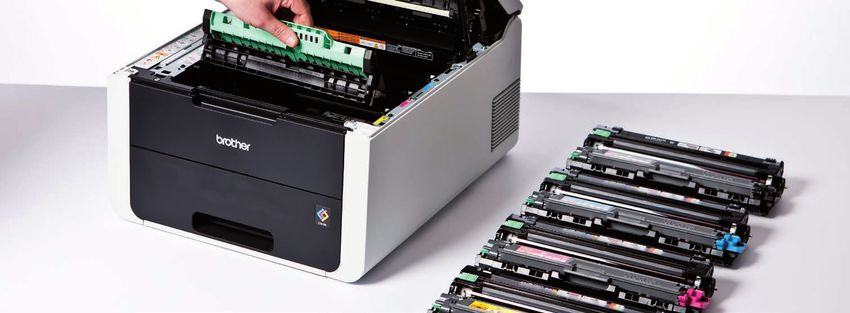
RA
                                                                                                                                                            AR NT
                                                                                                                                                                        3 year warranty
Professional mono laser printers

                                                                                                                                                        W

                                                                                                                                                                   Y
                                                                                                                                                                          with on-site
                                                                                                                                                                         SWAP-service

                                                         Low-cost
                                                         operations
                                                         Using only a single
                                                         toner, mono laser
                                                         printers offer low
                                                         consumptions
                                                         costs.

Mono laser printers for high-volume printing needs. A fast                                                         HL-L6300DW
and reliable series that delivers the best and sharpest                                                            • Prints up to 46 ppm
monochrome prints in its class. And they go on performing                                                          • Option of two additional
– day after day, month after month, year after year.                                                                 paper trays for 2 x 250/520
                                                                                                                     sheet trays, or tower tray
                                                                                                                     (4 x 520 sheets)*
• Windows, Mac, Citrix and Linux compatible
• PCLR6 (DOS), BR-Script3, IBMR Proprinter XL
  and EpsonR FX-850 compatible
• First page printed in less than 7.5 seconds                                                                      HL-L6300DWT
                                                                                                                   Same as HL-L6300DW, plus
• Automatic duplex printing (2-sided printing)                                                                     • Supplied with optional paper
• Built-in gigabit network card                                                                                      tray for 520 sheets
• Built-in wireless network card                                                                                   • Optional paper tray for 250/520
                                                                                                                     sheets*
• Up to 520-sheet paper tray and 50-sheet multi-purpose
  tray
• Optional mailbox with four trays
  (4 x 100 or 2 x 400 sheets)                                                                                      HL-L6400DW
                                                                                                                   • Prints up to 50 ppm
• Optional super high yield toner                                                                                  • Option of two additional
• Web Connect                                                                                                        paper trays for 2 x 250/520
                                                                                                                     sheet trays, or tray tower
                                                                                                                     (4 x 520 sheets)*
The mobile world:                                                                                                  • Optional ultra high yield toner
  iPrint&Scan – print directly from a smartphone or tablet                                                          for 20,000 pages
   AirPrint – print from your Apple device without an app
   Google Cloud Print™ – print via the Internet
     Web Connect – print from many cloud services,                                                                 HL-L6400DWT
  such as: Google Drive™, Dropbox, Evernote,                                                                       Same as HL-L6400DW, plus
  Box & OneDrive                                                                                                   • Supplied with optional paper
      (The services may depend on the model.)                                                                        tray for 520 sheets
                                                                                                                   • Optional paper tray for 250/520
      DI
        C ECOL A                                                                                                     sheets*
     R
               BE
NO

                      HL-L6300DW(T)
                  L

                                        HL-L6300DW(T)              HL-L6300DW(T)
                      HL-L6400DW(T)     HL-L6400DW(T)              HL-L6400DW(T)
     30
          150025

                                                                                                               *Different product numbers for 250 and 520-sheet paper trays and tower tray

                                       You can read more about the products at brother.dk, and see more specifications, on page 51.                                                          7
                                                                     AirPrint and the AirPrint logo are trademarks of Apple Inc.
RA
                                                                                                                                                                   AR NT
                                                                                                                                                                              3 year warrenty.
    Mono laser printers, all-in-one

                                                                                                                                                               W

                                                                                                                                                                          Y
                                                                                                                                                                               1. year on-site
                                                                                                                                                                               SWAP-service

                                                                                                                              Scanner functions
                                                                                                                              Scan to your PC in various formats, or scan directly to
                                                                                                                              e-mail, without having to save the document first.
                                                                                                                              Even scan to OCR*, allowing you to convert the docu-
                                                                                                                              ment into text and edit it.
                                                                                                                              *Not available for DCP-1510 and DCP-1610W

    Mono laser printers, all-in-one – perfect for the home office
    that also needs copying and colour scan functions.

    • Print up to 20 ppm
                                                                                                                   DCP-1510
    • Windows, Mac and Linux compatible
    • First page printed in less than ten seconds
                                                                                                                   DCP-1610W
    • Colour scanning
                                                                                                                   As DCP-1510, plus
    • Scan to e-mail, image or file (requires Brother software)                                                    • Built-in wireless network card
    • Up to 150-sheet paper tray

    Mono laser printers, all-in-one: with printing, copying and                                                    DCP-L2500D
    colour scanning. Scan and copy on a flatbed that allows                                                        • Prints up to 26 ppm
    you to work with single sheets and bound documents.                                                            • Duplex printing
    Four of the models can print in duplex, which means you                                                        • GDI emulation
    can print on both sides of the paper in a single pass.

    • Windows, Mac, Citrix and Linux compatible
                                                                                                                   DCP-L2520DW
    • First page printed in less than 8.5 seconds                                                                  • Prints up to 26 ppm
    • Up to 250-sheet paper tray and manual feed slot                                                              • Duplex printing
    • Colour scanning                                                                                              • Built-in wireless network card
                                                                                                                   • GDI emulation
    • Scan to e-mail, image, file, OCR, searchable PDF,
      SharePoint or Evernote
    • Optional high yield toner
                                                                                                                   DCP-L2540DN
    The mobile world:                                                                                              • Prints up to 30 ppm
      iPrint&Scan – print directly from a smartphone or tablet                                                    • Duplex printing
       AirPrint – print from your Apple device without an app                                                      • Built-in network card
                                                                                                                   • Document feeder (ADF)
       Google Cloud Print™ – print via the Internet
                                                                                                                   • PCL®6 (DOS) and
         Web Connect – scan to and print from many cloud                                                             BR-Script3 compatible
      services, such as: Google Drive™, Dropbox, Evernote,
      Box & OneDrive
          (The services may depend on the model.)
                                                                                                                   DCP-L2560DW
                                                                                                                   • Prints up to 30 ppm
                                                                                                                   • Duplex printing
                                                                                                                   • Built-in network card
                                                                                                                   • Built-in wireless network card
                                                                       DCP-1510
         R
          DI
            C ECOL A
                          DCP-L2500D        DCP-L2500D                 DCP-1610W                                   • 6.8 cm colour touch screen
                   BE
    NO

                                                                                                                   • PCL®6 (DOS) and
                      L

                          DCP-L2520DW       DCP-L2520DW                DCP-L2500D
                          DCP-L2540DN       DCP-L2540DN                DCP-L2520DW
         30               DCP-L2560DW       DCP-L2560DW                DCP-L2540DN                                   BR-Script3 compatible
              150025
                                                                       DCP-L2560DW

8                                          You can read more about the products at brother.dk, and see more specifications, on page 50.
                                                                         AirPrint and the AirPrint logo are trademarks of Apple Inc.
RA
                                                                                                                                                      AR NT
                                                                                                                                                              3 year warrenty.
Mono laser printers, all-in-one, with fax

                                                                                                                                                  W

                                                                                                                                                          Y
                                                                                                                                                               1. year on-site
                                                                                                                                                               SWAP-service

                                                         Network card
                                                         The built-in network
                                                         card means you
                                                         can easily share the
                                                         printer with others,
                                                         so that everyone
                                                         can benefit from its
                                                         many features.

Mono laser printers, all-in-one, with printing, copying, fax                                                   MFC-L2700DW
and colour scanning Copy, fax or scan bound documents                                                          • Prints up to 26 ppm
from the glass panel on top of the machine, or multipage                                                       • Duplex printing
documents via the ADF.                                                                                         • Built-in network card
                                                                                                               • Built-in wireless network card
                                                                                                               • GDI emulation
• Windows, Mac, Citrix and Linux compatible
• First page printed in less than 8.5 seconds
• Up to 250-sheet paper tray and flatbed
• Up to 35-sheet document feeder (ADF)
• Colour scanning
• Scan to e-mail, image, file, OCR, searchable PDF, Share-
  Point or Evernote via a PC                                                                                   MFC-L2720DW
                                                                                                               • Prints up to 30 ppm
• Fax without using a PC                                                                                       • Duplex printing
• Optional high yield toner                                                                                    • Scan to FTP or e-mail server*
*Download free software from www.brother.dk                                                                    • Built-in network card
                                                                                                               • Built-in wireless network card
                                                                                                               • 6.8 cm colour touch screen
The mobile world:                                                                                              • PCL®6 (DOS) and BR-Script3
  iPrint&Scan – print directly from a smartphone or tablet                                                      compatible
   AirPrint – print from your Apple device without an app
   Google Cloud Print™ – print via the Internet
     Web Connect – scan to and print from many cloud
  services, such as: Google Drive™, Dropbox, Evernote,
  Box & OneDrive
      (The services may depend on the model.)

                                                                                                               MFC-L2740DW
                                                                                                               Same as MFC-L2720DW, plus
                                                                                                               • Duplex printing, scanning,
                                                                                                                 copying and fax
        C ECOL A
      DI
     R
               BE

                      MFC-L2700DW       MFC-L2700DW                MFC-L2700DW
NO

                  L

                      MFC-L2720DW       MFC-L2720DW                MFC-L2720DW
                      MFC-L2740DW       MFC-L2740DW                MFC-L2740DW
     30
          150025

       Brother is Denmark’s most eco-friendly printer supplier
       Brother has taken a big step in the eco-friendly direction – the vast majority of Brother machines have achieved certifi-
       cation with one or more environmental labels. This means that Brother has the blue – or rather green – stamp to prove
       that the company’s machines are more environmentally-friendly and energy-efficient than most other printers on the
       market.
       Read more about Brother and the environment at brother.dk

                                       You can read more about the products at brother.dk, and see more specifications, on page 50.                                              9
                                                                     AirPrint and the AirPrint logo are trademarks of Apple Inc.
RA
                                                                                                                                                                   AR NT
                                                                                                                                                                               3 year warranty
     Professional mono laser printers, all-in-one

                                                                                                                                                               W

                                                                                                                                                                          Y
                                                                                                                                                                                 with on-site
                                                                                                                                                                                SWAP-service

                                                               Colour scanning
                                                               With all of our
                                                               all-in-one printers,
                                                               you can scan your
                                                               documents in
                                                               colour.

     All-in-one mono laser printers – for professional users who                                                    DCP-L5500DN
     also need copying and colour scan functions. The MFC                                                           • Up to 40-sheet document feeder
     model also has built-in fax. Duplex printing is available in                                                      (ADF)
     both models, enabling print on both sides of the paper
     in a single pass.

     • Windows, Mac, Citrix and Linux compatible
     • PCL®6 (DOS), BR-Script3, IBM® Proprinter XL and
       Epson® FX-850 compatible
     • Print up to 40 ppm
     • First page printed in less than 7.2 seconds
     • 9.3 cm colour touch screen
                                                                                                                    MFC-L5700DN
     • Automatic duplex printing (2-sided printing)
                                                                                                                    • Send or receive faxes directly on
     • Built-in network card                                                                                           your PC
     • Function lock                                                                                                • 50-sheet document feeder (ADF)
     • Pull-print ready
     • Up to 250-sheet paper tray and 50-sheet multi-
       purpose tray
     • Up to two optional paper trays for 250/520 sheets
     • Scan to e-mail, image, file, OCR, USB, FTP, e-mail server*,
       SharePoint, network or Microsoft® Office Pack (Word,
       Excel, PowerPoint)
     • Colour scanning
     • Optional high yield toner
     *Download free software from www.brother.dk

     The mobile world:
       iPrint&Scan – print directly from a smartphone or tablet
        AirPrint – print from your Apple device without an app
        Google Cloud Print™ – print via the Internet
          Web Connect – scan to and print from many cloud
       services, such as: Google Drive™, Dropbox, Evernote,
       Box & OneDrive
           (The services may depend on the model.)

             C ECOL A
           DI
          R
                    BE
     NO

                                                                                                                            The built-in booklet feature allows you to easily print, for example,
                       L

                           DCP-L5500DN       DCP-L5500DN                DCP-L5500DN
                           MFC-L5700DN       MFC-L5700DN                MFC-L5700DN
                                                                                                                                 a 24-page document as an A5 booklet – automatically.
          30
               150025

10                                          You can read more about the products at brother.dk, and see more specifications, on page 52.
                                                                          AirPrint and the AirPrint logo are trademarks of Apple Inc.
RA
AR NT
3 year warranty
Professional mono laser printers, all-in-one
W
Y
with on-site
SWAP-service
Print in duplex and save up to 50% of your paper
consumption
Duplex printing, scanning, fax handling and copying
helps to make your daily work more efficient.
The duplex function means that you can automatically
print, scan, fax or copy paper printed on both sides,
so you don’t need to turn the sheets over.
Easy and convenient – and saves paper.
Get features that exceed your expectations with this highly DCP-L6600DW
professional and robust mono laser series. The series has • Duplex printing, scanning and
excellent paper handling and fast printing speed, and the copying
• Prints up to 46 ppm
optional new, large toner cartridges can reduce your print- • Toner included for approx.
ing costs significantly. That makes this series ideal for your 8,000 pages
company. • Option of two additional paper
trays for 250/250 sheet trays,
or tray tower (4 x 520 sheets)*
• Windows, Mac, Citrix and Linux compatible
• PCL®6 (DOS), BR-Script3, IBM® Proprinter XL and MFC-L6800DW
Epson® FX-850 compatible • Duplex printing, scanning, copying
and fax handling
• First page printed in less than 7.5 seconds • Prints up to 46 ppm
• Built-in gigabit network card • Fax without using a PC
• Built-in wireless network card • Internet/ PC fax
• Fax/e-mail address book with
• 12.3 cm colour touch screen 32 speed dial numbers
• Function lock • Toner included for approx.
• Pull-print ready 8,000 pages
• Option of two additional paper
• Up to 520-sheet paper tray and 50-sheet multi-purpose trays for 2 x 250/520 sheets,
tray or tray tower (4 x 520 sheets)*
• Up to 80-sheet document feeder (ADF)
MFC-L6800DWT
• Colour scanning As MFC-L6800DW, plus:
• Scan to e-mail, image, file, OCR, USB, FTP, e-mail server, • Supplied with optional paper tray
SharePoint, network or Microsoft® Office Pack (Word, for 520 sheets
• Optional paper tray 250/520*
Excel, PowerPoint)
• Optional high yield and super high yield toners MFC-L6900DW
• Duplex printing, scanning, copying and
fax handling
The mobile world: • Prints up to 50 ppm
iPrint&Scan – print directly from a smartphone or tablet • Fax without using a PC
AirPrint – print from your Apple device without an app • Internet/ PC fax
• Fax/e-mail address book with
Google Cloud Print™ – print via the Internet 32 speed dial numbers
Web Connect – scan to and print from many cloud • Optional ultra high yield toner
services, such as: Google Drive™, Dropbox, Evernote, cartridges
Box & OneDrive • Toner included for approx.
(The services may depend on the model.)
12,000 pages
• Option of two additional paper trays
for 2 x 250/520 sheets, or tray tower
(4 x 520 sheets)* system (4 x 520 ark)*
MFC-L6900DWT
As MFC-L6900DW, plus:
R
DI
C ECOL A
DCP-L6600DW DCP-L6600DW DCP-L6600DW • Supplied with optional paper tray
BE
for 520 sheets
NO
MFC-L6800DW MFC-L6800DW MFC-L6800DW
L
MFC-L6800DWT MFC-L6800DWT MFC-L6800DWT
MFC-L6900DW MFC-L6900DW MFC-L6900DW
• Optional paper tray 250/520*
30
150025
MFC-L6900DWT MFC-L6900DWT MFC-L6900DWT
*Different product numbers for 250 and 520-sheet
paper trays and tray tower
You can read more about the products at brother.dk, and see more specifications, on page 52. 11
AirPrint and the AirPrint logo are trademarks of Apple Inc.RA
AR NT
3 year warrenty.
LED colour printers
W
Y
1. year on-site
SWAP-service
LED technology
Our compact colour printers are based on LED
(Light Emitting Diode) technology, which means
that rows of LEDs pulse-flash across the page.
The image is formed on the drums and transfer-
red to the paper as it runs through the machine.
Print the pages you need - fast. Print speed of up to 22 ppm HL-3140CW
for both mono and colour. • Prints up to 18 ppm in both
The built-in network card means you can share the printer colour and mono
with colleagues. And there are four separate toners, so only • Built-in wireless network card
the colours that run out need to be replaced. • Display with one line/16
characters
• GDI emulation
• Windows, Mac, Citrix and Linux compatible
• First page printed in less than 16 seconds (colour)
• Up to 250-sheet paper tray and single-sheet feeder
• Optional high yield toners (C/M/Y only)
• Four separate toners
HL-3170CDW
The mobile world: • Prints up to 22 ppm in both
iPrint&Scan – print directly from a smartphone or tablet colour and mono
• Duplex printing
AirPrint – print from your Apple device without an app • Built-in network card
Google Cloud Print™ – print via the Internet • Built-in wireless network card
• Backlit LCD display with one
line/16 characters
• PCL®6 (DOS) and BR-Script3
compatible
C ECOL A
DI
R
BE
NO
L
HL-3140CW
HL-3170CDW
HL-3170CDW
30
150025
12 You can read more about the products at brother.dk, and see more specifications, on page 53.
AirPrint and the AirPrint logo are trademarks of Apple Inc.RA
AR NT
3 year warrenty.
LED colour printers, all-in-one
W
Y
1. year on-site
SWAP-service
Change toners easily
Our colour printers
are all provided with
separate toners.
You can easily change
an individual colour
when it runs out.
With an all-in-one colour printer, you have all the most im- DCP-9020CDW
portant office machine functions in a single machine: colour • Prints up to 18 ppm in both
printer, scanner and copier. Choose the MFC model if you colour and mono
also need fax. • Up to 35-sheet document feeder
• Built-in wired LAN network card
• Windows, Mac, Citrix and Linux compatible
• PCL®6 (DOS) and BR-Script3 compatible
• First page printed in less than 16 seconds (colour)
• Built-in wireless network card
• Automatic duplex printing (2-sided printing)
• Scan to e-mail, image, file, OCR, USB, FTP or network
• 9.3 cm colour touch screen MFC-9330CDW
• Up to 250-sheet paper tray and manual feed slot • Prints up to 22 ppm in both
• Secure Print function colour and mono
• Direct printing from USB memory
• Optional high yield toners (C/M/Y only)
• Scan to e-mail server*
• Four separate toners • Up to 35-sheet document feeder
*Download free software from www.brother.dk • Fax without using a PC
• PC fax
• Built-in wired LAN network card
The mobile world:
iPrint&Scan – print directly from a smartphone or tablet
AirPrint – print from your Apple device without an app
Google Cloud Print™ – print via the Internet
Web Connect – scan to and print from many cloud
services, such as: Google Drive™, Dropbox, Evernote,
Box & OneDrive
(The services may depend on the model.)
C ECOL A
DI
R
BE
NO
L
DCP-9020CDW DCP-9020CDW
MFC-9330CDW MFC-9330CDW You can easily operate the printers via the 9.3 cm
30
150025 user-friendly touch screen
You can read more about the products at brother.dk, and see more specifications, on page 54. 13
AirPrint and the AirPrint logo are trademarks of Apple Inc.RA
AR NT
3 year warranty
Professional colour laser printers
W
Y
with on-site
SWAP-service
Optional paper tray
With an optional paper
tray, you can use differ-
ent types of paper in the
printer at once.
Professional colour laser printers that are perfect for work- HL-L8260CDW
groups with high-volume printing needs. Fast, user-friendly • Prints up to 31 ppm
machines that will ensure your business runs as efficiently • 16 characters x 2 lines display
as possible. The four separate toners are placed in a • Wired and wireless connectivity
• Optional 3 extra lower trays up
drawer at the front, making it easy to replace the colour
to 250 sheets
that has run out.
• Windows, Mac, Citrix and Linux compatible
• PCL®6 (DOS) and BR-Script3 compatible
• First page printed out in less than 15 seconds
• Automatic duplex printing (2-sided printing) HL-L8360CDW
• Secure Print function • Prints up to 31 ppm
• 6.8 cm colour touchscreen
• Up to 250-sheet paper tray and 50-sheet multi-
• Wired and wireless conectivity
purpose tray • NFC card reader
• Optional high yield toners • Optional high yield toner
• Four separate toners cartridges
• Optional addition of paper trays
See page 53 for more information
The mobile world:
iPrint&Scan – print directly from a smartphone or tablet
AirPrint – print from your Apple device without an app
Google Cloud Print™ – print via the Internet
Web Connect – print from many cloud services,
such as: Google Drive™, Dropbox, Evernote,
Box & OneDrive
(The services may depend on the model.)
C ECOL A
DI
R
BE
NO
L
HL-L8260CDW HL-L8260CDW HL-L8260CDW
HL-L8360CDW HL-L8360CDW HL-L8360CDW
30
150025
14 You can read more about the products at brother.dk, and see more specifications, on page 53.
AirPrint and the AirPrint logo are trademarks of Apple Inc.RA
AR NT
3 year warranty
Professional colour laser printers, all-in-one
W
Y
with on-site
SWAP-service
Reduce your costs with this colour laser series
Add vivid colours and sharpness to your commu-
nication that is surely to impress. Choose a colour
printer that will give your company a professional
look.
Professional, colour laser all-in-one printers – perfect for DCP-L8410CDW
larger workgroups that also need colour scanning and • Prints up to 31 ppm
copying. Colour fax is also available with the MFC models. • Duplex print
The all-in-one series delivers fast, cost-effective colour print- • Built-in wired and wireless
connectivity
ing, and the series has specially-designed features that will
• 9.3 cm colour touchscreen
keep your running costs down.
• Document feeder up to 50 sheet
• Optional 3 extra lower paper trays
• Windows, Mac, Citrix and Linux compatible up to 250 sheet
• PCL®6 (DOS) and BR-Script3 compatible
• First page printed out in less than 15 seconds
• Pull-print ready
• Secure Print function MFC-L8690CDW
• Optional paper tray for up to 500 sheets • Prints up to 31 ppm
• Duplex print, scan, fax and copy
• Scan to e-mail, image, file, USB key (without PC), • Built-in wired and wireless connec-
searchable PDF, OCR, FTP, e-postserver*, SharePoint**, tivity
network (only Windows) or Microsoft® Office • 9.3 cm colour touchscreen
• Fax without using a computer
(Word, Excel, PowerPoint) • Document feeder up to 50 sheet
• Web Connect • Optional 3 extra lower paper trays
• Optional high yield toners up to 3 x 250 sheet
• Four separate toners
*Requires installation of accompanying software
**Download free software from www.brother.dk
MFC-L8900CDW
The mobile world: • Prints up to 31 ppm
• Duplex print, scan, fax and copy
iPrint&Scan – print directly from a smartphone or tablet • Built-in wired and wireless connec-
AirPrint – print from your Apple device without an app tivity
Google Cloud Print™ – print via the Internet • 12.6 cm colour touchscreen
Web Connect – scan to and print from many cloud • Fax without using a computer
services, such as: Google Drive™, Dropbox, Evernote, • Document feeder up to 70 sheet
• NFC connectivity
Box & OneDrive • Chose between many different
(The services may depend on the model.)
lower tray combinations
See page 54 for more information
C ECOL A
DI
R
BE
DCP-L8410CDW DCP-L8410CDW DCP-L8410CDW
NO
L
MFC-L8690CDW MFC-L8690CDW MFC-L8690CDW
MFC-L8900CDW MFC-L8900CDW MFC-L8900CDW
30
150025
You can read more about the products at brother.dk, and see more specifications, on page 54. 15
AirPrint and the AirPrint logo are trademarks of Apple Inc.RA
AR NT
3 year warranty
Professional colour laser printers and all-in-one – Business
W
Y
with on-site
SWAP-service
Print solutions for businesses
These professional colour laser printers are
equipped with a range of user-friendly features that
are designed to present outstanding results every
time. They deliver fast and cost-effective colour
printing.
Professional colour laser printers and all-in-one machines HL-L9310CDW
that can easily handle the everyday challenges of the of- • Duplex print
fice. These models are perfect for workgroups with large • 6.8 cm colour touchscreen
printing needs, as they come with high yield toners and • Web Connect*
• NFC for identification and print
Optional paper trays. The optional trays also make it possi-
• Choose between many different
ble to have several different types of paper in the machine
lower tray combinations
at once.
• Windows, Mac, Citrix and Linux compatible
• PCL®6 (DOS) and BR-Script3 compatible
• Print up to 31 ppm HL-L9310CDWT
• First page printed out in less than 15 seconds (colour) Same as HL-L9310CDW, plus
• Includes 1 extra lower tray
• Automatic duplex printing (2-sided printing)
for 500 sheet
• Pull-print ready • Optional extra lower tray
• Secure Print function for 250/500 sheet
• Built-in network card
• Built-in wireless network card
• Up to 250-sheet paper tray and 50-sheet
multi-purpose tray MFC-L9570CDW
• Special ultra high yield toner cartridges • Duplex print, scan, fax and copy
• 17.6 cm colour touchscreen
• Four separate toners
• Document feeder up to 80 sheet
*(HL-L9310CDW(T) print only) • Scan to e-mail, image, file, USB
**Requires installation of accompanying software
(without using a computer),
searchable PDF, OCR, FTP,
The mobile world: network or SharePoint**
iPrint&Scan – print directly from a smartphone or tablet • Scan to e-mail server
• Scan to Microsoft® Office
AirPrint – print from your Apple device without an app
• Fax without using a computer
Google Cloud Print™ – print via the Internet • NFC connectivity
Web Connect – scan to and print from many cloud • Choose between many different
services, such as: Google Drive™, Dropbox, Evernote, lower tray combinations
Box & OneDrive
(The services may depend on the model.)
MFC-L9570CDWT
Same as MFC-L9570CDW, plus
• Includes 1 extra lower tray for
500 sheet
• Optional extra lower tray
C ECOL A
R
DI
HL-L9310CDW HL-L9310CDW HL-L9310CDW for 250/500 sheet
BE
NO
L
HL-L9310CDWT HL-L9310CDWT HL-L9310CDWT
MFC-L9570CDW MFC-L9570CDW MFC-L9570CDW
30 MFC-L9570CDWT MFC-L9570CDWT MFC-L9570CDWT
150025
16 You can read more about the products at brother.dk, and see more specifications, on page 53-54.
AirPrint and the AirPrint logo are trademarks of Apple Inc.Colour inkjet all-in-one A4
Brother paper
Brother’s printing ink and paper is specially designed to
work in perfect harmony with your Brother inkjet printer,
for optimal print quality. The result is fine, colourful print
quality that lasts for a long time. We offer a wide range of
paper types (glossy, matt, plain, inkjet paper) in various
sizes – 10 × 15 cm, A4, and A3.
For the paper range, see page 49.
Colour inkjet all-in-one series with A4 printing, scanning DCP-J562DW
and copying (MFC models can also handle colour fax) for • Prints up to 6 ipm in colour**
the home office or small workgroup. The series is compat- • 6.8 cm touch screen
ible with several mobile solutions, and gives you fast and • Scan to media card
• Scan to Microsoft® Office
efficient possibilities to remotely print, scan and upload
(Word, Excel, PowerPoint)
documents via the Internet.
• Special tray for 20 pcs. 10 x 15 cm
• Optional high yield ink cartridges
• Duplex printing (2-sided printing)
• All-in-one colour printing, scanning, copying and fax*
handling
DCP-J785DW
• Windows, Mac and Linux compatible • Prints up to 10 ipm in colour**
• GDI emulation • 6.8 cm touchscreen
• Borderless printing up to A4 • Automatic document feeder
• Scan to media card, OCR and
• Up to 100-sheet paper tray USB
• Built-in wireless network card • Scan to Microsoft® Office
• Scan to e-mail, image, file or cloud services (Word, Excel, PowerPoint)
• Special tray for 20 pcs. 10 x 15cm
• Four separate ink cartridges
*MFC models only
**ISO/IEC 24734
MFC-J480DW
The mobile world: • Prints up to 6 ipm in colour**
iPrint&Scan – print directly from a smartphone or tablet • 4.5 cm LCD colour display
AirPrint – print from your Apple device without an app • Scan to OCR
Google Cloud Print™ – print via the Internet • Automatic document feeder (ADF)
• Send or receive faxes directly on
Web Connect – scan to and print from many cloud
your PC
services, such as: Google Drive™, Dropbox, Evernote, • Fax without using a PC
Box & OneDrive • Web Connect (scanning only)
(The services may depend on the model.) • Optional high yield ink cartridges
MFC-J680DW
• Prints up to 10 ipm in colour**
• 6.8 cm touch screen
• Automatic document feeder (ADF)
• Scan to media card and OCR
• Scan to Microsoft® Office
(Word, Excel, PowerPoint)
• Fax to or from a PC
R
DI
C ECOL A
DCP-J562DW DCP-J562DW DCP-J562DW
• Fax without using a PC
BE
NO
• Optional high yield ink cartridges
L
DCP-J785DW DCP-J785DW DCP-J785DW
MFC-J480DW MFC-J480DW MFC-J480DW
30 MFC-J680DW MFC-J680DW MFC-J680DW
150025
You can read more about the products at brother.dk, and see more specifications, on page 55. 17
AirPrint and the AirPrint logo are trademarks of Apple Inc.RA
AR NT
3 year warrenty.
Colour inkjet, all-in-one A4 – Home Smart
W
Y
1. year on-site
SWAP-service
A whole new direction in printing
These series are based on printing technology in
which the paper is printed in landscape format, giving
you even higher print speeds. The paper does not
feed into the printer in the traditional ‘portrait’ orien-
tation, but lengthwise. That gives you all the best
features in a more compact printer.
Compact colour inkjet, all-in-one machines with A4 printing, DCP-J4120DW
scanning, copying and fax*. It is possible to print in A3 format • Prints up to 18 ipm in colour**
via the bypass tray, and in duplex up to A4 size. The printers • Built-in wireless network card
can be shared via the wired or wireless network card. • 6.8 cm touch screen
• Windows, Mac, Citrix and Linux compatible
• GDI emulation
• A3 printing plus scanning, fax* and copying up to A4
• Print up to 10 × 15 cm photo prints
• Print in landscape format
MFC-J4620DW
• Borderless printing up to A3 • Prints up to 20 ipm in colour**
• Automatic duplex printing (2-sided printing) up to A4 • Built-in network card
• Up to 150-sheet paper tray (A4) • Built-in wireless network card
• 9.3 cm touch screen
• Manual feeder up to A3 format (single sheet) • Automatic document feeder (ADF)
• Scan to e-mail, image, file, OCR, USB, media card, • Scan to e-mail server***
network or FTP server • Fax without using a PC
• NFC connectivity for printing
• Scan to Microsoft® Office (Word, Excel, PowerPoint)
and scanning
• Optional high yield ink cartridges
• Four separate ink cartridges
*MFC models only
**ISO/IEC 24734
***Download free software from www.brother.dk
The mobile world:
iPrint&Scan – print directly from a smartphone or tablet
AirPrint – print from your Apple device without an app
Google Cloud Print™ – print via the Internet
Web Connect – scan to and print from many cloud
services, such as: Google Drive™, Dropbox, Evernote,
Box & OneDrive
(The services may depend on the model.)
C ECOL A
DI
R
BE
NO
L
DCP-J4120DW DCP-J4120DW DCP-J4120DW
MFC-J4620DW MFC-J4620DW MFC-J4620DW
30
150025
18 You can read more about the products at brother.dk, and see more specifications, on page 56.
AirPrint and the AirPrint logo are trademarks of Apple Inc.RA
AR NT
3 year warrenty.
Colour inkjet, all-in-one A4 – Business Smart
W
Y
1. year on-site
SWAP-service
Colourful documents
Colour your documents and make an impression
with classy and colourful documents in sizes from
10 x 15 to A3. Professional print in high quality
– ready for your company.
Colour inkjet all-in-one printers offer much more than just MFC-J5330DW
printing, scanning, copying and fax. The Business Smart • Duplex printing up to A4
series also offers a wide range of smart business features, • GDI emulation
such as printing up to A3 format, connectivity from mobile • 6.8 cm touch screen
• Up to 250-sheet paper tray
devices, lower operating costs, improved paper handling
(A4/A3)
and 2-sided scanning, copying and fax, making them the
• Manual feed slot up to
perfect partners for busy offices. A3 format (1 sheet)
• Windows, Mac, Citrix and Linux compatible
• A3 printing plus scanning, copying and fax handling
up to A4 MFC-J5730DW
• Print up to 20 ipm in colour* • Duplex printing, scanning,
• Borderless printing up to A3 copying and fax handling
up to A4
• Automatic document feeder (ADF) • GDI emulation
• Built-in wired and wireless network cards • 9.3 cm touch screen
• Scan to e-mail, image, file, OCR, USB, network or FTP • Up to 250-sheet paper tray
(A4/A3)
• Scan to e-mail server**
• Rear multi-purpose tray for
• Scan to Microsoft® Office (Word, Excel, PowerPoint) either A4 (100 sheets) or A3
• Fax without using a PC (10 sheets)
• Optional high yield ink cartridges
• Four separate ink cartridges
*ISO/IEC 24734
**Download free software from www.brother.dk MFC-J5930DW
• Duplex printing, scanning,
copying and fax handling
The mobile world: up to A4
iPrint&Scan – print directly from a smartphone or tablet • 9.3 cm touch screen
AirPrint – print from your Apple device without an app • Up to 250-sheet paper tray
Google Cloud Print™ – print via the Internet (A4/A3)
• Rear multi-purpose tray for
Web Connect – scan to and print from many cloud
either A4 (100 sheets) or A3
services, such as: Google Drive™, Dropbox, Evernote, (50 sheets)
Box & OneDrive • PCL®6 (DOS) and BR-Script3
(The services may depend on the model.) compatible
• NFC connectivity
C ECOL A
DI
R
BE
MFC-J5330DW MFC-J5330DW MFC-J5330DW
NO
L
MFC-J5730DW MFC-J5730DW MFC-J5730DW
MFC-J5930DW MFC-J5930DW MFC-J5930DW
30
150025
You can read more about the products at brother.dk, and see more specifications, on page 56. 19
AirPrint and the AirPrint logo are trademarks of Apple Inc.RA
AR NT
3 year warranty
Colour inkjet, all-in-one A3 – Business Pro
W
Y
with on-site
SWAP-service
Print up to A3
With our A3 models, you
can print in formats from
10 x 15 cm up to A3.
Perfect for large spread-
sheets, drawings, photos
and much more.
Fast, all-in-one inkjet printers that can print in sizes right up to MFC-J6530DW
A3 format. The MFC-J6930DW and MFC-J6935DW both have • Duplex printing up to A3
an optional paper tray, so you can have two different types of • GDI emulation
paper in the printer at once. High yield ink cartridges can also • 6.8 cm touch screen
be used, for even lower running costs. • Up to 250-sheet paper
tray (A4/A3)
• Manual feed slot up to
• Windows, Mac, Citrix and Linux compatible A3 format (1 sheet)
• GDI emulation
• A3 printing, scanning, copying and fax handling MFC-J6930DW
• Print up to 20 ipm in colour* • Duplex print, scan, fax and
• Borderless printing up to A3 copy up til A3
• GDI emulation
• Up to 50-sheet document feeder (ADF)
• 9.3 cm touchscreen
• Built-in wired and wireless network cards • Up to 2 x 250 sheet paper tray
• Scan to e-mail, image, file or OCR, FTP, network or USB key (A4/A3)
• Scan to e-mail server** • Flexible tray for either A4
(100 sheets) or A3 (50 sheets)
• Scan to Microsoft® Office (Word, Excel, PowerPoint) • NFC connectivity
• Fax without using a PC
• Optional high yield ink cartridges
• Four separate ink cartridges MFC-J6935DW
• Duplex print, scan, fax and
*ISO/IEC 24734 copy up to A3
**Download free software from www.brother.dk
• 9.3 cm touchscreen
• Up to 2 x 250 sheet paper tray
The mobile world: (A3/A4)
iPrint&Scan – print directly from a smartphone or tablet • Flexible tray for either A4
(100 sheets) or A3 (50 sheets)
AirPrint – print from your Apple device without an app
• NFC connectivity
Google Cloud Print™ – print via the Internet • PCL®6 (DOS)- and BR-Script3
Web Connect – scan to and print from many cloud compatible
services, such as: Google Drive™, Dropbox, Evernote, • Including high yield ink cartridges
Box & OneDrive
(The services may depend on the model.)
C ECOL A
DI
R
BE
MFC-J6530DW MFC-J6530DW MFC-J6530DW
NO
L
MFC-J6930DW MFC-J6930DW MFC-J6930DW
MFC-J6935DW MFC-J6935DW MFC-J6935DW
30
150025
20 You can read more about the products at brother.dk, and see more specifications, on page 56.
AirPrint and the AirPrint logo are trademarks of Apple Inc.FAX
Fax reception
Our fax machine
come with fax/
voice call detection,
allowing faxes to be
received directly on
the device.
Most offices need to be able to send and receive docu- FAX-2840
ments safely and securely to and from various partners in • Prints up to 20 ppm
a simple and efficient manner. Our fax machine is both • 16 MB memory
• 33.6 kbps fax modem
user-friendly and stable, and you can use it with the same
• 22 one-touch dials
number as your telephone. Via your service provider, you + 200 speed dials
can also obtain a separate number which can be used
exclusively for faxes, on the same line.
Laser fax machine:
• LCD display with 2 lines, 16 characters FAX-2840
• Dual Access for up to 50 jobs
• Broadcast to up to eight groups – up to 272 recipients
• Digital copy function - up to 20 ppm
• Zoom from 25% - 400% in 1% increments
• Up to 99 multiple copies
• Stack-and-sort function
• Up to 250-sheet paper tray
• Up to 30-sheet automatic document feeder (ADF)
• Up to 400 page memory
You can read more about the products at brother.dk, and see more specifications, on page 57. 21MFC-L6900DW/DWT
MFC-L6800DW/DWT
MFC-L9570CDWT
Brother solution guide
MFC-L8900CDW
MFC-L8690CDW
MFC-9330CDW
MFC-J6930DW
MFC-J6530DW
MFC-L2700DW
MFC-J6935DW
MFC-J5930DW
MFC-L2720DW
MFC-L2740DW
MFC-L5700DN
Mobile and internet solutions
AirPrint
• • • • • • 2 • • • • • • •
With AirPrint, you can print wirelessly directly from an IOS device, such as an iPhone, iPad, iPod touch or Mac computer.
Google Cloud Print
• • • • • • • • • • • • • •
With Google Cloud Print, you can print on your printer via the Internet or a mobile app.
Mopria
• • • • • • • • • • • • • •
With Mopria, you can print on your printer from your Android device (4.4 or later) via Mopria Print Service from Google Play.
iPrint&Scan
Via din Android-, iOS- eller Windows Phone-enhed kan du printe hjemmesider, dokumenter eller fotos. • • • • • • • • • • • • • •
Eller scanne*fotos eller dokumenter fra din Brother alt-i-én direkte til din enhed, så de er klar til at blive delt på nettet eller via e-mail.
Web Connect (cloud)
Via your Android, iOS, or Windows Phone device, you can print web pages, documents or photos. • • • • • • • • • • • • • •
Or scan* photos or documents from your Brother all-in-one machine directly to your device, ready for sharing online or via e-mail.
Brother Apps & Solutions
Brother Apps are a series of new, cloud-based document solutions, such as Office Doc Creator, Smart Scan and Note Scan, • • • • • • • • • • • • •
through which you can directly access your printer and scanner.
Print functions
Automatic duplex printing and booklet printing (Windows only)
• • • • • • • • • • • • • •
With the booklet function, you can print booklets automatically, reduce the page size, and print four pages on a single page.
Barcode printing
• • • • • • • • • • •
Automatically print barcodes.
SAP R/3 certification
• • • • • • • • •
Supports printing from SAP systems.
Media card reader
Print directly from or scan directly to a memory card.
PictBridge
A standard that makes it easy to print directly from a digital camera.
USB Direct Printing
• • • • • • • • 4 4 •
A USB port on the front of the machine allows you to print directly from a USB key.
Secure print
• • • • • • • • •
Protect your confidential documents with a PIN code when you print them.
SSL encryption
• • • • • • • • • • •
Encrypt your print jobs when you send them via the Internet.
Copying
• • • • • • • • • • • • • •
Copy documents directly to the printer.
Citrix
• • • • • • • • • • • • • •
A standard for external users of Windows applications (Remote Desktop).
Scan functions
Duplex scan/fax/copy
• • • • • • 6 6 •
Scan, copy or fax both sides of the paper automatically.
Scan to e-mail server
• • 1 1 • • 1 1 1 1 1 1 1
Scan directly from the printer to an e-mail recipient via an SMTP e-mail server.
SSL/TLS, scan to e-mail (server)
• • • • • • • • • • • •
A security protocol used by some e-mail servers for authorisation.
LDAP
• • • • • • • • • •
(Lightweight Directory Access Protocol) A protocol used to connect to a central address book on a network.
Scan to FTP Server
• • • • • • • • • • • • •
Scan directly to an FTP server via your network or the Internet.
Scan to network-shared folder (Windows only)
• • • • • • • • • • •
Scan directly to a folder on your network drive.
Scan directly to USB key
• • • • • • • •
A USB port on the front of the machine allows you to scan photos, documents or PDF files directly to a USB key.
Scan to e-mail/image/file (client software required)
• • • • • • • • • • •
Scan photos or documents directly to your e-mail software, image software or a file on your computer’s network via “client software”.
Scan to OCR
• • • • • • • • • • •
Scan text documents and convert them into editable text.
ISIS
• • •
Compatible driver for ISIS (Image and Scanner Interface Specification).
Fax functions
Network PC fax
• • • • • • • • • • •
Send or receive faxes to and from the machine via your local network.
Internet fax
• • 1 1 1 1
Send fax via the Internet and reduce costs.
Network and wireless functions
IPv6
• • • • • • • • • • •
The new generation TCP/IP Internet protocol will be introduced when Internet addresses with IP4v expire.
AOSS wireless
• • • •
(AirStation One-Touch Secure System) Set up a secure wireless connection at the touch of a button.
Intel My WiFi, wireless connectivity
•
A standard for fast and easy connection directly to other wireless devices without using a router or access point.
Wi-Fi DirectTM
• • • • • • • • • • •
A standard that allows wireless devices to communicate with each other without the need for a wireless access point.
WPS, wireless connectivity
• • • • • • • • • • •
(Wi-Fi Protected Setup) is a computer standard for simple and secure wireless network setup at home.
802.1x (PNAC)
• • • • • • • • • • •
A secure protocol to prevent outsiders connecting equipment to a network via a network cable.
Active Directory Autentification
• • • • • • •
Users can authenticate at the machine via AD (their Active Directory).
NFC
Print from your Brother App directly from your smartphone with NFC (Near Field Communication). • • • • • • •
You select the document from your iPrint&Scan app, then simply hold your mobile device towards the printer to print it.
USB Host
• • •
For external card reader.
Administration functions
BR-Admin Professional 3
• • • • • • • • • • • • • •
Administrative software to configure network equipment or collect print statistics from any Brother machine.
Driver Deployment Wizard
• • • • • • • • • • • • • •
An interactive guide that helps to distribute printer drivers to many users for locally or network-connected Brother devices.
E-mail notification
• • • • • • • • • • • • • •
The printer can automatically send an e-mail with status or error messages.
Function lock
• • • • • • • • • • • • •
A function to prevent unauthorised use. Allows different users to use certain functions.
Web-based management
• • • • • • • • • • • • • •
The printer has a built-in website for easy configuration and administration of your Brother network device.
*Depending on model 1D
ownloaded from http://solutions.brother.com 2 Printers with wired LAN will require connection via a wireless router. 3 For identification onlyYou can also read


