The Definitive Guide to Office 365 Security - Index of ES!!!
←
→
Page content transcription
If your browser does not render page correctly, please read the page content below

The Definitive
Guide to Office 365
Security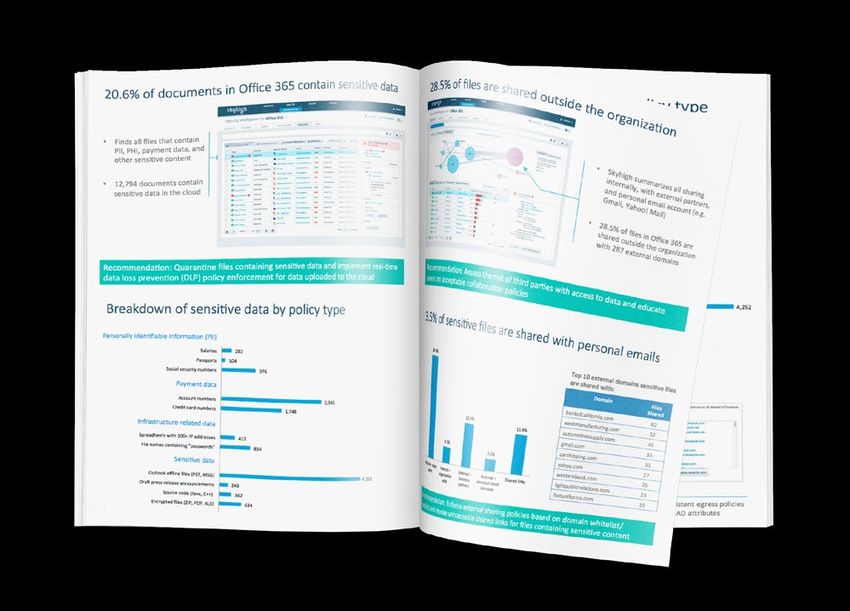
THE DEFINITIVE GUIDE TO OFFICE 365 SECURITY

Table of Contents
   INTRODUCTION. . ................................................................................................................................................................... 2

   HOW ENTERPRISES USE OFFICE 365.................................................................................................................................. 4
             Data Uploaded to Office 365. . ......................................................................................................................................................4
             Collaboration Internally and with Business Partners..............................................................................................................5
             Use of Redundant Collaboration Services. . ................................................................................................................................6
             When Attackers Act Like Insiders................................................................................................................................................7

   COMMON OFFICE 365 SECURITY AND COMPLIANCE QUESTIONS . . .................................................................................... 8
             OneDrive . . ...................................................................................................................................................................................... 11
             SharePoint Online. . ...................................................................................................................................................................... 13
             Yammer.. ........................................................................................................................................................................................ 15
             Exchange Online.. ......................................................................................................................................................................... 17

   MAKING THE MOST OF OFFICE 365’S BUILT-IN SECURITY............................................................................................... 19
             Single sign-on.............................................................................................................................................................................. 20
             Multi-Factor Authentication. . .................................................................................................................................................... 21
             IP filtering..................................................................................................................................................................................... 22
             Rights Management Service. . .................................................................................................................................................... 23
             Office 365 Message Encryption. . .............................................................................................................................................. 24
             Secure Multipurpose Internet Mail Extension (S/MIME)...................................................................................................... 25

   HOW A CLOUD ACCESS SECURITY BROKER (CASB) HELPS............................................................................................... 26
             Detect Insider Threats and Privileged User Threats............................................................................................................. 28
             Identifying and Stopping Compromised Account Activity.................................................................................................... 30
             Audit Collaboration and Enforce Sharing Policies................................................................................................................. 31
             Control Access by Context......................................................................................................................................................... 32
             Unified DLP Engine for Every Cloud Service........................................................................................................................... 33
             Standardize on Office 365......................................................................................................................................................... 34
             Rights Management. . .................................................................................................................................................................. 34

   SELECTING THE RIGHT CASB TO USE IN CONJUNCTION WITH OFFICE 365..................................................................... 35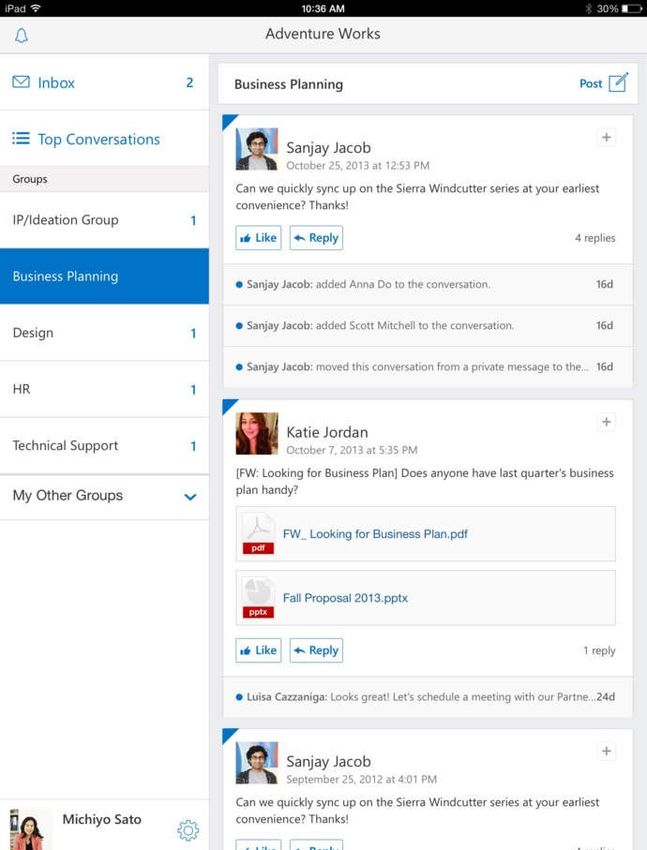
THE DEFINITIVE GUIDE TO OFFICE 365 SECURITY

                                              Introduction
                                              Microsoft Office 365 has become incredibly popular because of the
                                              mobility and collaboration it enables. With Office 365, companies always
                                              have the latest versions of Excel, Word, PowerPoint and Outlook, as well as
                                              cloud-based collaboration and productivity platforms OneDrive, Exchange
                                              Online, Yammer, and SharePoint Online. Skyhigh’s research1 has found that
                                              87.3% of enterprises have at least 100 active Office 365 users, but just

                87.3
                                              6.8% of corporate users have fully migrated to Office 365.
                             %
                                              This disparity is due to the fact that most organizations are migrating
                                              users in stages and have a hybrid on-premises and cloud environment
                                              today, where Office 365 users co-exist with other employees using on-
                                              premises versions of Exchange, SharePoint, and Windows file servers.
                                              By taking a phased approach, organizations can build their expertise in
        Of enterprises have at least          managing cloud environments and work out any uncertainties before
        100 active Office 365 users           rolling out Office 365 for the entire company. One of those uncertainties
                                              is how to secure employee usage of Office 365.

                                              1 Skyhigh Networks “Office 365 Adoption & Risk Report”

                                                                                                                            2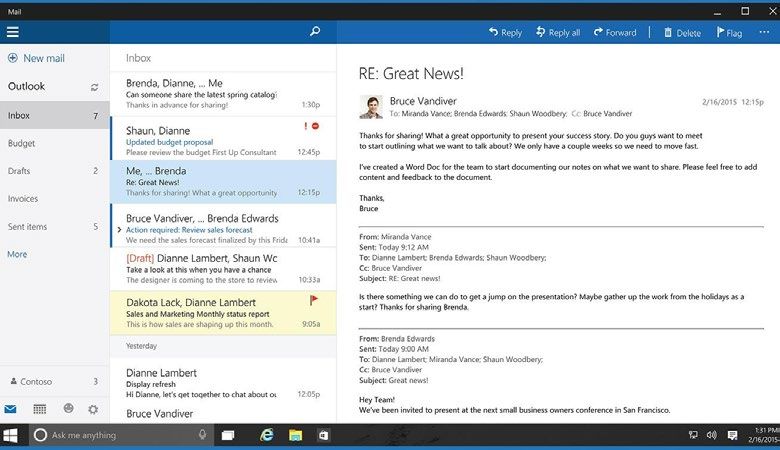
THE DEFINITIVE GUIDE TO OFFICE 365 SECURITY

                                              Whether you are evaluating Office 365, have deployed it to all users, or are
                                              somewhere in between, this guide offers best practices to make the most
                                              from your deployment and ensure that you continue to meet your security,
                                              compliance, and governance requirements as data moves to the cloud.

                                              We’ve distilled these best practices from working with over 500
                                              enterprises to securely enable cloud services that drive business success.
                                              First, we’ll examine how enterprises are using Office 365. Next, we’ll look
                                              at common security and compliance questions companies encounter as
                                              they migrate to Office 365 and offer tips to make the most of Microsoft’s
                                              robust built-in service-level security. Finally, we’ll cover how a cloud access
                                              security broker can enhance the security of Office 365.

                                                                                      The average enterprise
                                                                                      uploads 1.37 TB to
                                                                                      Office 365 each month

                                                                                                                                3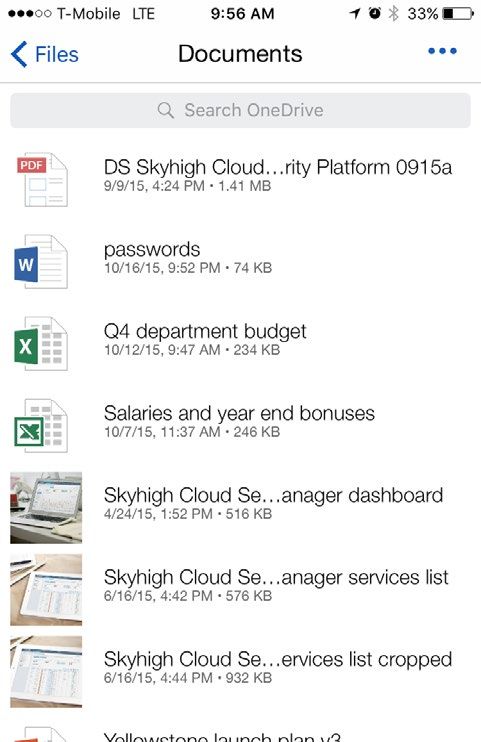
THE DEFINITIVE GUIDE TO OFFICE 365 SECURITY

                                                     How Enterprises Use Office 365
                                                     Analyzing the usage data of over 21 million users at hundreds of companies
                                                     worldwide, we found that Office 365 has gained a foothold in the vast
                                                     majority of enterprises. An overwhelming 87.3% of enterprises have at least
                                                     100 Office 365 users. While companies already store a significant amount of
                                                     corporate data in Office 365, the volume of that data is growing rapidly.

                                                     DATA UPLOADED TO OFFICE 365
                                                     The average organization uploads 1.37 TB of data to Yammer, SharePoint
                            17.4 %
                            OF FILES IN ONEDRIVE
                                                     Online, and OneDrive each month. That’s the equivalent of 120 million
                                                     pages of Microsoft Word documents. As adoption of Office 365 increases,
                            AND SHAREPOINT ONLINE    the velocity of data uploaded is also likely to increase. A clear indication
                            CONTAIN SENSITIVE DATA
                                                     that companies have confidence in the Office 365 platform is how much
                                                     of this data is business critical and sensitive. Analyzing documents stored
   9.2% Confidential Data
                                                     in OneDrive and SharePoint Online, we found that 17.4% of documents
                            1.8% Payment Data        contain sensitive data, split as shown in the diagram.

                            2.2% Health Data

                            4.2% Personal Data

                                                                                                                                    4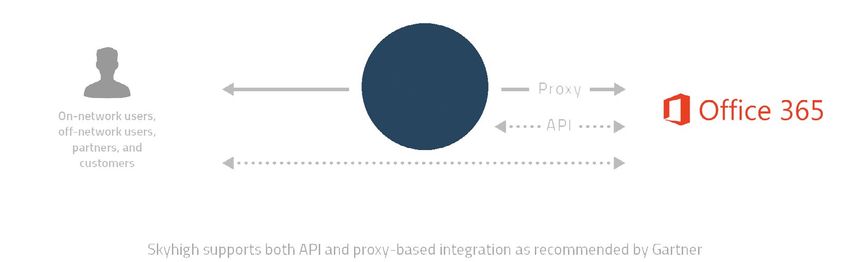
THE DEFINITIVE GUIDE TO OFFICE 365 SECURITY

                                              COLLABORATION INTERNALLY AND WITH BUSINESS PARTNERS
                                              A key driver of SharePoint Online and OneDrive adoption is the ability to

                 8    %                       invite co-workers and business partners to access and edit documents and
                                              other content in real-time. This intersection between sensitive content
                                              and external sharing, however, causes concern for many organizations in
                                              terms of security and compliance of corporate data. The average company
                                              collaborates with 72 external business partners via these two applications,
         Of business partners
         have a high cyber risk               more than any other cloud-based collaboration platform.

                                              The security controls of business partners is an emerging area of risk as
                                              platforms such as Office 365 enable more data flows with third-party
                                              partners. While the Target breach that cost the company $148 million is
                                              well known, less well know is that fact that a compromised heating and
                                              cooling (HVAC) vendor was responsible. Our own analysis finds that 8%
                                              of business partners are high risk from a cyber security standpoint but
                                              that 29% of data is shared with high-risk partners.

               29         %

        Of data is shared with
          high-risk partners

                                                                                                                            5
THE DEFINITIVE GUIDE TO OFFICE 365 SECURITY

                                                                                174 Collaboration

                                                                                61 File Sharing

       Q1 2014   Q2 2014    Q3 2014    Q4 2014    Q1 2015     Q2 2015     Q3 2015

                                                 USE OF REDUNDANT COLLABORATION SERVICES
                                                 Even companies that standardize on an enterprise-wide platform such as
                                                 Office 365 find that users continue to rely on shadow cloud services. The
                                                 average company uses 61 distinct file sharing services and an astonishing
                                                 174 different collaboration services. Not only that, but these numbers are
                                                 growing every quarter as users continually discover more cloud services
                                                 and new services enter the market.

                                                 Of course, using multiple services can actually impede collaboration by forcing
                                                 users to login to multiple applications to collaborate with different teams, and
                                                 it can increase the risk of data loss since most file sharing and collaboration
                                                 services have fewer security measures than Office 365. For example, some
                                                 services claim ownership of the data you upload, don’t encrypt data at rest,
                                                 or permit anonymous use, making them unsuitable to store corporate data.

                                                                                                                                    6
THE DEFINITIVE GUIDE TO OFFICE 365 SECURITY

                                              WHEN ATTACKERS ACT LIKE INSIDERS
                                              Skyhigh’s research has found that 92% of companies have user cloud
                                              credentials for sale on the Darknet, and companies on average experience
                                              5.1 incidents each month in which an unauthorized third party logs into
                                              a corporate cloud service using stolen or guessed login credentials.
                                              These credentials are not necessarily forcibly extracted from the cloud
                                              services they are attempting to access. Clever hackers employ a range of
                                              approaches including social engineering, using passwords belonging to
                                              the user stolen from other services in cases where they reused the same
                                              password, and guessing unsecure passwords that users frequently use.

                                                                                    The average company
                                                                                    experiences 5.1 insider
                                                                                    threat incidents each month

                                                                                                                         7
THE DEFINITIVE GUIDE TO OFFICE 365 SECURITY

                                              Common Office 365 Security
                                              and Compliance Questions
                                              There are numerous factors to consider when embarking on a
                                              project to migrate from on-premises applications and data stores
                                              to their Office 365 equivalents. One key element to success
                                              is mapping out how you will continue to meet your security,
                                              compliance, and governance requirements as data moves to the
                                              cloud. This process starts with defining and updating policies,
                                              and it’s critical to involve the right internal stakeholders.

                                                                                                                 8
THE DEFINITIVE GUIDE TO OFFICE 365 SECURITY
Companies with an official group to establish and report on cloud
policies, referred to as a cloud governance committee, are better
equipped to manage this transition. These committees commonly include
representatives from IT security, IT, legal, and compliance/risk. It’s crucial
to involve the line of business since Office 365 is often driven by the
business’ need to improve productivity and agility. Many companies today
are failing to include the line of business when defining and reporting on
cloud policies, which can hurt the success of these initiatives.
WhoHas
Who has aa seat
Seatatatthe
thetable?
Table?
IT Security 84%
Compliance/Risk Management 64%
IT 59%
Legal 52%
Line of Business 43%
Audit 41%
Other 7%
9THE DEFINITIVE GUIDE TO OFFICE 365 SECURITY
As you plan your move to the cloud or look to bolster the security of your
Office 365 deployment, here are some common questions companies encounter:
1. Which file sharing and collaboration services are in use by which employees?
2. What is the risk of shadow IT file sharing and collaboration services?
3. How many of our users have account credentials for sale on the Darknet?
4. What industry regulations are we required to meet? How do these requirements
translate to how we store and share data in the cloud?
5. What are our security and data privacy policies? How do these policies
translate to how we store and share data in the cloud?
6. Do we store any data on behalf of EU residents or other individuals whose data
is covered by data residency laws?
7. What on-premises security functionality do we currently rely on
(e.g. encryption, data loss prevention, access control, digital rights
management, etc.)?
10THE DEFINITIVE GUIDE TO OFFICE 365 SECURITY
ONEDRIVE
There are numerous reasons companies deploy OneDrive,
including to consolidate multiple shadow cloud-based file
sharing services, to make corporate data from file servers
more accessible to an increasingly mobile workforce, or
because as companies adopt Office 365 starting with
email, OneDrive is included for free. OneDrive is a powerful
platform that allows users synchronize data across their
devices and share with other users in their organization and
with business partners.
However, many organizations find that users upload sensitive
data to cloud-based file sharing services as part of their
normal workflow and some of this data is shared externally.
Skyhigh’s research has found that 9.2% of documents in file
sharing services shared externally contain sensitive data.
And of shared files, 12.9% are accessible by everyone in the
company, which can be risky for certain types of data. The
average company stores 6,097 files with “salary” in the file
name in file sharing services, and 1,156 files with “password”
in the file name, evidencing the fact that users often fail to
consider even basic security best practices when storing data
in the cloud.
11THE DEFINITIVE GUIDE TO OFFICE 365 SECURITY
As you plan your move to OneDrive or look to bolster the security of your
deployment, here are some common questions companies encounter:
1. What sensitive data is being uploaded to OneDrive?
2. Which users have access to what information?
3. Is sensitive data being shared with third parties outside the company?
Are they business partners? Competitors? Personal email accounts?
4. How many files have shared links that allow anyone with the link to
access or edit the file?
5. Are any users downloading an unusual volume of data, particularly
sensitive types of data?
6. What devices are accessing data stored in OneDrive and what
geographic locations are those devices accessing OneDrive from?
7. Are unauthorized third parties logging in to view our data using stolen
usernames/passwords?
8. Are administrators viewing or downloading data they shouldn’t?
9. What information rights management policies (if any) apply to data
in OneDrive?
12THE DEFINITIVE GUIDE TO OFFICE 365 SECURITY
SHAREPOINT ONLINE
Many enterprises have built sizable on-premises SharePoint
environments with hundreds and sometimes even thousands of
site collections. Migrating to SharePoint Online usually occurs in
phases, with enterprises running hybrid on-premises and cloud
environments while they make the transition. As they move
to the cloud, companies often look at the security controls for
SharePoint Online and compare them to the controls they have
implemented for data in SharePoint on premises.
Some of the security practices companies have implemented
for on-premises deployments that they commonly look to mirror
in their cloud-based deployments include Rights Management
Services (RMS) and data loss prevention (DLP). There are specific
deployment considerations organizations encounter with rights
management. SharePoint Online Information Rights Management
(IRM) requires the use of Azure Active Directory Rights
Management, Microsoft’s new cloud offering.
13THE DEFINITIVE GUIDE TO OFFICE 365 SECURITY
As you plan your move to SharePoint Online or look to bolster the security of
your deployment, here are some common questions companies encounter:
1. What sensitive data is stored in which site collections?
2. Which SharePoint users have access to what information in which sites?
3. Which sites are shared externally and can be accessed by third parties?
4. Are we using rights management for SharePoint on premises? What is
the migration path for our RMS deployment to Azure AD RM?
5. Are users accessing or downloading an unusual amount of sensitive
content in SharePoint Online?
6. What devices are accessing data stored in SharePoint Online and where
are those devices accessing from?
7. Are unauthorized third parties logging in to view our data using stolen
usernames/passwords?
8. Are administrators viewing or downloading data they shouldn’t?
14THE DEFINITIVE GUIDE TO OFFICE 365 SECURITY
YAMMER
Companies are embracing Yammer to help employees collaborate
using the tools they’re now familiar using through consumer
apps. It’s well known that emails often contain highly sensitive
information, which is why on-premises DLP solutions are focused
on protecting email. As the collaboration tools on Yammer
supplant some email communication, companies are naturally
concerned about the sensitive data employees upload to the
service. That data can take the form of unstructured comments
and posts, or documents that are uploaded to the service.
15THE DEFINITIVE GUIDE TO OFFICE 365 SECURITY
As you plan your move to Yammer or look to bolster the security of your
deployment, here are some common questions companies encounter:
1. What type of sensitive data are users uploading?
2. What devices have access to our data in the cloud?
3. Are unauthorized third parties logging in to view our data?
4. Are administrators viewing or downloading data they shouldn’t?
5. What devices have access to our data in the cloud?
16THE DEFINITIVE GUIDE TO OFFICE 365 SECURITY
EXCHANGE ONLINE
There are undeniably cost advantages for many companies that
migrate from on-premises versions of Exchange to Exchange
Online. However, as data moves to the cloud, concerns can arise
because some of the most sensitive information in the company
is stored in email mailboxes. That information could be accessed
with only a username and password, in some cases. And users
may be sending sensitive content outside the company, even
if they only unintentionally send an email to the wrong person
whose email address was added by auto-fill.
17THE DEFINITIVE GUIDE TO OFFICE 365 SECURITY
As you plan your move to Exchange Online or look to bolster the security of
your deployment, here are some common questions companies encounter:
1. Do third parties have access to mailboxes using stolen or guessed
credentials? If so, which mailboxes?
2. What sensitive data is being shared via email and what sensitive data, if
any, is being sent to emails outside the company?
3. Are users storing their emails in unapproved offline locations, such as file
sharing services, which can complicate the e-discovery process?
18THE DEFINITIVE GUIDE TO OFFICE 365 SECURITY
Making the Most of
Office 365’s Built-In Security
Office 365’s robust service-level security makes it one of the
8.1% of cloud services that earn Skyhigh’s highest CloudTrust
Rating of “Enterprise-Ready”. For every customer, Microsoft’s
platform encrypts data in transit and at rest in the cloud, and
offers device pinning. Microsoft’s cloud-based productivity suite
also boasts numerous certifications including ISO 27001, ISO
27018, SAS 70, SSAE16, and ISAE 3401.
Additional Office 365 security capabilities can be enabled by
the customer. In order to ensure the highest level of protection
for data stored in the cloud, security experts recommend that
companies utilize multi-factor authentication, IP filtering, single
sign-on, rights management, S/MIME, and message encryption.
Each of these capabilities strengthens the protection for
corporate data.
19THE DEFINITIVE GUIDE TO OFFICE 365 SECURITY
SINGLE SIGN-ON
Giving users one password to use across their applications is not just more
convenient; it also allows a centralized place to manage password policies.
Office 365 supports popular third-party identity providers including Okta,
One Login, and Ping Identity, and Centrify. Microsoft also offers its own
single sign-on solution, Azure Active Directory, which allows users to login
using the same password as they do for on premises Microsoft products as
well as cloud products from other providers.
Name
********
20THE DEFINITIVE GUIDE TO OFFICE 365 SECURITY
MULTI-FACTOR AUTHENTICATION
Multi-factor authentication makes it more difficult for a third party to gain
access to an account by requiring an additional authentication measure after
submitting the username and password. Organizations that use single sign-
on solutions such as Azure AD, Okta, One Login, Ping Identity, and Centrify
for identity and authentication across all cloud services, including Office
365, can immediately roll out to multi-factor authentication to Office 365.
For organizations without one of these solutions, Office 365 includes
multi-factor authentication options built into the platform. The secondary
authentication methods supported by Office 365 include the use of mobile
app notification, a one-time password generated by a mobile app or sent to
the user via a phone call or SMS text message, and per-app passwords used
with clients such as Outlook.
+ =
Name Is that Success!
you?
********
21THE DEFINITIVE GUIDE TO OFFICE 365 SECURITY
IP FILTERING
Another way to reduce the risk of account compromise is to disallow
extranet access to corporate cloud services such as Office 365. If an
attacker were to obtain an account credential, they would be unable
to successfully login to the account unless he or she is on the corporate
network or accessing via VPN. Microsoft supports IP filtering, referred
to variously as IP Whitelist and Trusted IPs, for customers using either
Azure Active Directory or federating user identity with their on-
VPN premises Active Directory. Some third-party single sign-on solutions
also offer this capability.
Remote
Remote
On Network
22THE DEFINITIVE GUIDE TO OFFICE 365 SECURITY
RIGHTS MANAGEMENT SERVICE
For companies using Microsoft RMS to protect documents stored on
premises, Azure RMS is an attractive option for extending information
rights management policies to OneDrive, Exchange Online, and SharePoint
Online. At the time of writing, it’s required you use Azure Active Directory
paired with Azure Rights Management. For companies running the on
premises version of Active Directory, you don’t need to migrate everything
to the cloud right away. You can federate Windows Active Directory Server
with Azure Active Directory and run a hybrid environment.
However, one of the aspects of using RMS with Office 365 is that your
encryption keys used to enforce RMS policies will be stored in the cloud.
For some organizations, this can create concerns. In SharePoint Online,
RMS applies rules across an entire site collection. Since RMS requires the
DRM user to be running client software to access the document and ask to print,
edit, or save new versions of the document, it can be inconvenient to apply
blanket RMS protections to documents that do not need these policies
enforced because they do not contain sensitive data.
23THE DEFINITIVE GUIDE TO OFFICE 365 SECURITY
OFFICE 365 MESSAGE ENCRYPTION
It’s well known that emails are sent across the Internet with about
as much privacy as a postcard. This can be problematic in many
instances where you need to send sensitive content, such as a
bank employee sending a credit card statement to a customer
or a healthcare provider sending health-related information to a
patient. Message Encryption allows you to send a message to a
recipient encrypted. The recipient receives an email with a link to
a page on a download portal where they authenticate using their
Office login or a one-time passcode and view the message.
Outlook New Tab New Tab
From: Mr. Smith
Cc:
Subject: Encrypted Message
Confidential
Click the button to view message.
Name
View
********
Step 1: Step 2: Step 3:
Open email and click link Sign into web portal View encrypted message
24THE DEFINITIVE GUIDE TO OFFICE 365 SECURITY
SECURE MULTIPURPOSE INTERNET MAIL EXTENSION (S/MIME)
Unlike Message Encryption, which is based on policies defined by an
administrator, S/MIME is controlled by the end user who decides whether to use
it. While Message Encryption is browser-based, and requires no client software
or certificates, S/MIME uses certificates to digitally sign and optionally encrypt
the email content itself. Digitally signing the email ensures that the message
content is what the sender originally wrote, and the message hasn’t been altered
or tampered with.
S/MIME requires users to access their email through a client like Outlook, not
a web browser, and since you need to setup user certificates it takes more effort
to get up and running than Message Encryption. Certain government use cases
mandate the use of S/MIME, and Office 365 supports S/MIME for customers
who use Azure Active Directory, or federate their on premises Active Directory
with Azure AD.
Sender Recipient
Recipient Recipient
public key private key
Sender’s email client encrypts message with Recipient’s email client decrypts message with
recipient’s public key before sending message recipient’s private key and validates sender’s certificate
25THE DEFINITIVE GUIDE TO OFFICE 365 SECURITY
How a Cloud Access
Security Broker (CASB) Helps
Like most major cloud providers, Microsoft operates on a shared
responsibility model. The company takes responsibility for protecting
CASBs act as the
its cloud infrastructure; they detect fraud and abuse and respond to
control point for cloud incidents by notifying customers. That leaves the customer responsible
services, providing for ensuring their data is not shared with someone it shouldn’t be shared
greater visibility into with inside or outside the company, identifying when a user misuses
corporate data, and enforcing compliance and governance policies.
user activity in the
cloud and the ability to Enter the cloud access security broker (CASB). Gartner explains that
CASBs act as the control point for cloud services, providing greater
enforce a wide range of
visibility into user activity in the cloud and the ability to enforce a wide
security, compliance, and range of security, compliance, and governance policies. In the past,
governance policies. companies have relied on an ecosystem of third party security providers
to enforce these policies for data in on-premises applications. CASBs
offer the ability to extend enforcement of these policies to Office 365
and other cloud services.
26THE DEFINITIVE GUIDE TO OFFICE 365 SECURITY
Common functionality found in CASBs includes the ability to detect when
a user or administrator is taking a high-risk action with sensitive data,
regardless of whether that activity is accidental or malicious. They also
“By 2020, 85% of provide the ability to identify third parties logging in with compromised
account credentials. Within Office 365, a CASB can help you understand
large enterprises will use
the flow of information and enforce data loss prevention (DLP) policies
a cloud access security based on types of sensitive content as well as internal and external
broker product for their sharing policies.
cloud services, which is up Gartner estimates that 85% of enterprises will secure their cloud
from fewer than 5% today.” usage using a CASB by 2020. Numerous Fortune 500 companies including
Aetna, Cargill, and Western Union have embraced cloud access security
brokers to gain visibility into all cloud usage and enforce their security,
compliance, and governance policies across Office 365. The next section
will review examples of how these and other companies are using cloud
access security brokers to add an additional layer of protection to their
sensitive data stored in Office 365.
27THE DEFINITIVE GUIDE TO OFFICE 365 SECURITY
DETECT INSIDER THREATS AND PRIVILEGED USER THREATS
The most common challenge faced by organizations using enterprise-ready
cloud services such as Office 365 isn’t the security of the platform; it’s
potentially risky user activity within the application. Gartner recommends
that companies use a CASB solution to gain visibility and enforce policies
in two ways – via the cloud service’s APIs and by getting inline via a proxy.
CASBs consume event logs using Office 365 APIs, providing a raw event
stream of all user actions.
Gartner recommends using both API and proxy-based integration with CASB
28THE DEFINITIVE GUIDE TO OFFICE 365 SECURITY
By applying machine learning algorithms to logs of activity within Office 365,
a CASB can develop a model for typical user behavior and detect behavior that
could indicate that a user is misusing data. One common example of insider
FreakShare threat is an employee downloading a large volume of data before leaving
to join a competitor. However, just as risky is a well-intentioned employee
downloading data from OneDrive and storing it in a high-risk file sharing
service like FreakShare for convenient off-network access.
Privileged users can present a unique type of insider threat. Probably the
most infamous example of privileged user misuse of information is Edward
Snowden, who exploited his administrator-level privileges working as a
contractor for the NSA to access a wide range of sensitive files. CASBs can
analyze user privileges to assess whether the scope of their data access
is appropriate, and analyze their behavior to detect unusual data access
patterns. By detecting insider threats early, companies can stop them to limit
their exposure.
Another risk companies face is that as employees and contractors leave the
company, their accounts in Office 365 are not always de-provisioned. These
“zombie” accounts can create risk if a third party is able to compromise the
login and gain access, especially for accounts that have administrator-level
privileges. Companies often use a CASB solution to audit all user accounts
in Office 365 and identify dormant accounts that pose an ongoing risk, and
can be shut down.
29THE DEFINITIVE GUIDE TO OFFICE 365 SECURITY
IDENTIFYING AND STOPPING COMPROMISED ACCOUNT ACTIVITY
There are millions of cloud account credentials for sale on the Darknet today,
and 92% of companies have at least one credential that’s been compromised.
Even if a user credential for Office 365 has not been stolen directly from
Office 365, there are numerous ways for cyber criminals to acquire these
logins, including guessing them using previously compromised credentials
from other cloud services. A study by Joseph Bonneau from the University
92 % of Cambridge found that 31% of users reused passwords in multiple places.
A CASB solution can detect unusual login patterns, including users logging in
from a new, untrusted location. For example, if a user generally logs in from
Cleveland, Ohio, and one day they log in from Ukraine, a CASB can flag this
access attempt and force additional authentication steps such as requiring
Of companies have multi-factor authentication. Another type of behavior that can indicate an
at least one credential account compromise is impossible travel. If a user logs in to Office 365 from
that’s been compromised. one location, and then within 5 minutes logs in from another location 1,000
miles away, it could indicate a threat.
30THE DEFINITIVE GUIDE TO OFFICE 365 SECURITY
AUDIT COLLABORATION AND ENFORCE SHARING POLICIES
Storing sensitive data in the cloud is not necessarily a bad thing. Sharing
that data with a business partner, or with the whole company, however,
may result in a compliance or security incident. CASB solutions commonly
Share with: have the ability to inspect the content of files and content in the cloud, and
enforce internal and external sharing policies. For example, by analyzing
sharing activity using a CASB, companies often find files being shared
internally with employees, and externally with business partners, personal
Internal email accounts, and sometimes even competitors.
Approved business
As a next step, many companies use a CASB to enforce sharing policies.
Unknown company For instance, they may want to prohibit all external sharing of documents
containing protected health information, payment data, or trade secrets.
Personal email
In some cases, companies want to prohibit all sharing with personal email
Competitor accounts (e.g. Gmail, Yahoo! Mail, etc.) because it can be difficult to audit
who is actually receiving the information. In cases where a business partner
needs access to sensitive data, a security team can open a workflow in a
CASB to create an exception for sharing to a trusted partner.
31THE DEFINITIVE GUIDE TO OFFICE 365 SECURITY
CONTROL ACCESS BY CONTEXT
For a variety of reasons, you may want to limit access to Office 365
applications in certain circumstances. Your reasons may vary, and they’re
likely context-dependent such as the user’s role, attributes of the device
they’re using, where they’re logging in from (e.g. corporate network versus
airport WiFi), and the sensitivity of the data they’re attempting to access.
The policy actions companies take for different scenarios also depends on
a combination of multiple factors, but they range from blocking access to
Office 365 entirely to allowing specific types of functionality.
Consider the example of an executive logging in from an unmanaged device
accessing the Internet from the WiFi at Starbucks. There’s a risk here that,
in turning around just for even just a moment, a thief could take the laptop
and all the corporate data stored on it. Since the device is unmanaged, the
company would be unable to erase data on the device remotely. In this
scenario, maybe you’d like her to be able to preview documents in OneDrive
but not download them to the device if they contain sensitive or confidential
data. That’s where a CASB comes in.
CASB solutions can enforce real-time access control policies for Office 365
applications via a reverse proxy. The process for getting inline starts with
the user going directly to Office 365 or to their single sign-on application
portal. At the point of successful authentication, the session is seamlessly
redirected via SAML through the CASB’s reverse proxy, enabling it to enforce
access control policies. According to Gartner, the “SAML redirection method
is a popular way to force end-user traffic through the CASB so that it can
perform inspection, even from unmanaged devices.”
32THE DEFINITIVE GUIDE TO OFFICE 365 SECURITY
UNIFIED DLP ENGINE FOR EVERY CLOUD SERVICE
Many companies rely on a data loss prevention (DLP) solution to prevent the
unintended disclosure of sensitive data via email, printing, and endpoint
devices. While some of the top cloud services including Office 365 now offer
built-in DLP functionality, it can be challenging to manage DLP policies and
A CASB offers a perform remediation in multiple places. A CASB offers a centralized place to
centralized place to manage DLP policies across all cloud services, whether that policy is configured
manage DLP policies in the CASB or in an on-premises DLP solution such as those from Symantec,
EMC RSA, Intel-McAfee, and Websense.
across all cloud services
DLP policies can be based on data identifiers (e.g. credit card numbers, Social
Security numbers, etc.), keywords (e.g. password, budget, confidential, etc.), and
regular expressions (e.g. part numbers, IP addresses, etc.) or any combination
thereof. Depending on the policy, companies may want to simply generate
an alert, or take more concrete action such as preventing the file from being
shared, or tombstoning it (replacing it with a message that says the file violated
a DLP policy) and quarantining it until a security or compliance administrator
reviews and either approves or rejects the upload.
For companies that have already deployed Office 365, a common use case is to
use a CASB to perform a scan of all data currently stored in the cloud to identify
any sensitive documents containing personal data, health care, confidential
data, or payment data and take action either on the file or on any internal or
external sharing. As a next step, companies use a CASB to enforce these DLP
policies in real-time as users upload data to Office 365 and share files.
33THE DEFINITIVE GUIDE TO OFFICE 365 SECURITY
STANDARDIZE ON OFFICE 365
Once companies make the decision to standardize on Office 365,
it’s common for users to continue using unsanctioned alternatives
out of habit. As mentioned earlier, the average organization, uses
174 collaboration services and 61 file sharing services. Using a
CASB, companies can understand all of these services in use, and
then coach users to use OneDrive, SharePoint Online, and Yammer
using just-in-time educational messages served from the CASB. For
the highest risk cloud services, you may want to block access to
unsanctioned alternatives, or enable them in read-only mode so that
users can download data from these services but not upload data.
RIGHTS MANAGEMENT
A CASB solution can help you apply RMS policies based on the
content and context of a document at a more granular level than
is possible out-of-the-box. For example, if an organization has
identified a human resources site collection in SharePoint Online
as containing sensitive information, they may want to apply RMS
protections to this data. Rather than applying rights management
to all documents in the site collection, a CASB can integrate with
SharePoint Online and RMS to apply protection only on documents
that contain Social Security numbers, for instance.
34THE DEFINITIVE GUIDE TO OFFICE 365 SECURITY
Selecting the Right CASB to Use
in Conjunction with Office 365
Not all CASB solutions are created equal and it can be difficult to
interpret some of the marketing claims made by vendors. In simple
terms, there are four main things companies should look for when
evaluating what CASB solution to use.
4 THINGS
1 Support for SharePoint Online
2 Proven Integration with Enterprise DLP
COMPANIES SHOULD LOOK
3 Proven at scale with the Largest Enterprises
FOR WHEN EVALUATING
CASB SOLUTIONS 4 Multiple Modes of Integration
35THE DEFINITIVE GUIDE TO OFFICE 365 SECURITY
1
SUPPORT FOR SHAREPOINT ONLINE
Companies moving to SharePoint Online quickly find themselves
storing terabytes of data and having little real visibility into how that
data is being used. Due to the complexity of SharePoint Online’s
data model, not many cloud security solutions support a full range
of policy controls. Companies that are considering moving to
SharePoint Online should talk to customer references from the CASB
vendors they’re evaluating to understand the scope of their support.
2
PROVEN INTEGRATION WITH ENTERPRISE DLP
If you have an on-premises data loss prevention solution, it’s likely
that you’ll want to configure policies in that system and continue to
use your existing remediation workflow. It’s not enough to simply
push policies from your enterprise DLP system to a CASB. When
a policy violation is triggered, security teams need the ability to
review the violation in the enterprise DLP solution, make a decision,
and then have the remediation action trigger an action in the CASB
solution and Office 365. Another key requirement is the ability to
integrate with multiple enterprise DLP servers behind load balancers
to support high availability (HA) and failover.
36THE DEFINITIVE GUIDE TO OFFICE 365 SECURITY
3
PROVEN AT SCALE WITH THE LARGEST ENTERPRISES
The volume of events generated by daily activity within
Office 365 are enormous, and data volumes uploaded
to the cloud are increasing exponentially. Any security
solution designed to inspect these events, analyze them,
and take action to enforce policies needs to have the type
of scale needed to handle your current and future Office
365 usage. A good way to judge scalability is to speak
with current CASB customers with hundreds of thousands
of employees.
4
MULTIPLE MODES OF INTEGRATION
Gartner recommends leveraging both proxy and API-based
modes of CASB deployments in order to offer flexibility
and a full range of real-time policy enforcement. Certain
policy enforcement capabilities such as access control are
not possible via API-based integration, for example. Look
for CASBs that support a frictionless approach for getting
inline using a reverse proxy using SAML, rather than
device agents, VPN, or other undesirable changes to the
user experience.
37THE DEFINITIVE GUIDE TO OFFICE 365 SECURITY
Start with an Audit of Your
Office 365 Environment
Get a free, personalized audit of your organization’s
Office 365 environment including:
• Documents containing sensitive data
• Collaboration and sharing with third parties
• Anomalous usage indicative of insider threats
• Events indicative of compromised accounts
*Offer valid for qualifying organizations with at least 500 employees.
SIGN UP FOR AUDIT
bit.ly/O365audit
38You can also read


